Automate Tasks From Claude and ChatGPT: A Builder's Guide
How to automate tasks from Claude or ChatGPT: what each can do natively, how MCP adds real tools, and how to keep approvals on every consequential action.
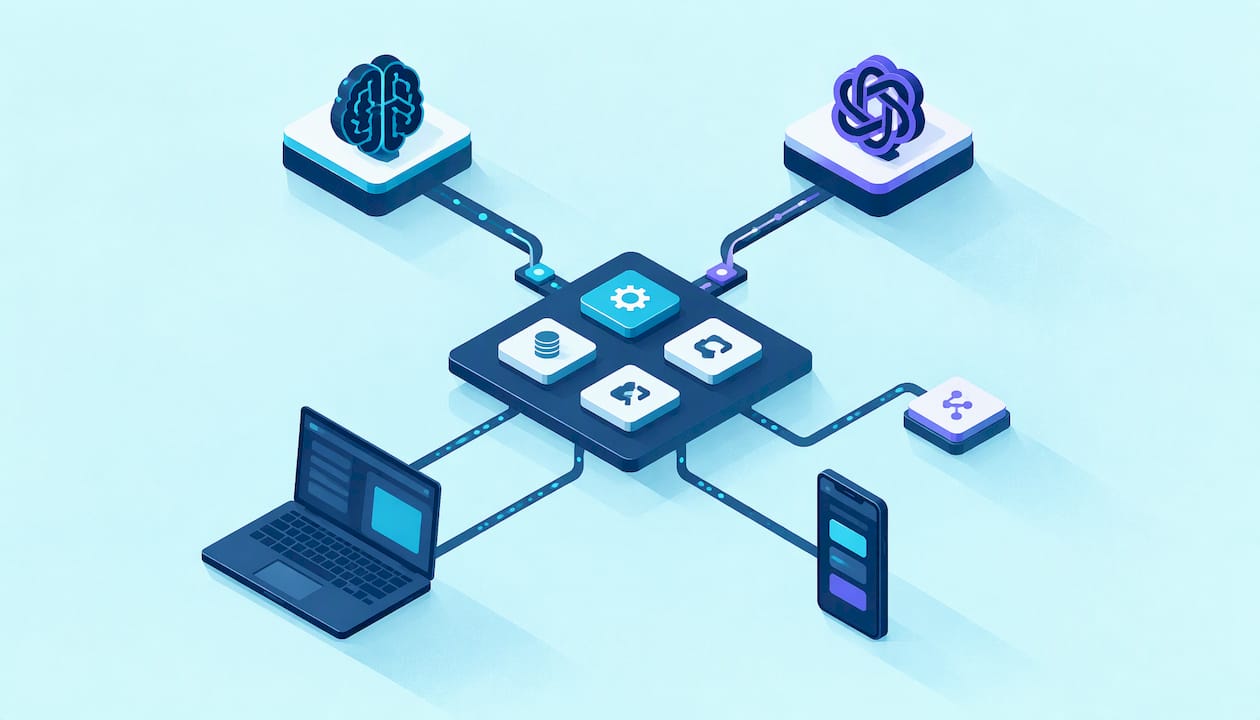
You can automate tasks from Claude or ChatGPT in three layers: prompts and skills inside the chat, scripts and slash commands around the model, and an MCP connection that gives the model real tools. The first layer is fast but stays in a chat window. The third is where work actually gets done: reading a CRM, filling a web form, updating a ticket. It is also where you need permissions, approvals and a trace of what ran. Melaya's MCP Server plugs those tools into Claude, ChatGPT, Cursor, Codex and other MCP-compatible clients, so the model you already use gets controlled hands.
TL;DR
- Chat-only automation (prompts, projects, scheduled tasks) covers drafting, summarizing and analysis. It does not operate your browser, your Android device or your desktop apps.
- MCP (Model Context Protocol) is the standard connector between an AI client and external tools. Claude supports custom remote MCP connectors, and ChatGPT clients can use MCP-compatible tools too.
- Start every automation read-only, add write access one tool at a time, and keep a human approval on publishing, sending, paying and writing to connected apps.
- Melaya is bring-your-own-model: Claude, GPT, Gemini, DeepSeek, Mistral, Qwen, Ollama and LM Studio all work. Melaya does not sell or require its own model.
- Plans start at $0 per month (Sandbox) and $9.99 per month for single products such as Browser Agents.
What "automating from Claude" actually means
The phrase covers three different things, and mixing them up is how people end up with a demo that never reaches production.
- In-chat automation. You write a reusable prompt, a project with standing instructions, or a skill. Claude or ChatGPT does the thinking, you copy the result out. Good for first drafts, document analysis, research summaries.
- Scripted automation. You call the model from code or a terminal. Claude Code is the clearest example: Anthropic describes headless mode with the -p flag and JSON output for use in scripts and pipelines, plus custom slash commands for workflows you repeat.
- Tool-connected automation. The model gets tools through MCP or an execution layer, so it can act in your systems. Your AI is the brain; the tool layer is the controlled pair of hands.
Most searches for this topic want layer 3 and find layer 1. The rest of this guide is about getting from one to the other without losing control.
Which tasks fit Claude, which fit ChatGPT
Both assistants handle the same broad categories: email triage, research, data analysis, coding, and business process steps. The differences are in the defaults. A DigitalOcean comparison from October 2025 frames the split this way: ChatGPT's bundled browsing and Deep Research suit cited, multi-source reports, while Claude suits long-document analysis and structured technical work. Products change quickly, so treat that as a snapshot, not a ranking.
A practical way to choose is by the shape of the task:
| Task shape | Typical fit | What it needs beyond the chat |
|---|---|---|
| Long contract or report review | Claude | File access, a place to write the result |
| Current, multi-source web research | ChatGPT with browsing | A destination for the report (doc, CRM note) |
| Repo work: triage, review, migrations, lint fixes | Claude Code | Test runner, Git host access |
| Inbox sort and draft replies | Either | Mail connector, approval before send |
| Form-filling in a web app without an API | Either | Browser control |
| Recurring check on a price or policy | ChatGPT scheduled tasks or an external scheduler | Notification or write target |
The pattern in the right-hand column is the point. Neither assistant ships with hands for every system you run. That gap is what a tool layer fills, and because Melaya is model-agnostic, you do not have to pick one assistant and rebuild everything if you switch.
Layer 1: automate inside the chat
Start here, because it costs nothing and shows you which steps are worth automating.
Standing instructions. Put the role, format and constraints in a project or custom instruction so each run starts the same way. Include the output schema (for example, a table with fixed columns) so the result can be parsed later.
Skills and reusable prompts. Save the prompts you run weekly. Anything you paste more than three times belongs in a saved skill or project.
Scheduling. ChatGPT has a Scheduled Tasks page for recurring jobs; a June 2026 write-up reports per-plan task limits that range from 3 to 15, so check OpenAI's current documentation for your plan. These tasks produce messages and notifications. They do not log into your accounting system.
When a scheduled prompt starts needing a login, a file system or a write into another app, you have outgrown layer 1. Move on instead of stacking workarounds.
Layer 2: scripts, slash commands and Claude Code
For engineering work, Claude Code is the strongest starting point. Anthropic's own guidance gives you a repeatable pattern:
- Ask Claude Code to read the relevant files and write a plan before it edits anything.
- Implement, then verify with tests.
- Wrap the workflow you repeat in a custom slash command.
- Give it shell tools or MCP connections for access to APIs and logs.
- For pipelines, run headless with -p and JSON output.
The same Anthropic article lists the work that suits automation: issue triage, code review, test-driven coding, log analysis, migrations and lint fixes. It also warns that skipping permission prompts risks data loss, system damage or data exfiltration, and recommends an offline container for unsupervised runs.
That warning matters for planning. A pipeline that runs without a person present needs a boundary: a sandbox, a narrow credential, a limited set of commands. If you want a code review crew that runs on your GitHub, GitLab or Gitea repositories with traceable runs, see Melaya's engineering use case.
Layer 3: connect real tools with MCP
The Model Context Protocol is an open standard, created by Anthropic, for AI applications to connect to tools and data. Claude's help center explains that custom connectors let Claude reach services Anthropic has not verified, and that once connected Claude can access those services and take action in them. Adding one takes two inputs: a connector name and the remote MCP server URL exactly as the provider documents it, including its path.
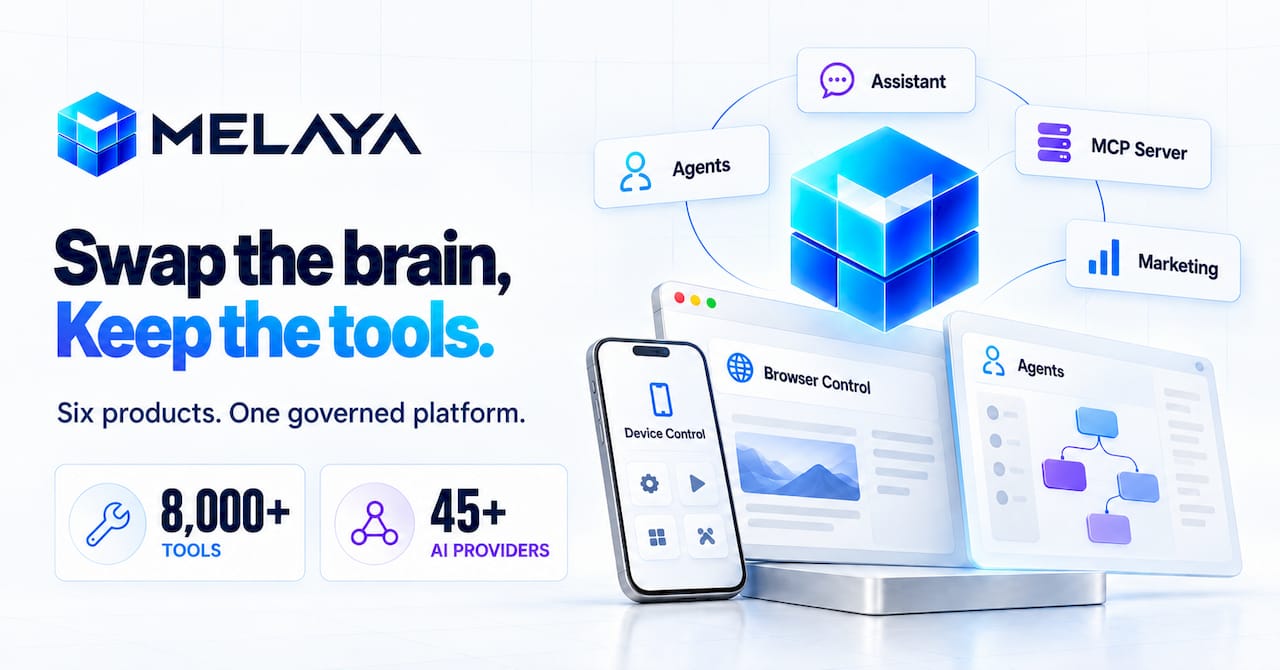
A business-focused MCP guide from October 2026 lists the jobs this unlocks for Claude or ChatGPT: call preparation, meeting follow-ups, CRM updates, team summaries, revenue checks and document search across the CRM, inbox, calendar, documents and project systems.
The protocol solves the connection. It does not decide what the model may do once connected. That is a design job, and it is where most automation projects succeed or stall.
What Melaya adds to the connection
The Melaya MCP Server brings Melaya's capabilities into the AI client you already use: ChatGPT, Claude, Cursor, Codex and other MCP-compatible tools. Behind it sit:
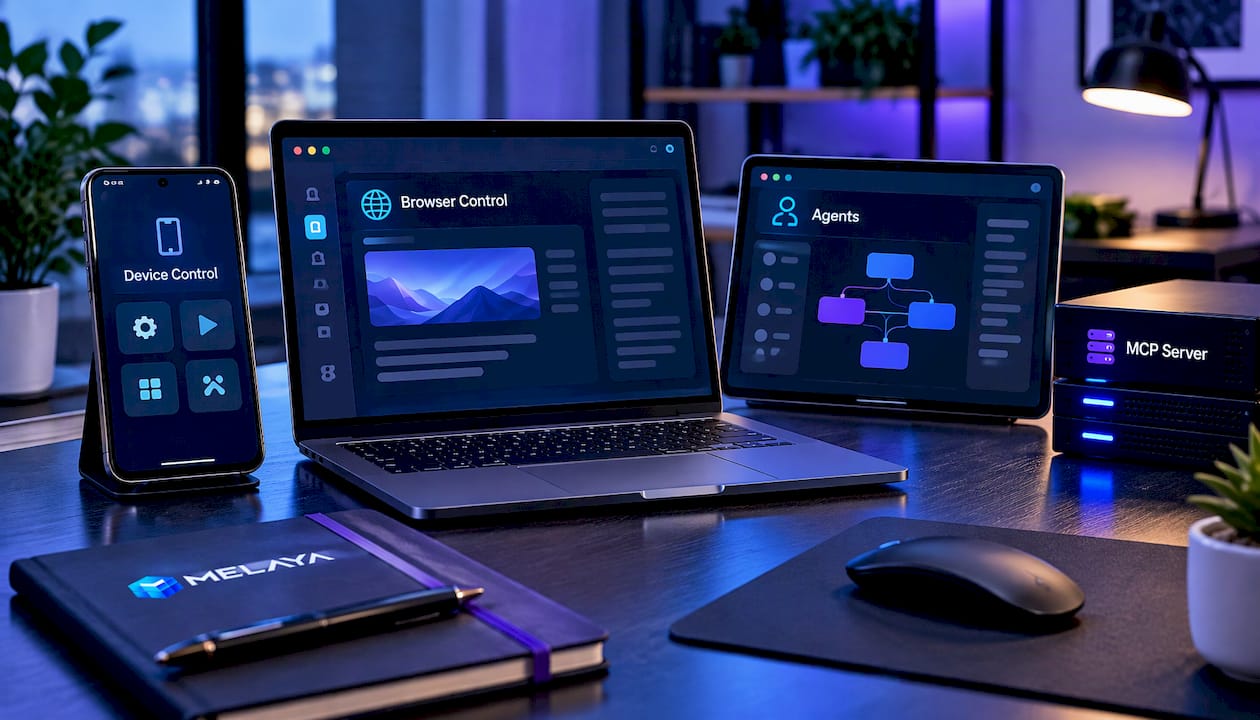
- Browser Control, so an approved model can operate websites.
- Mobile Agents, which operate Android applications. Device control is Android only; iPhone and iOS are not supported.
- Computer Control, which operates desktop software through the Melaya desktop app.
- Melaya Assistant, which works across connected business systems, with native integrations for platforms such as Odoo.
- Granular permissions, human approval controls and execution traces, so each run is inspectable and replayable.
The result: you keep asking Claude or ChatGPT in the interface you like, and the actions run through one governed layer instead of a separate integration per client.
Build the automation: a step-by-step routine
Use this order for any task, whether it is email follow-ups or QA on a web app.
1. Pick one task with a clear finish line
Good first candidates are frequent, rule-bound and low in consequence if wrong: sorting an inbox into labels, summarizing yesterday's tickets, producing a weekly metrics digest. Write the task as input, steps, output. If you cannot, the model will not either.
A useful filter: the task runs at least weekly, takes at least 15 minutes by hand, and has an output a person can check in under two minutes.
2. Choose the model per task
The model is a setting, not a commitment. Melaya is bring-your-own-model: it works with any cloud or local AI model, including Claude, GPT, Gemini, DeepSeek, Mistral, Qwen, Ollama and LM Studio. That lets you run a long-document step on one model and a high-volume classification step on a cheaper or local one, and swap either later without rebuilding your tools and workflows. Teams with data that must stay in-house can point the same workflow at local infrastructure.
3. Give read-only access first
Connect only the context and tools the job needs. The MCP guide cited above recommends starting with narrow or read-only access and keeping approval for consequential writes. In practice: let the agent read the inbox and propose labels and drafts for a week before it can change anything.
4. Add write access one tool at a time
Each new write (a CRM field, a calendar invite, a ticket) is a separate permission with its own test run. Melaya's granular permissions are built for this: scope each tool to what the workflow needs, nothing wider.
5. Put approvals on every consequential action
In Melaya, every consequential action (publishing, sending, paying, writing to connected apps) runs behind human approval. Agents prepare the email, the post, the payment request or the record update; a person approves it. That is the design, not an optional add-on. Placement matters: approve at the moment of the irreversible step, not at the start of a long run, so the reviewer sees the real output. For a deeper look at where gates belong, see this guide to approval gates for AI agents.
6. Schedule it, then read the traces
Once a workflow is stable, attach a schedule or trigger. Melaya's Agent Builder combines models, tools, memory, schedules, approvals, triggers and multi-agent pipelines in traceable, replayable runs. Review the first 10 runs line by line. When one fails, replay it and see which step and which input caused it, instead of guessing from a final answer.
7. Expand only after a clean week
Widen scope when the traces are boring. Add the next tool, the next mailbox, the next team. Not before.
Concrete examples you can copy
Inbox and follow-ups. The agent reads only overnight mail, applies labels, drafts replies and posts a summary. Sending stays behind approval. Expected effect: you review drafts instead of writing them.
Engineering triage. Claude Code or a review crew sorts new issues, reviews pull requests and runs lint fixes, with tests as the check. Writes to the repo go through your normal review.
Web QA. An agent walks a signup flow in a browser and then repeats it on an Android device, logging each step. Melaya's web and mobile QA use case covers browser to device.
Project reporting. An agent builds a work breakdown structure and a weekly health check from your project data. See the project management crew.
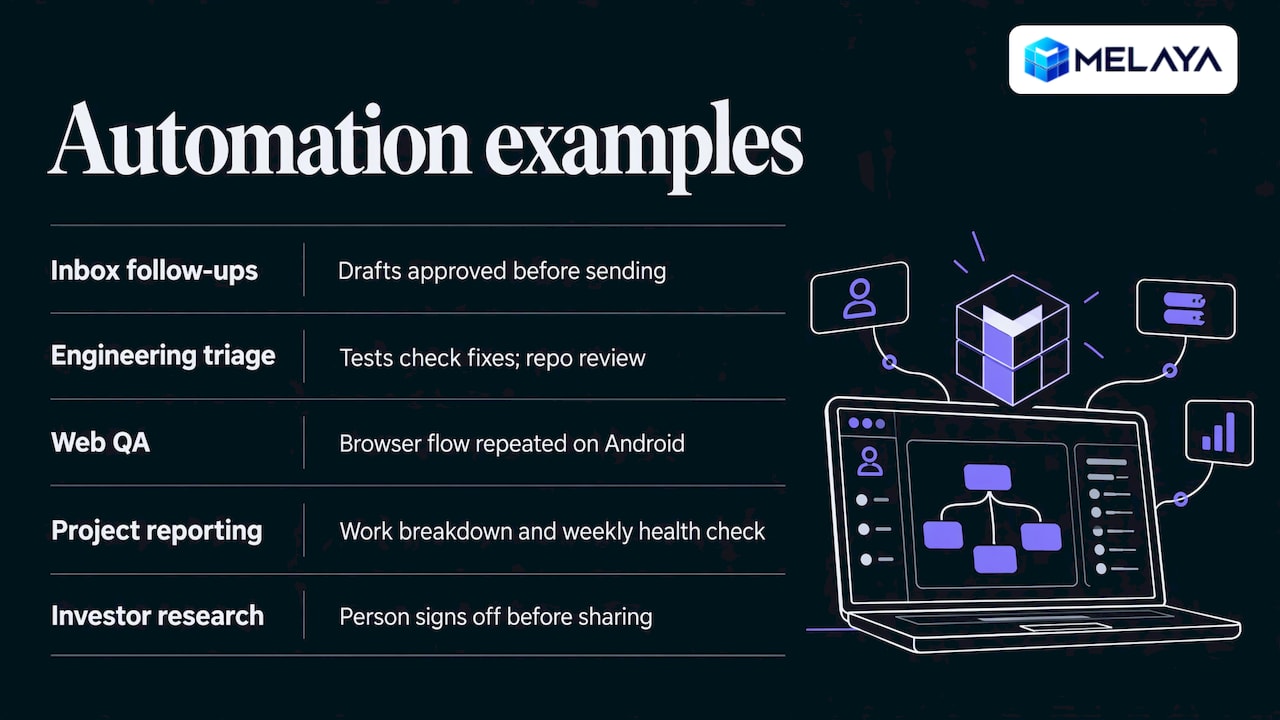
Investor research. Agents collect and structure company information for a deal memo, with a person signing off before anything is shared. See the VC and investor use case.
Security checklist before you go live
- Least privilege. One credential per workflow, scoped to the minimum.
- Allowlists. Name the sites, apps and commands the agent may touch; deny the rest.
- Isolated runs. Use a sandbox for anything unsupervised, as Anthropic advises for Claude Code.
- Approval on writes. No publishing, sending, paying or app writes without a person.
- Trace retention. Keep execution history so you can answer what ran, when and with what input.
- Separate devices. For Android automation, use a dedicated device or profile.
Melaya's AI agent security guide and mobile AI agent security guide go through these controls in more detail. The platform is backed by independent security audits.
Claude, ChatGPT or both
If your team uses both assistants, a shared tool layer prevents two sets of integrations. You define tools, permissions and approvals once, then reach them from either client over MCP. If you are weighing a native agent against a model-independent one, Melaya's comparison with ChatGPT Agent and its page on a Claude Cowork alternative for computer use lay out the differences.
Where Melaya fits and what it costs
Start on Sandbox at $0 per month to build and test a workflow. Single products are $9.99 per month each for Mobile Agents, Browser Agents and Melaya Assistant, and $14.99 per month for Melaya Marketing, which covers AI-powered SEO audits, backlink building, advertising and analytics. Platform plans run Outpost at $20 per month, Forge at $49 per month or $469 per year, Bastion at $129 per month or $1239 per year, and Citadel from $490 per month. Current terms are on the pricing page.
If your goal is to run Claude or ChatGPT against real browsers, Android devices and desktop software, with approvals and traces, the Melaya MCP Server is the entry point. For building multi-step workflows with schedules and triggers, use Melaya Agents. Desktop work runs through Computer Control, which requires the Melaya desktop app.
Our perspective
Chat assistants got good at thinking before they got good at doing. The missing piece was never another model. It was a controlled way for any model to touch real systems.
We built Melaya on that view. You bring the model: a cloud model today, a local one next quarter. Melaya supplies the tools, the permissions, the approvals and the traces. When you change models, your workflows stay put.
We also hold a firm line on consequence. Reading, drafting and preparing are automatic. Publishing, sending, paying and writing to connected apps wait for a person. That is how automation earns trust inside a business: small scope first, visible history, a human at the irreversible step.
If you automate one task this week, pick something you can check in two minutes and keep it read-only until the traces look boring.
Melaya Team
FAQ
Can Claude automate tasks on its own?
Inside the chat, Claude drafts, analyzes and summarizes, but it needs connectors to act in other systems. With MCP it can reach tools and take action in them. For anything consequential, keep a human approval between the model's output and the action.
Does the same setup work for ChatGPT?
Yes, if the tool layer speaks MCP. Melaya's MCP Server works with ChatGPT, Claude, Cursor, Codex and other MCP-compatible clients, so one set of tools, permissions and approvals serves whichever assistant your team opens.
Do I need a specific model to run Melaya agents?
No. Melaya is bring-your-own-model and works with any cloud or local model, including Claude, GPT, Gemini, DeepSeek, Mistral, Qwen, Ollama and LM Studio. Melaya does not sell or require its own model for agents.
Can Melaya control an iPhone?
No. Mobile Agents operate Android applications only. For web work, use Browser Agents, and for desktop software use Computer Control with the Melaya desktop app.
How do I keep an automation safe?
Start read-only, scope each tool, and require approval for publishing, sending, paying and app writes. Run unsupervised jobs in an isolated environment and review the execution trace of the first runs before widening access.
Sources
- Claude Code Best Practices, Anthropic
- Get started with custom connectors using remote MCP, Claude Help Center
- Claude vs ChatGPT: Which AI Assistant Wins in 2025?, DigitalOcean
- What Is MCP? Model Context Protocol for Business (2026)
- ChatGPT Scheduled Tasks: a plain guide
- Approval Gates for AI Agents: Where to Place Them and Why
Recommended
- AI Agent Builder: Visual, No-Code, Free to Start
- AI Project Management Crew: WBS to PMO Health Check
- AI Operations Crew: Reconciliation, Incidents, Reports
- AI Computer Use Agent for Windows, Mac & Linux
Frequently asked questions
Can Claude automate tasks on its own?
Inside the chat, Claude drafts, analyzes and summarizes, but it needs connectors to act in other systems. With MCP it can reach tools and take action in them. For anything consequential, keep a human approval between the model's output and the action.
Does the same setup work for ChatGPT?
Yes, if the tool layer speaks MCP. Melaya's MCP Server works with ChatGPT, Claude, Cursor, Codex and other MCP-compatible clients, so one set of tools, permissions and approvals serves whichever assistant your team opens.
Do I need a specific model to run Melaya agents?
No. Melaya is bring-your-own-model and works with any cloud or local model, including Claude, GPT, Gemini, DeepSeek, Mistral, Qwen, Ollama and LM Studio. Melaya does not sell or require its own model for agents.
Can Melaya control an iPhone?
No. Mobile Agents operate Android applications only. For web work, use Browser Agents, and for desktop software use Computer Control with the Melaya desktop app.
How do I keep an automation safe?
Start read-only, scope each tool, and require approval for publishing, sending, paying and app writes. Run unsupervised jobs in an isolated environment and review the execution trace of the first runs before widening access.