
Most modern work happens in a browser. The problem is that even after AI gives you the answer, you still have to do the work.
You still open the customer record. Check the order. Compare the numbers. Copy the result into another system. Fill the form. Draft the follow-up. Ask for approval. Then do it all again tomorrow.
That last mile is where useful AI usually stops. A chatbot can tell you what to do. Melaya Browser Control can carry the task into the web apps where the work actually happens.
Give it an outcome in plain language:
"Find the customers with renewals due this month, check their latest account activity, prepare the CRM updates, and stop before saving anything."
Melaya can open the relevant pages, read what is on screen, use the connectors you selected, move through the workflow, and bring the prepared result back to you. You can watch it work, take over, approve a consequential step, or stop the run at any time.
This is why Browser Control quickly becomes more than a convenience. It removes the constant handoff between thinking and doing.
- One request replaces the click-by-click choreography. You describe the finish line instead of explaining every button.
- The agent works where your information already lives. It can operate the CRM, dashboard, admin portal, vendor site, inbox, or internal tool you choose.
- A useful task can become a repeatable process. Start with one supervised run, then turn stable work into a pipeline with its own model, schedule, connectors, and approval rules.
- You keep the judgment. The agent handles navigation and preparation. You remain in control of sending, purchasing, publishing, deleting, or changing an account.
Today, you can choose the browser path that fits the work. Launch a separate Chrome, Edge, or Brave browser through the Melaya runner for isolated, repeatable automation, or install the Melaya extension to work beside an active Chrome, Edge, or Firefox tab where you are already signed in. Extension Cloud mode needs no runner; Local mode uses the runner for supported local or CLI models.
The result is not another AI window beside your work. It is an agent that can help finish the work, with clear limits.
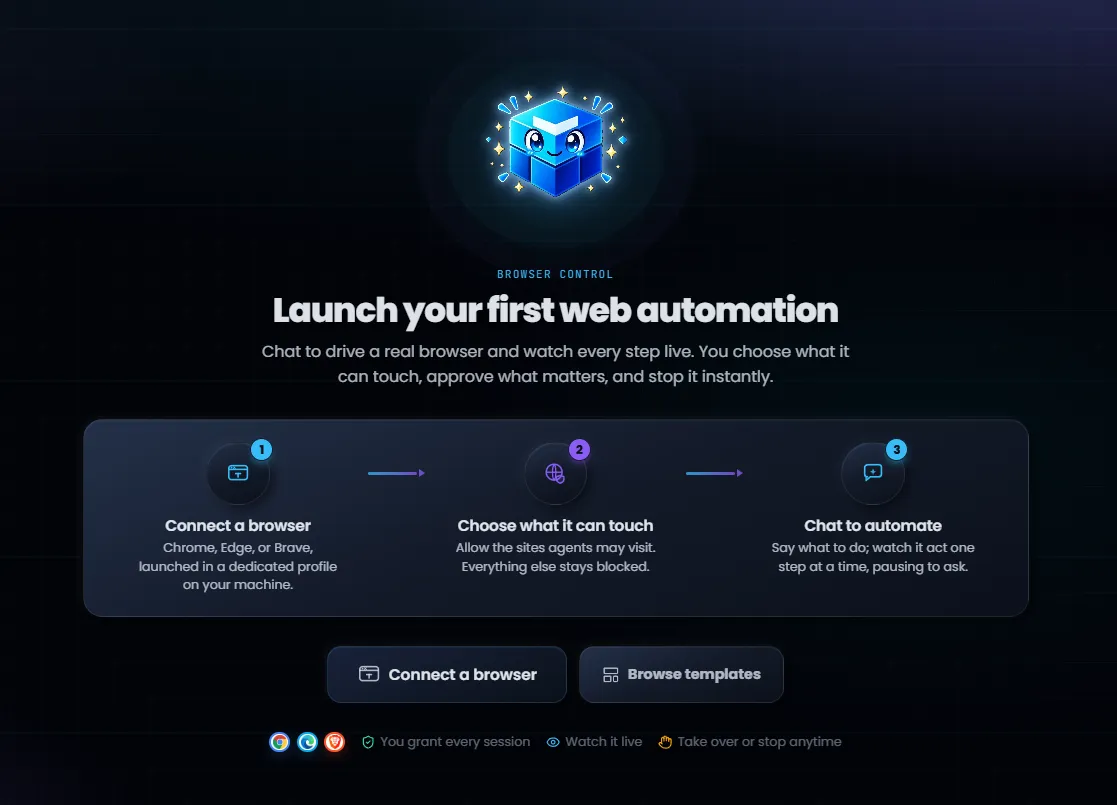
To start today, open Products > Browser Control in Melaya. Connect a dedicated Chrome, Edge, or Brave profile, choose which sites the agent may use, then describe the task in the Browser Control chat.
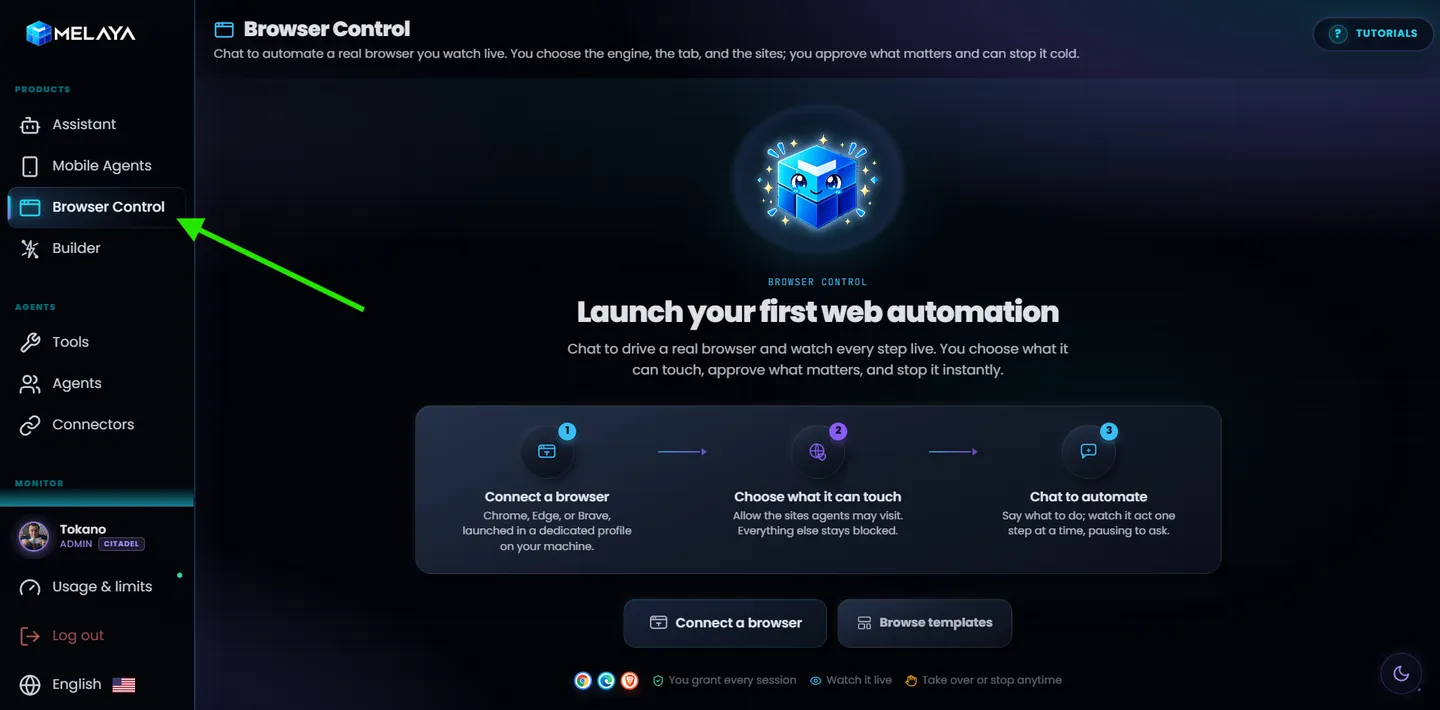
Ask once. Watch the work get finished.
The fastest way in today is the chat built into the Browser Control page. Connect a dedicated browser, then describe the outcome in plain language. The coming extension will bring the same interaction model into a side panel beside the active tab.
"On this vendor dashboard, find every overdue order, compare the account details with my CRM connector, and prepare a follow-up list. Do not send anything."
This is a precise job, not a vague promise to "browse for you." The agent has a clear starting point, a source to compare, a result to prepare, and a boundary it must not cross.
You do not map every click or move the information between apps yourself. The agent combines the connector you selected with browser actions, checks the page after each meaningful change, and continues from what is really there. The live view shows the page it is operating. The tools it used collapse into a tidy count under each reply, exactly like the main Melaya assistant.
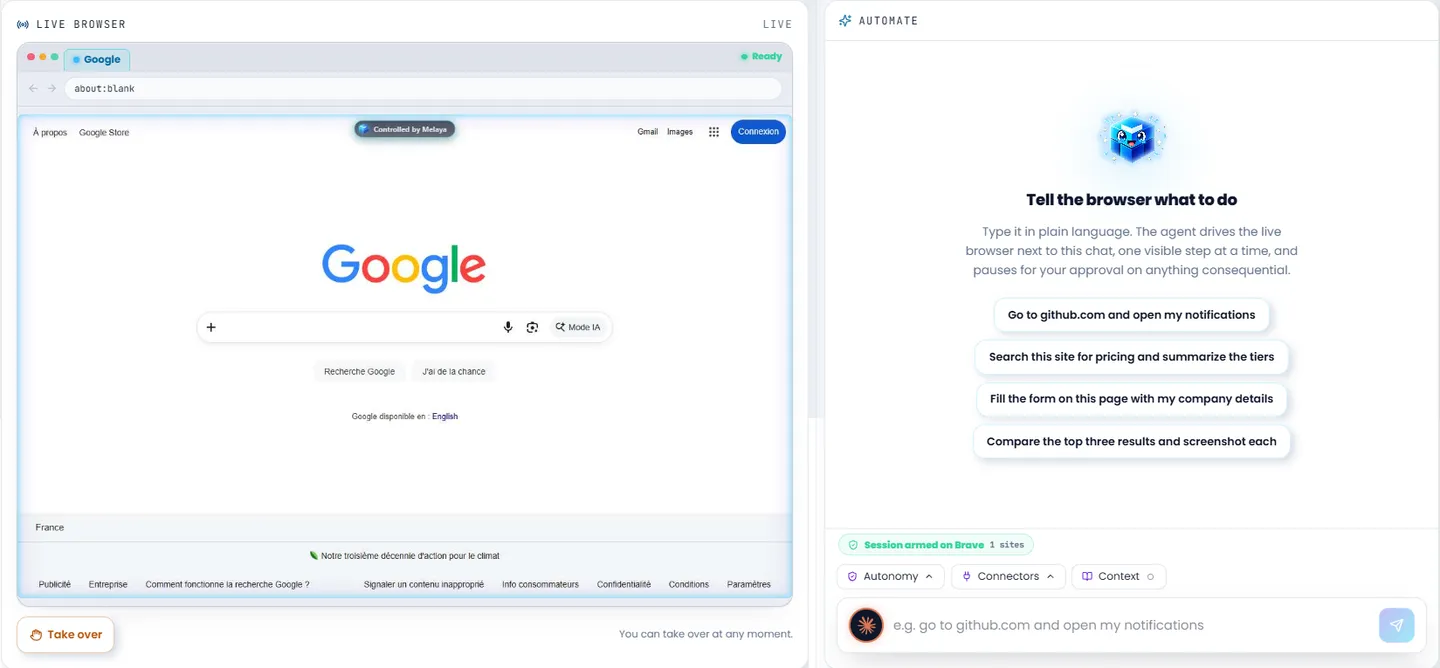
The shift is practical: you stop being the bridge between the AI and your software. You set the goal, supervise exceptions, and review the result.
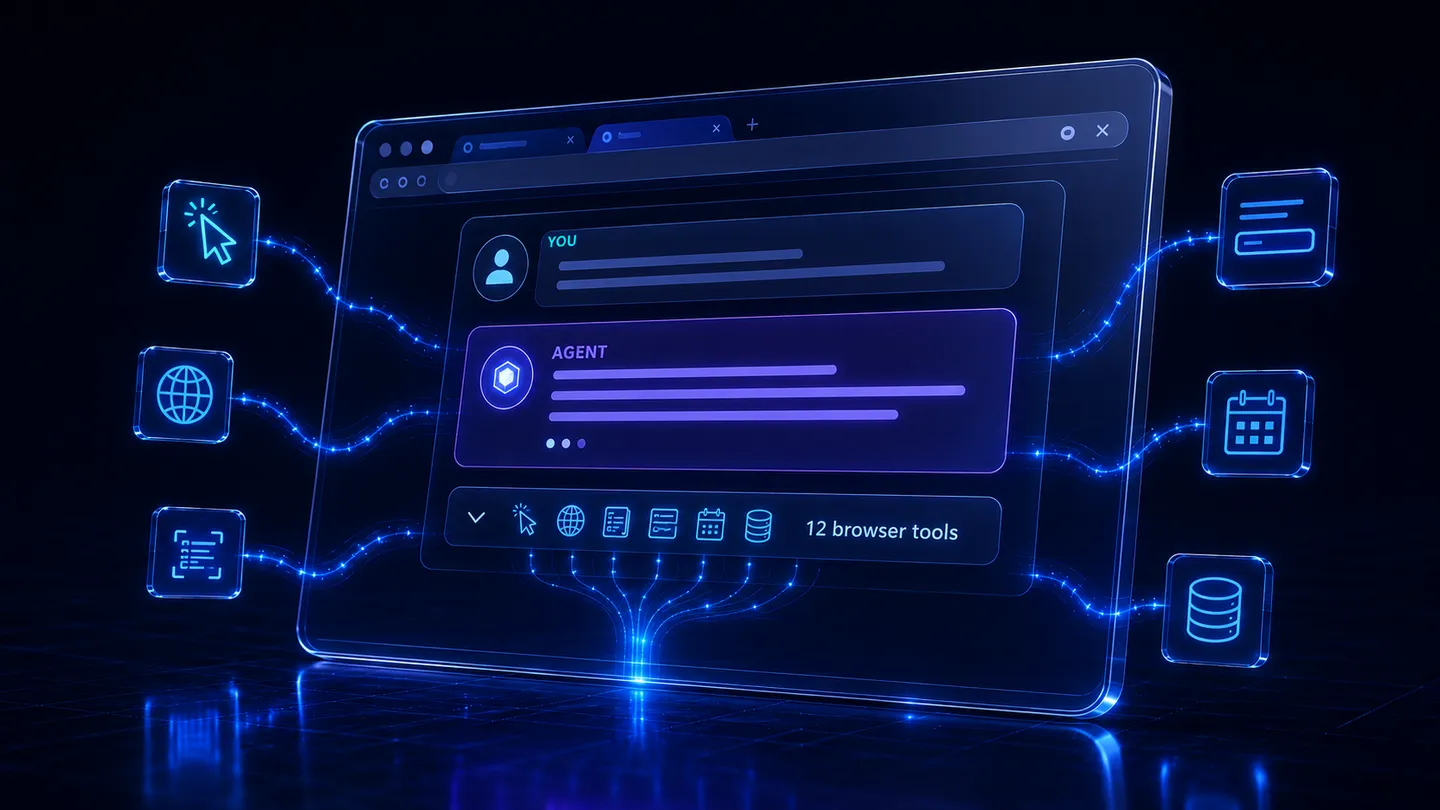
You watch the run as it happens and read exactly which browser actions the agent took, the same tool stream you know from the Melaya assistant, now driving a real browser.
You state the outcome. Melaya operates only the browser and sites you granted. The work stays visible, and consequential decisions come back to you.
The browser work worth delegating
Browser Control is most useful for work that is important enough to finish, repetitive enough to drain time, and structured enough to verify. The sweet spot is not replacing judgment. It is removing the navigation, lookup, comparison, and data-entry steps around that judgment.
- Sales: review new leads, gather company context, prepare CRM fields, and leave final qualification to the account owner.
- Customer success: find renewals or inactive accounts, compare recent activity, and prepare outreach without sending it.
- Operations: check vendor portals for delayed orders, compare expected dates, and produce an exception list.
- Finance: review invoice or payment statuses across portals, flag mismatches, and stop before any payment or account change.
- Support: inspect an account in the admin console, collect the relevant facts, and draft the next response for review.
- Marketing: collect campaign results from web dashboards, organize the numbers, and prepare a report or draft update.
- Recurring administration: run the same checks across approved sites on a schedule and surface only what changed or needs a person.
A good first task has the same beginning most days, a result you can check, and a clear moment where the agent should stop. Once that run works, saving it as a pipeline turns personal know-how into a process the team can reuse.
That is why browser agents matter now. Businesses have added AI for writing and analysis, but the operational work still sits behind buttons, tables, forms, and logins. Browser Control connects the intelligence to that final layer without asking every software vendor to build a new integration first.
Use a dedicated browser today, and your active tab soon
You should not have to rebuild your workflow around the automation tool. The dedicated-browser path gives repeatable work a separate environment. The live extension gives immediate work a side panel beside the page and signed-in session you already use.
Give repeatable work a separate browser
The app path launches a clean Chrome, Edge, or Brave profile through the Melaya runner on your machine. It gives repeatable automation its own workspace, separate from your everyday browsing. This is the strongest default for workflows that do not need your personal session and for tasks you want to reuse or schedule.
Use the tab where the work is already open
The Melaya extension is live for Chrome, Microsoft Edge, and Firefox. It is designed for work that depends on an existing login or the page already in front of you. The side panel connects to the active tab, keeps Melaya controls beside the page, and shows when browser control is active.
The cockpit combines cloud or local model selection, connectors, standing context, tab scope, autonomy controls, and the conversation in one side panel. Cloud mode does not require a local runner.
The extension executes browser actions on your machine while sending the page context required for reasoning to the cloud provider you select. Local mode routes inference through a supported model or CLI on the Melaya Runner, while the authenticated control plane still handles grants, commands, approvals, and status. Fresh signed grants, target binding, origin and effect checks, approvals, and stop controls govern both paths.
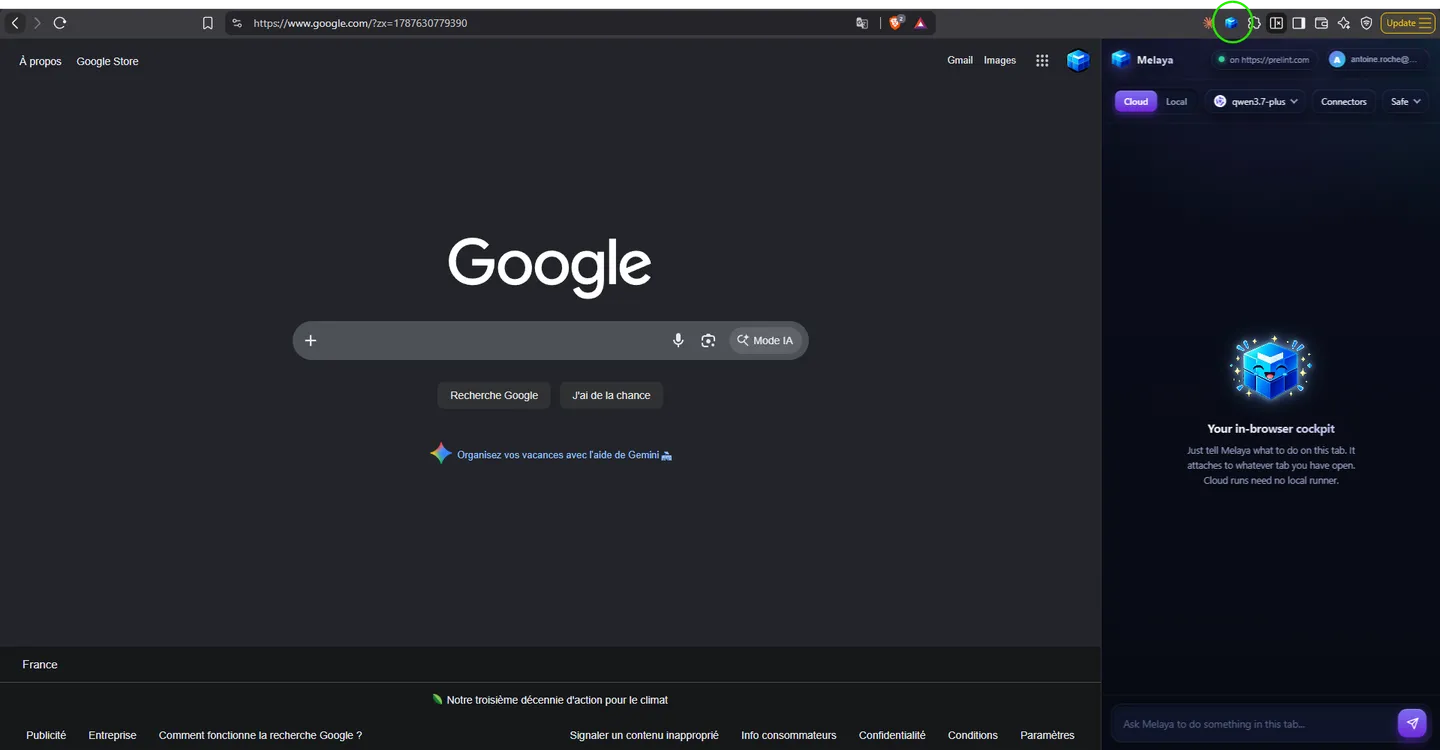
The side panel brings model selection, connectors, standing context, tab scope, autonomy controls, and the conversation beside the page. Use Cloud mode without a runner or Local mode with a supported runner-hosted model or CLI route.
- No Python environment, no headless Chromium, and no CDP wiring to maintain.
- No brittle selector scripts to record and re-record when a page changes.
- No model lock-in: choose a cloud provider or a runner-hosted local or CLI model per task.
- The live extension cockpit keeps the task, model, connectors, standing context, approvals, and browser scope together.
- No silent network reach: the grant carries an origin policy, and private, local, metadata, file, and unsafe destinations stay blocked.
- No blind trust: you watch the run live and can stop it at any second.
Choose where the AI runs and which browser path fits
Most browser agents make the model and browser part of one fixed product choice. Melaya lets you choose the convenient path for today's task without rebuilding the workflow tomorrow.
- Runner path, available now: launch a dedicated browser and choose from supported hosted, local, or CLI models. That can include Ollama, LM Studio, Claude Code, or Codex, with the agent and browser bridge running through your machine.
- Extension path, available now: choose a connected cloud provider without a runner, or connect the Melaya Runner for a supported local model or CLI route. The extension performs browser actions in This tab by default and can expand to All tabs only when you choose it.
- Connector choice: add only the connected services the task needs, so browser work can be grounded in a CRM, document store, database, or other selected source.
- Workflow choice: use the side panel for an immediate task, or turn repeatable work into a Melaya pipeline with its own model, schedule, and approval rules.
Use a dedicated profile or the live extension with a cloud, local, or CLI route. The job can evolve without giving the agent unlimited permission or locking the workflow to one provider.
How an AI agent operates your browser
There is no separate "browser brain" inside Melaya. Browser actions are ordinary tools in the same agent runtime as research, documents, connectors, memory, and human approval. That keeps web work composable with everything else you build.
- You state the outcomeIn the Browser Control chat or a saved pipeline
- You grant a sessionThe trusted Melaya UI mints a signed, single-use, scoped grant
- The agent selects a browser toolNavigate, click, type, scroll, or read the page
- Melaya routes a bounded commandVerified against your grant: this browser, this scope, this effect ceiling
- The page executes and reports backThe fresh accessibility tree returns, so the agent acts on what exists now
The agent reads the page as a compact tree of interactive elements, each with a stable reference, so a click targets the right control rather than a screenshot guess. When plain text is not enough, it can take a downscaled screenshot for visual context and act by coordinates. It waits for the page to settle, handles cookie banners and dialogs, and re-reads after anything that changes the page, because a page that moved is the normal case, not the exception.
Built for the web as it really is
Web pages are dynamic, personalized, localized, and constantly redeployed. An element can exist on screen and off screen at the same time. A single-page app can swap the whole view under the agent while it reasons. A search can throw a consent wall in front of the results.
Browser Control is designed around those conditions, not against them.
- Observe after acting. A successful action returns the page that now exists, so the next decision is grounded in reality, not in a remembered layout.
- Reference the real element. The agent targets a stable element reference from the live tree, and can resolve visible text like an "Accept all" button, before falling back to coordinates.
- Keep scope selection outside the model. The trusted Melaya interface starts in This tab. The agent cannot widen that boundary itself. Only the user can enable All tabs, which allows the task to list, open, switch, and close ordinary web tabs until the user returns to This tab.
- Stay inside the fence. Navigation is checked against the sites you allowed for the session. Dangerous destinations like local network addresses and cloud metadata endpoints are always blocked, even when you grant "any site."
- Do not type secrets. The agent is prohibited from typing passwords, one-time codes, and card numbers. When a step needs one, it hands control back to you.
- Act, then fetch the page again2 round tripsTwo round trips: one to act, one to see what changed
- Melaya act-and-observe1 round tripThe successful action returns the updated page in the same result
This is an architectural point, not a benchmark claim. Less waiting between action and evidence, and fewer chances for the agent to reason from a page that no longer exists.
Permission is part of the product
Giving an agent a browser creates a sharper trust problem than giving it a read-only API. A paragraph in a prompt is not a boundary. The boundary has to survive a confused model, a moved page, and a hostile site trying to talk the agent into something.
So Melaya treats permission as an execution rule, not a suggestion. Every session an agent drives is backed by a signed grant, and the trusted Melaya UI is the only thing that can mint it. The model never issues its own permission.
- A session grant is a signed, single-use, short-lived token, minted only by the trusted Melaya interface, never by the model.
- The grant is bound to your account, the exact browser, the session, the allowed sites, and a ceiling on how consequential an action may be.
- Origin policy is enforced where actions happen. Off-limits sites return a clear blocked result the agent cannot argue past.
- Local network, private, and cloud-metadata destinations are denied by default, even under an allow-any-site grant.
- Secrets are off limits in inputs. Passwords, OTP codes, and card numbers route to a human handoff, never the model.
- The extension starts in one user-selected tab, shows an active-control indicator, and supports immediate detach or stop. All-tabs access requires a separate user choice.
Live means controllable, not just observable
You are never automating in the dark. A run always shows you two things: that it is happening, and how to end it.
The Browser Control page streams a live mirror of the session, with the tab strip, the current address, and the agent's actions as they occur. A branded "Controlled by Melaya" marker on the page makes an active session unmistakable. And you are always one control away from taking over.
- A live mirror shows the granted session, the open tabs, and each action as it happens.
- Take over pauses the agent so consequential actions hold while you drive the real window yourself.
- Emergency stop ends the run and revokes the session immediately, from the page.
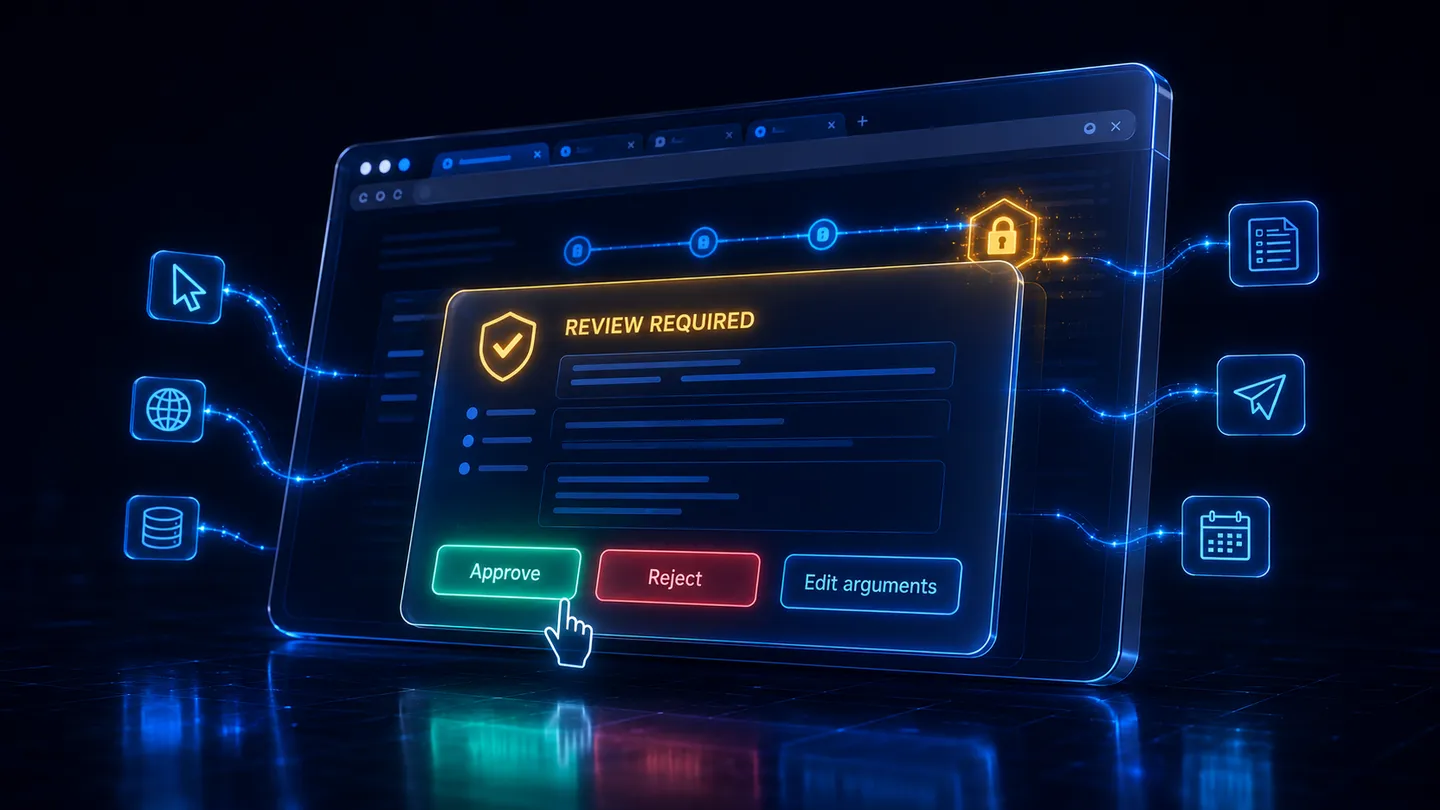
- Consequential effects such as posting, purchasing, or account changes pause for a human decision.
- The session is scoped to you: a grant for your browser can never be used to touch someone else's.
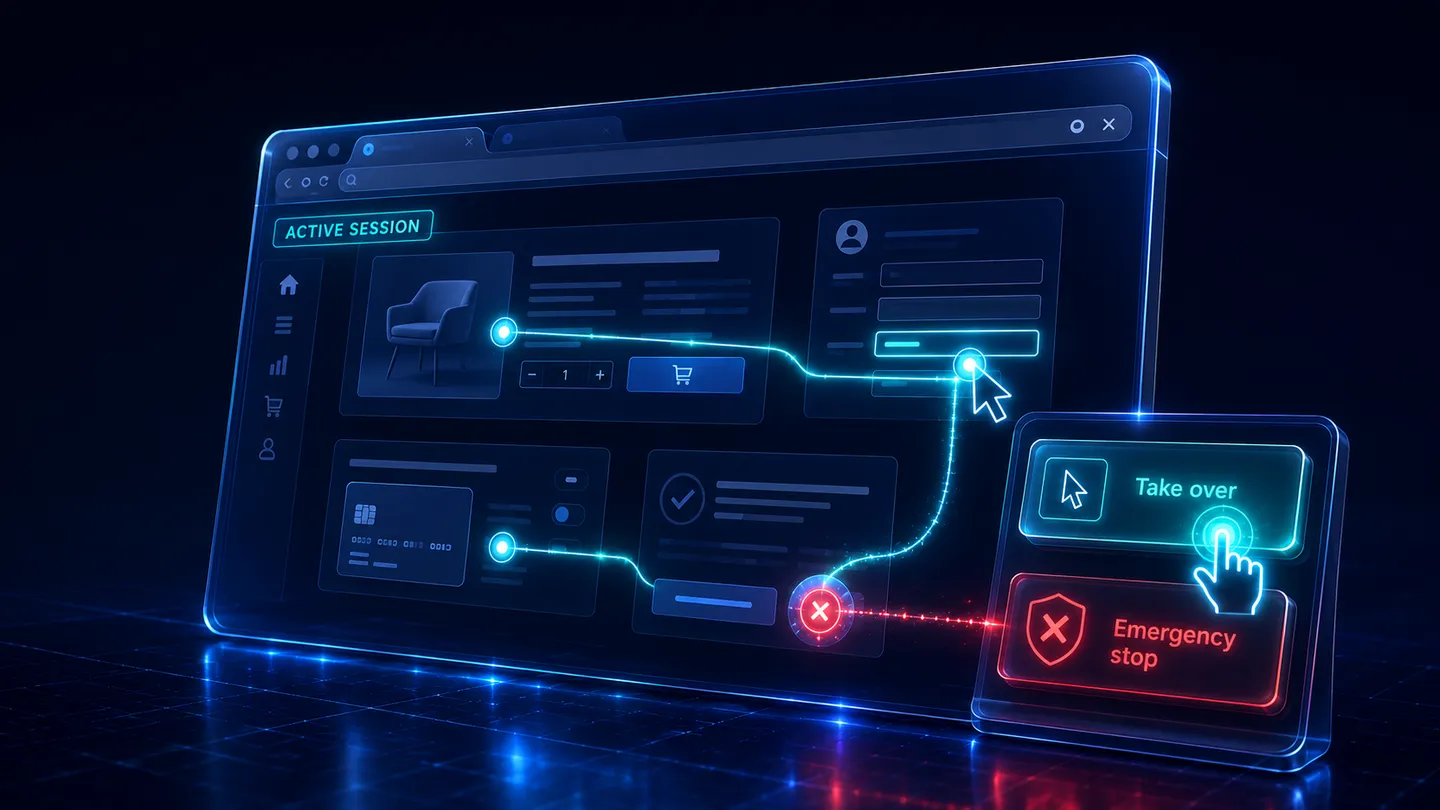
Taking over pauses the agent so nothing consequential runs while you hold the wheel. Emergency stop ends the run and revokes the grant immediately, from the same page you are watching.
Automation can prepare the moment. The person should still own the consequence. Composing a post and publishing it are not the same action, and Melaya treats them differently.
Why Melaya is the stronger default
Claude in Chrome and OpenClaw Browser are capable browser agents. But they represent opposite compromises.
Claude in Chrome is easy to adopt because Anthropic chooses the browser, model family, account, and product experience for you. That simplicity becomes a constraint when you want another provider, a local model, a different Chromium browser, or model inference that does not consume the same Claude usage allowance as your other Claude work.
OpenClaw offers broad provider, local-model, and browser flexibility. The tradeoff is operational ownership. You configure and maintain the Gateway, model routes, browser profiles, extension relay, plugins, permissions, and security posture. Its own security guidance assumes one trusted operator boundary per Gateway.
Melaya productizes the useful middle. Start in the live extension with a connected cloud provider and no runner, connect a supported local or CLI model through the guided runner path, or give isolated work a dedicated browser profile. The workflow does not have to belong permanently to one provider, and the permission boundary does not disappear when the model changes. The full current comparison now lives in the Melaya browser extension launch article.
| What matters in daily use | Claude in Chrome | OpenClaw | Melaya Browser Control |
|---|---|---|---|
| Fastest starting path | Install the Chrome extension and sign in to a paid Claude plan | Install and onboard OpenClaw, connect a model, run or manage the Gateway, then configure the browser path | Install the extension and use a connected cloud model with no runner; add the guided runner only for local or CLI routes |
| Model choice | Public Claude models only | Broad hosted, subscription, gateway, and local-model support | Connected cloud providers, supported local models, and CLI routes such as Claude Code or Codex, selected per task |
| Provider lock-in | Browser workflows remain inside the Claude model and account ecosystem | No inherent provider lock-in, but the operator owns provider routing and compatibility | Choose the model path per workflow without turning the whole product into infrastructure you maintain |
| Usage limits and continuity | Browser activity counts against the same Claude plan limits as Claude and Claude Code; Anthropic says browser interactions are more compute intensive and can use more of the allowance | Limits and cost depend on the selected provider, or on local hardware when self-hosting | Switch suitable runner workflows to a local model so their inference does not consume a hosted provider's message or token allowance; keep cloud models for jobs that need them |
| Local AI | Not available; Claude in Chrome uses Claude models | Supported, with local runtime, model, context, tool-calling, and Gateway configuration owned by the operator | Supported through the Melaya runner with options such as Ollama or LM Studio, inside the same product workflow |
| Browser choice | Google Chrome only; other Chromium browsers are not supported | Managed and extension paths across Chrome-family browsers | Chrome, Edge, and Firefox in the extension, plus Chrome, Edge, or Brave dedicated profiles |
| Existing signed-in work | Works in Chrome tabs and can operate across tabs granted to Claude | Extension access can connect selected or all signed-in tabs through the Gateway relay | Works in the open signed-in tab, starting with This tab and expanding to All tabs only when the user chooses |
| Isolated automation | Anthropic recommends considering a separate Chrome profile for sensitive workflows | Provides managed, isolated browser profiles | Launch a clean dedicated browser from the Melaya target picker, without manually creating a browser-control stack |
| Turning a task into a process | Claude tasks, shortcuts, and schedules remain in the Claude ecosystem | Skills, cron, channels, plugins, and profiles can be assembled by the operator | Move from a side-panel request to a reusable Melaya pipeline with its own model, connectors, schedule, history, and approval behavior |
| Business context | Claude connectors, plugins, skills, and Cowork context | Plugins, skills, MCP servers, channels, and operator-managed integrations | Select only the Melaya connectors a browser task needs and keep them with the saved workflow |
| Permission model | Site permissions, safety classifiers, confirmations, and Team or Enterprise admin controls | Tool policies, sandboxing, profiles, and Gateway configuration maintained by the operator | Signed, single-use grants bind the account, run, selected target, sites, actions, and effect ceiling, then recheck them where the action executes |
| Human control | Claude can pause or request confirmation; the user remains responsible for its actions | Controls depend on the configured tools, policies, approvals, and operating environment | Live observation, typed approvals, takeover, secret-field handoff, and immediate stop are one product surface |
| Operational responsibility | Anthropic operates the AI product; the user accepts its supported model, browser, plan, and limits | The operator owns the agent runtime and its security boundary | Melaya operates the product surface; Cloud extension runs need no runner, while local or CLI routes use the guided Melaya Runner |
| Best fit | Teams already committed to Claude and Chrome that accept shared Claude usage limits | Technical operators who value maximum ownership more than setup and maintenance time | Users and teams that want the convenience of a product, the option of local inference, and the freedom to change models without redesigning browser automation |
Anthropic states that Claude in Chrome requires a paid plan, is unsupported in other Chromium browsers, and works only with public Claude models. Its troubleshooting guide also says extension activity shares Claude and Claude Code plan limits and that browser interactions can consume more of the allowance than normal chats.
That creates a practical risk for repeated work: the same plan capacity used to think, code, and chat is also used to operate the browser. You can wait for a reset, upgrade, or purchase additional usage credits. With Melaya Browser Control today, a suitable workflow can instead run through a local model on your runner, so model inference is not interrupted by a hosted provider's message allowance.
Local does not mean infinite. The local model is still bounded by its context window, speed, RAM or VRAM, and the capabilities of the machine running it. The advantage is control: you decide when a workflow deserves hosted intelligence and when predictable recurring work should use compute you already own.
Today, Browser Control supports both paths. The extension can use connected cloud providers without a runner and supported local or CLI routes through the Melaya Runner. The dedicated-browser path remains available when a separate, repeatable browser profile is the better boundary.
- Use Browser Control today without operating a personal-agent Gateway, configuring a relay port, or maintaining browser-profile JSON.
- Move suitable repeated work to Ollama or LM Studio so local inference does not consume a hosted provider's message or token allowance.
- Choose a different connected cloud provider when a task needs another model's quality, context, speed, or price.
- Give scheduled or repeatable automation a separate browser profile instead of exposing everyday browsing by default.
- Keep connectors, pipeline history, schedules, approvals, and browser execution in one product instead of assembling them from infrastructure parts.
- Scope every run to the selected target and permitted effects, rather than relying on the model to remember a safety instruction.
- Change the model, browser path, or autonomy level without throwing away the workflow that already works.
Choose Claude in Chrome when staying entirely inside Claude and Google Chrome is a benefit, not a limitation. Choose OpenClaw when owning and configuring the entire personal-agent stack is the goal. Choose Melaya when you want cloud or local model choice, Chrome, Edge, or Firefox, selected connectors, standing context, visible tab scope, and a product experience that does not make every user operate a Gateway.
That is the durable advantage. Melaya does not make you predict today which provider, model, browser profile, or usage plan will still fit the workflow tomorrow. The permissions, approvals, live observation, and stop controls remain part of the product as the work grows. The same reliability model described in the anti-hallucination system and the same posture behind Melaya security and compliance govern the runtime underneath.
The web and the phone, one agent runtime
Browser Control and Device Control are two surfaces on the same idea: give an agent a visible, user-governed path through the interfaces where daily work already happens. Device Control reaches Android apps. Browser Control reaches every web app, on any desktop OS, which is exactly where the people who could not automate a phone can finally automate their work.
Because both are ordinary tools in one runtime, a single agent can research with web tools, act through the browser, pull from selected connectors, remember across steps, and pause for your approval in one workflow. Start in the Browser Control page or live extension today, then save repeatable work as a pipeline and refine the agent, model, schedule, and approval rules. See everything that shipped around the original release in the July 2026 recap.
What Browser Control is, and what it is not
Browser Control is scoped, governed automation of a real desktop browser you own. It combines the breadth of the web with model choice, connectors, memory, tools, evaluation, and workflow design already in Melaya.
It is not invisible control of every tab you have open. It is not a promise that all page data stays on device when you choose a cloud model, because the selected model needs page context to reason. It is not a reason to hand an agent blanket permission. It is not a promise that a third-party site will never change under it. And it is not permission to automate what a service forbids.
Good Browser Control agents stay selective: read before acting, use the accessibility tree when it is enough, take a screenshot only when the visual context is needed, stay inside the granted sites, stop on ambiguity, and summarize what changed.
Try it today
Browser Control through the live extension and a dedicated runner-launched browser is available to Melaya users now. Start with one task you repeat every week: a dashboard check, an account review, an order follow-up, a CRM update, or a report you prepare by moving between web apps.
Install the extension for Chrome, Microsoft Edge, or Firefox to work beside an existing tab. For isolated and repeatable work, open the Browser Control page and launch a dedicated Chrome, Edge, or Brave profile through your runner.
Explore Melaya Browser Control, read the setup guide in the docs, or create your account and drive your first browser session.
