The AI answer was never the finished job. The finished job is the form submitted, the bug explained, the comparison built, or the repetitive browser work actually done.
That gap is why the Melaya browser extension is now available for Chrome, Microsoft Edge, Brave, and Firefox.
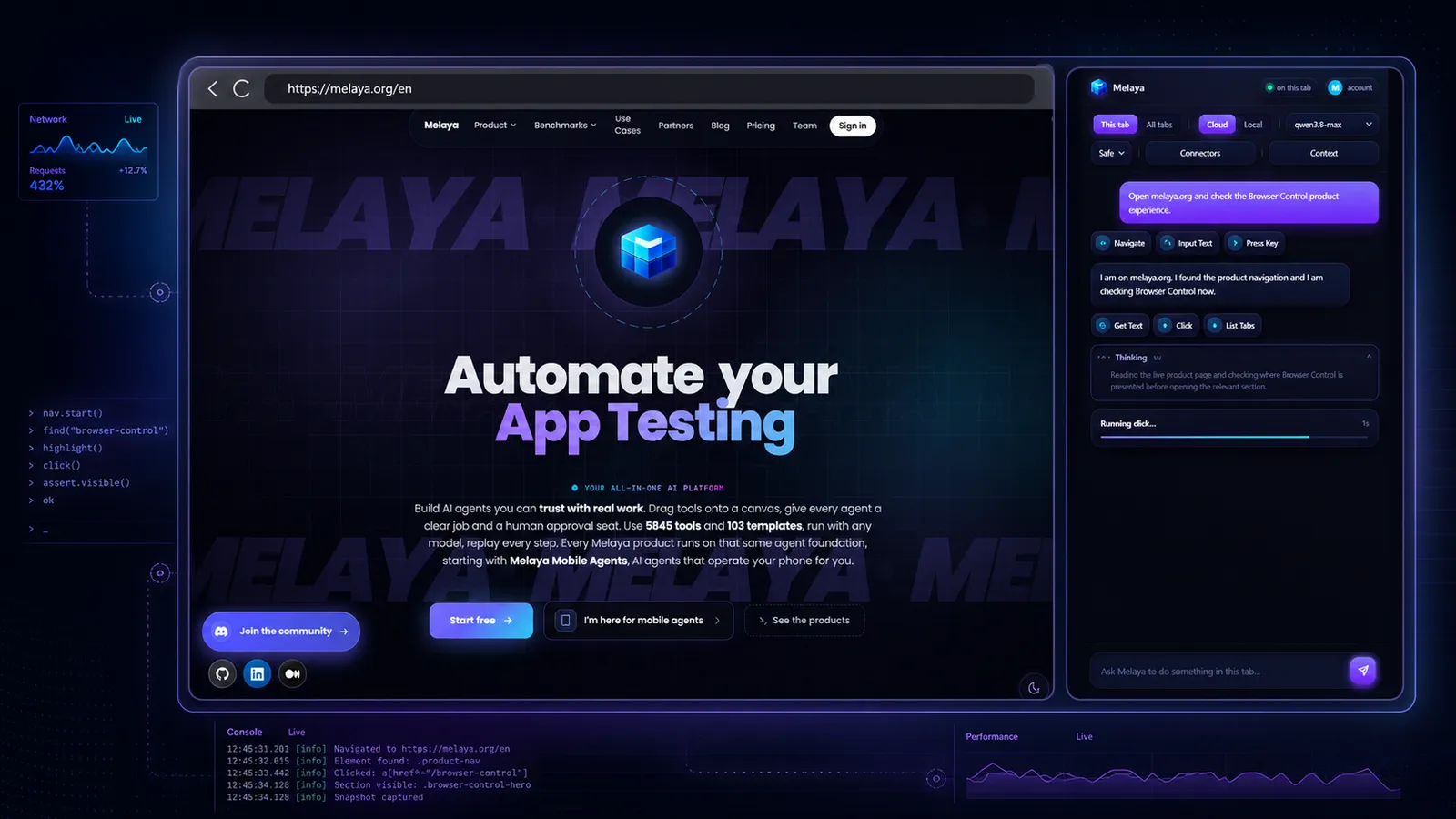
It lives beside the page you already have open. You describe the result in ordinary language. Melaya can read the selected page, click, type, scroll, navigate, compare tabs you approve, and show every step in the side panel.
No new automation project. No selector script. No copying an AI answer back into the browser one action at a time.
Start with a request like:
"Test the checkout on this staging site. If it fails, inspect the console and network activity, identify the likely cause, and stop before placing an order."
Or:
"Compare the pricing and cancellation terms across these tabs, extract the differences into a table, and cite the page where each fact came from."
The extension is the fastest way to use Melaya on a browser session that already exists. You keep the login, the page, and the visual context in front of you. Melaya adds the agent.
Install it in the browser you already use



 BraveChrome Web Store
 VivaldiChrome Web Store
 YandexChrome Web Store
 DiaChrome Web Store
 CometChrome Web Store
 Operadedicated build, listing soon
Every browser above runs the same package — each one verified end to end, not inferred from a version number. The list is not a whitelist: if your Chromium browser implements the side panel, the Chrome Web Store build works there too. These are simply the ones we have actually sat down and run a task in.
What decides compatibility is the side panel, not merely a Chromium base. Opera is the exception that proves it: it is current Chromium and installs the package happily, but it never implemented the side-panel API, so it needs a dedicated Melaya build that opens the cockpit in its own window. That build exists and works; the Opera listing is not published yet.
After installation, open the Melaya side panel, connect your account, choose This tab or All tabs, select a cloud or local model, add only the connectors and standing context the job needs, then describe the outcome.
Cloud mode is the quickest start and does not require a local runner. Local mode uses the Melaya Runner so inference can run through a supported local application or CLI route such as Ollama, LM Studio, Claude Code, or Codex.
- Open the real pageUse the site and signed-in session already in your browser
- Choose the tab scopeStay in This tab or explicitly allow work across tabs
- Pick the intelligenceUse a connected cloud provider or a supported local route
- Describe the finish lineAsk for the result instead of scripting every click
- Watch and decideFollow the reasoning and tools, approve important actions, or stop
What a browser agent is useful for in real life
The best browser-agent jobs have three things in common: the information is already on a website, the steps are repetitive, and the result is easy for a person to check.
QA testing that can look behind the page
A visual test can tell you that a button failed. It cannot always tell you why.
On Chrome and Edge, Melaya can combine the page state with redacted browser diagnostics:
- Reproduce a failed login, checkout, upload, or form flow.
- Read console errors and repeated warnings without flooding the conversation.
- Inspect network requests, statuses, timing, headers with sensitive values redacted, and a response body only when explicitly requested.
- Produce a compact performance diagnosis that ranks likely causes such as a late hero image, render-blocking resources, long script work, third-party weight, or layout shifts.
- Compare the result with the acceptance criteria in your standing context.
The point is not to dump a DevTools firehose into a model. The extension reduces it into evidence the agent can reason about. A useful answer sounds like “the click fired, but /api/checkout returned 500 after 2.1 seconds, and this console stack points to the failing handler,” not “try checking the Network tab.”
Firefox exposes a smaller diagnostic surface because it does not provide the same Chromium debugging protocol. Network and console summaries remain available, while response bodies and some Chromium-only performance measurements are not. Melaya labels that difference instead of presenting a partial report as complete.
Web research and responsible data extraction
Copying a table from one page is easy. Repeating the same extraction across twenty pages, normalizing the fields, and remembering the source is where the time disappears.
Melaya can help with work such as:
- Compare product plans, supplier terms, job listings, public records, or competitor pages across tabs you approved.
- Extract structured facts from authorized portals and turn them into a clean list or table.
- Review a long directory, open relevant records, and surface only the entries that match your criteria.
- Revisit the same approved pages and report what changed.
- Collect sources for a brief without losing which claim came from which page.
Browser access is not permission to ignore a website's rules. Use Melaya only where you are authorized, respect terms, robots instructions where applicable, rate limits, privacy obligations, and applicable law. It is an agent for legitimate work, not a bypass for access controls or anti-bot protections.
Operations inside the tools your company already bought
Not every business system has the API coverage you need. Some have an API, but the exact workflow still lives behind a table, an admin screen, or a vendor portal.
That makes the browser the common layer across otherwise disconnected software.
- Sales: review renewing accounts, gather the latest context, and prepare CRM updates for approval.
- Support: inspect a customer record, collect the facts around a case, and draft the next response without sending it.
- Operations: check delayed orders across supplier portals and build an exception list with the current dates.
- Finance administration: compare invoice statuses and flag mismatches, while keeping payments and account changes under human control.
- Marketing: collect campaign results from approved dashboards and organize the numbers into a reporting brief.
- Recruiting: review authorized candidate or role pages against defined criteria and prepare a shortlist for a person.
- Data entry: fill repeated forms from information you provide, then stop for review before submission.
Your business apps and instructions come with the task
A webpage is rarely the whole story.
A renewal review might need the account page plus CRM history. A support check might need the admin console plus a ticket. A QA run might need the site plus the acceptance criteria your team uses. A generic browser agent can see the page and still miss the business context that makes the answer useful.
The Melaya panel lets you bring connected business applications into the browser task. Each connector gives the agent a dedicated set of tools for the account and permissions you selected, while standing context carries the rules and facts that should stay with the conversation.
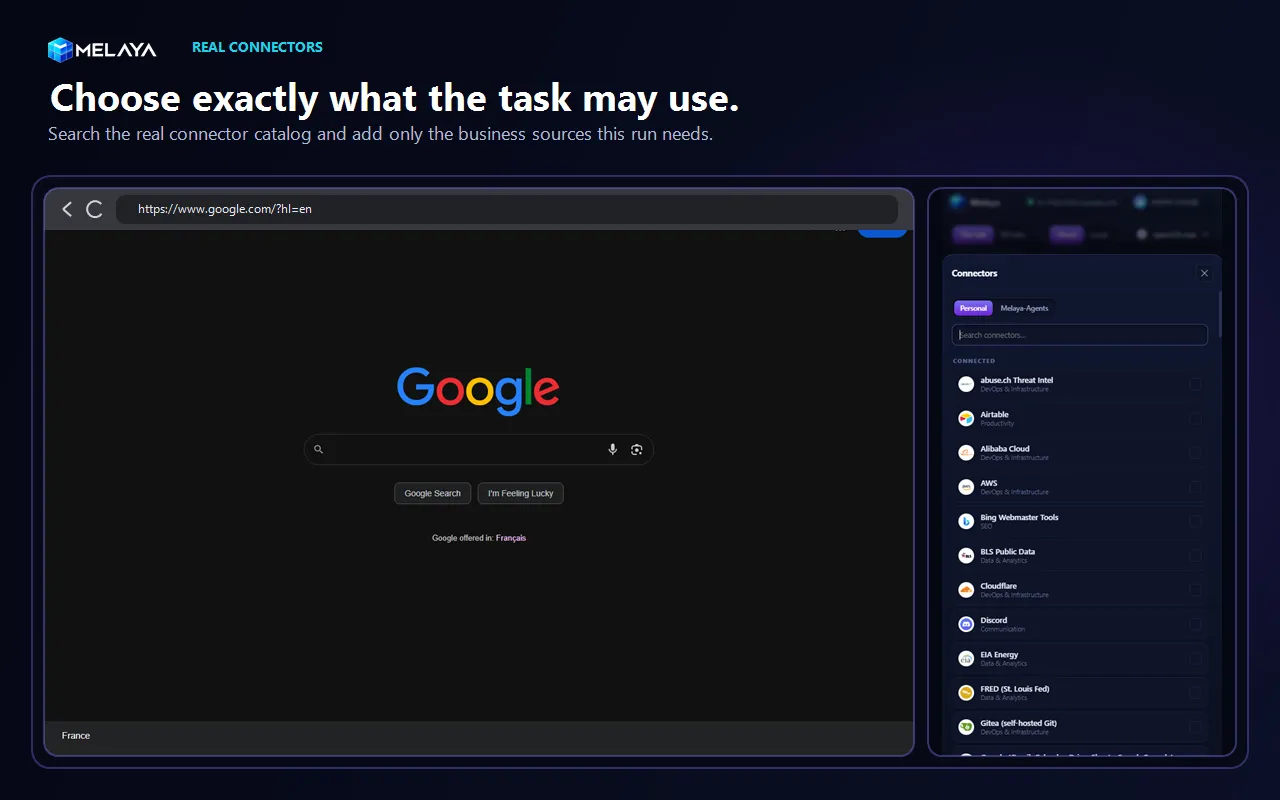
Select the CRM, support desk, calendar, project workspace, data source, or other connected application the job depends on. Melaya gives the agent the relevant connector tools to read information or take permitted actions in those services, while it works from the live page in your browser.
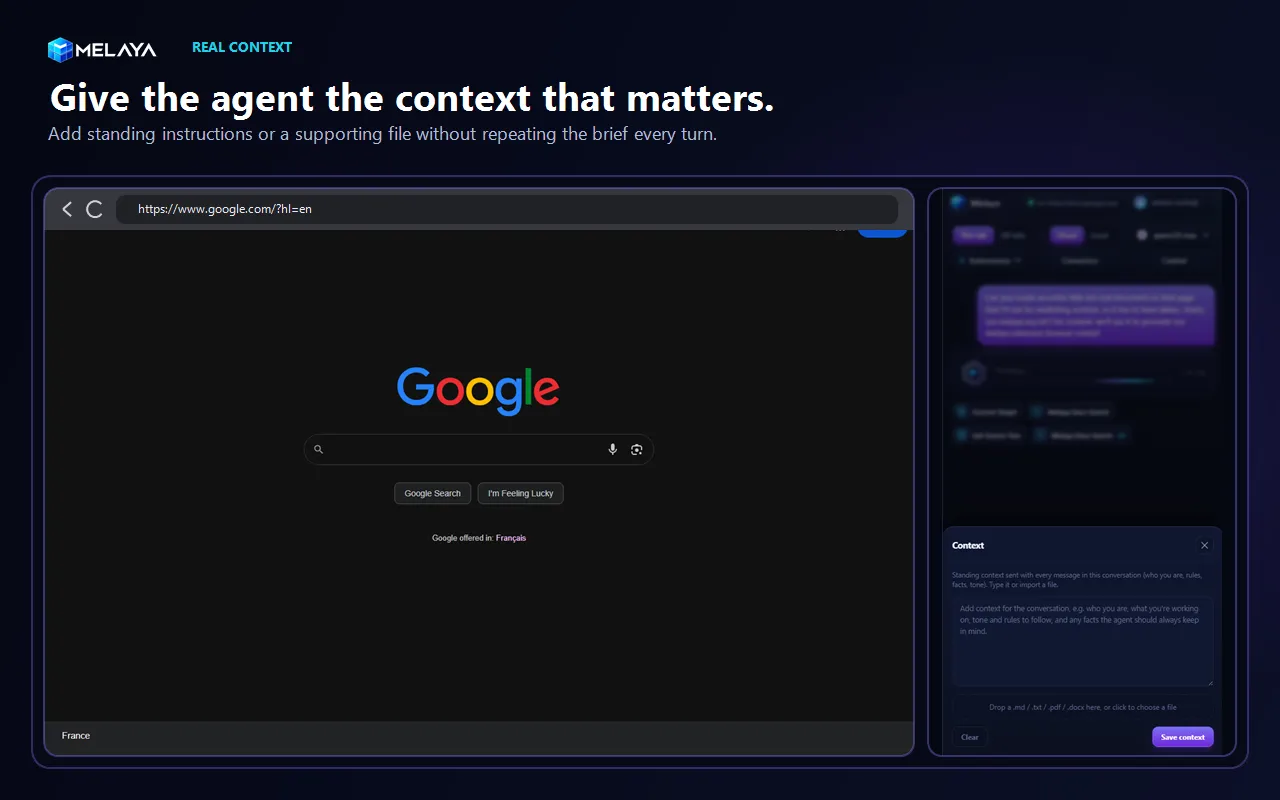
Add the operating rule, tone, acceptance criteria, or supporting document once. Melaya sends that standing context with the conversation so the agent keeps the same brief while it works.
This combination matters. Browser Control handles the live interface. Connectors expose the selected business applications through their dedicated tools and permitted data. Standing context carries your rules. The model supplies the reasoning. You keep the decision.
One tab when that is enough, several when it is not
The extension starts with This tab because most tasks do not need the rest of your browser.
When the work really spans several pages, switch to All tabs. Melaya can then list, open, switch, and close ordinary HTTP or HTTPS tabs for that task. Return to This tab at any time to restore the narrower boundary.
That makes multi-tab work practical without pretending every task deserves whole-browser access:
- Compare plans opened in separate tabs.
- Move between a customer record, a support ticket, and an approved internal portal.
- Research several sources while keeping the final synthesis in one conversation.
- Open a result in a new tab, inspect it, and return to the original workflow.
The model cannot silently grant itself a wider scope. Tab scope is a visible user control in the branded panel.
Choose any suitable AI instead of rebuilding around one provider
The browser workflow should outlive the model you happen to prefer this month.
Melaya separates the agent experience from the model route:
- Cloud for speed: choose among the cloud providers connected to your Melaya account. No local runner is required.
- Local for control: connect the Melaya Runner and use a supported Ollama or LM Studio model on your own machine.
- CLI subscriptions when they fit: use supported Claude Code or Codex routes through the runner and keep their own provider terms and limits visible.
- Switch per job: use a quick hosted model for routine work, a stronger model for a difficult page, or local inference for predictable recurring work.
A local model does not have a hosted provider's per-message or per-token meter. That does not make compute literally infinite. Runs remain bounded by your hardware, model context, speed, and any Melaya product entitlements. The practical advantage is that a repeated workflow does not have to stop because one hosted plan reached its message allowance.
Change the model, connector set, standing context, tab scope, or approval mode without throwing away the browser task you already understand.
Claude in Chrome, OpenClaw, or Melaya?
Claude in Chrome is a capable and polished choice for people committed to Claude. It works with Claude Code and Cowork, supports multi-tab browser work, reads console and network information, and benefits from Anthropic's integrated product experience. Its simplicity comes from a fixed decision: Chrome plus Claude, on a paid Claude plan.
OpenClaw offers broad model and browser flexibility, including local models, managed profiles, existing-session attachment, and multi-tab control. Its flexibility comes with an operator-owned Gateway, provider authentication, profiles, relays, configuration, updates, and security boundary. OpenClaw's own security documentation describes a trusted single-operator model per Gateway and recommends separate Gateway cells for mixed-trust users.
Melaya is designed for people who want the provider freedom of an open stack with the adoption experience of a product.
| Decision | Claude in Chrome and Claude Code | OpenClaw | Melaya browser extension |
|---|---|---|---|
| Core experience | Claude acts in Google Chrome from its side panel, Cowork, or Claude Code | A configurable personal-agent Gateway operates managed or attached browsers | A branded browser cockpit connects the selected Melaya model, tools, context, and approvals to the page |
| Model choice | Public Claude models | Broad cloud and local provider configuration | Connected cloud providers, supported local models, Claude Code, or Codex routes, chosen per task |
| Provider lock-in | The browser workflow stays in the Anthropic ecosystem | No single-provider lock-in | No single-provider lock-in, without requiring users to build the orchestration stack themselves |
| Usage model | Paid Claude plan usage or pay-as-you-go routes, subject to Anthropic's current limits and billing | Depends on the provider or local compute the operator configured | Depends on the selected cloud route, CLI subscription, or local hardware. Local inference avoids a hosted provider message meter |
| Browser availability | Google Chrome, not other Chromium browsers | Chrome-family managed profiles and existing sessions, configured through the Gateway | Chrome, Edge, Brave, Vivaldi, Yandex, Dia and Comet from one package, plus dedicated Firefox and Opera builds |
| Existing signed-in work | Yes, in Chrome | Yes, through extension, existing-session, or profile configuration | Yes, directly in the tab already open in the supported browser |
| Multi-tab control | Supported, including Claude tab groups | Supported through browser profiles and tab tools | This tab by default, with an explicit All tabs mode for cross-tab workflows |
| Business apps and tools | Claude skills, plugins, connectors, and Cowork context inside the Claude ecosystem | Skills, plugins, channels, and operator-configured integrations | Connected business applications expose their selected account-specific tools beside the live page, with standing context for durable rules and facts |
| QA diagnostics | DOM state, console errors, and network requests | Snapshots, screenshots, actions, and operator-configured debugging paths | Page state plus redacted console, network, and ranked performance findings in the same agent flow |
| Setup ownership | Anthropic operates the service, but the user accepts Chrome, Claude, and a paid plan | The operator installs and secures the Gateway, providers, browser profiles, extension relay, and host | Cloud mode needs no runner. Local mode uses a guided Melaya Runner rather than a general personal-agent Gateway |
| Reusable automation | Claude workflows and schedules remain in the Claude product family | Cron, skills, agents, plugins, and profiles are assembled by the operator | Immediate side-panel work can grow into a Melaya pipeline with its own model, connectors, schedule, run history, and evaluation |
| Permission model | Anthropic modes, safety classifiers, confirmations, and enterprise site controls | Policies and approvals configured inside the trusted Gateway boundary | Visible tab scope, selected context, safe or user-selected autonomy, signed grants, approvals, stop, takeover, and disconnect |
| Strongest fit | People who want the tightest Claude and Chrome integration | Technical operators who want to own and configure the full personal-agent stack | People and teams who want model freedom, local inference, business context, and strong controls without operating the stack |
Why Melaya is the stronger default for flexible teams
The difference is not that Claude or OpenClaw cannot operate a browser. They can.
The difference is what you have to accept around that browser.
With Claude, you accept a single model family, a paid Claude relationship, Chrome, and the usage model attached to that ecosystem. That is excellent when standardizing on Claude is the goal. It is a constraint when the task should run on Gemini, OpenAI, Qwen, another connected provider, or local hardware.
With OpenClaw, you gain model and browser freedom, but you also become the operator. You own the Gateway, provider configuration, browser routes, security posture, and recovery. That is excellent when infrastructure ownership is the goal. It is unnecessary work when the goal is simply to let a team automate browser tasks safely.
With Melaya, users can start in the store-installed side panel, use a cloud model without a runner, add a local runner when they want one, bring connected business applications and their tools into the same task, add durable standing context, choose This tab or All tabs, and keep approvals and stop controls visible. The workflow can later become a governed pipeline instead of remaining a clever one-off browser chat.
That is the position: provider choice without assembling a provider router, local AI without turning every user into an infrastructure operator, and browser autonomy without hiding the control surface.
What the extension sees, and what it deliberately does not do
Browser agents carry real risk. A webpage can contain private information or hostile instructions. A logged-in session can do more than a public API. Convenience does not remove that responsibility.
Melaya's extension is a Manifest V3 package with its executable logic bundled in the store package. A model can select only from the finite browser actions the extension implements. It does not download remote scripts, expose a shell, or run arbitrary model-generated JavaScript.
The extension omits password-field values from page snapshots. Do not ask the model to type passwords, one-time codes, or payment-card numbers. Start with trusted sites, choose the narrowest useful tab scope, review personal, financial, publishing, and work-critical actions, and use Stop or Disconnect when the task should end.
Cloud mode sends the prompt and task-required page context to the cloud provider you selected. Local mode keeps model inference on your runner, while Melaya still provides the authenticated control plane for pairing, grants, browser commands, approvals, status, and security or reliability telemetry. Local does not mean the extension becomes an offline product.
The same execution-time controls sit behind Melaya's broader security and compliance posture and anti-hallucination system: permissions are checked where a tool executes, and observed results come back into the run instead of being assumed.
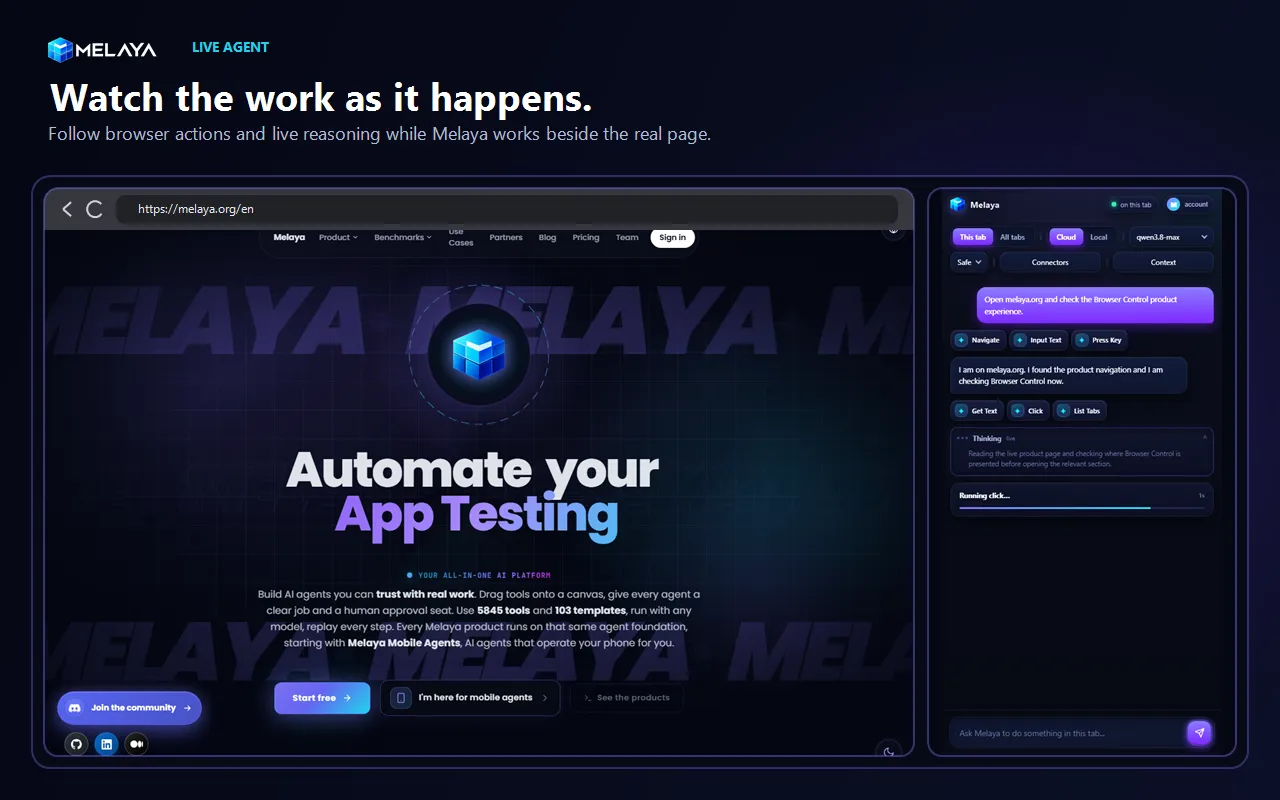
Watch the work as it happens. Scroll back through the run, expand the reasoning when you need it, review collapsed tool steps, and stop the session without leaving the browser.
The extension and dedicated Browser Control solve different jobs
The extension does not replace the dedicated Browser Control experience described in AI That Uses Your Browser: Melaya Browser Control. It makes the most common path easier.
- Use the extension when the task depends on the tab already open, an existing signed-in session, quick QA, live research, or work you want to supervise beside the page.
- Use dedicated Browser Control when automation deserves a separate browser profile, isolated state, a repeatable environment, or a runner-first workflow you want to schedule.
Both paths use the same principle: give the agent a clear target, let it observe what changed, and keep permission outside the model's control.
Start with one job you already understand
Do not begin with “run my entire browser.” Begin with a task whose result you can recognize.
Try one of these:
- “Check this page for broken interactions and explain any console or network error you can reproduce.”
- “Compare the plans in these tabs and give me a table with price, limits, cancellation terms, and source links.”
- “Review the open customer records, prepare the fields that need updating, and stop before saving.”
- “Extract the visible rows from this authorized portal, normalize the dates, and flag duplicates.”
- “Measure this page, identify the three most likely performance bottlenecks, and name the responsible files or origins.”
Install Melaya for Chrome, Microsoft Edge, or Firefox, connect your account, and hand it one browser task you are tired of doing click by click.
