
Your audience does not sleep when you do. The replies stack up at 2 a.m., the best comments go cold by morning, and the growth you wanted quietly becomes a second job you never applied for.
Today that changes. Melaya is now in open beta: free to join, open to everyone, no waitlist, no invite code. A platform for building AI agents that do real work end to end, across your tools and your phone, with you keeping the final say.
Not agents that draft a beautiful paragraph about what you should do next and then stop, because the doing part is still yours. Agents that carry the task all the way through: research the thread, write the reply, open the app, and pause at the exact moment a person should decide whether it ships.
- Explains what you should do next
- Hands you a checklist to run yourself
- Stops at the copy, the tap is still yours
- Forgets the context by tomorrow
- Opens the app on your phone and acts
- Carries the task end to end
- Pauses for your approval before it publishes
- Saves as a reusable agent you can run again
Melaya is three things on one runtime. An assistant that knows your workspace and acts inside it. A visual Agent Builder that turns a working task into a reusable agent. And the flagship: Device Control on Android, so the last mile of your work, the part that lives behind a phone screen, is no longer the part automation cannot reach.
No waitlist and no invite code. Create a free account today and start building. Melaya is in public beta, which means we are shipping fast and listening closely, so anything rough you find is ours to fix quickly, and your feedback shapes what ships next.
Start by asking the AI assistant, not by building
The fastest way to understand Melaya is to skip the diagrams and ask for something.
The assistant is not a chat window bolted onto a product. It is wired into your workspace: your connected accounts, your saved pipelines, your paired devices, and the same tool catalog every agent draws from. Ask it to summarize the replies you missed overnight, and it fetches them. Ask it to draft responses in your tone, and it writes them. Ask it to handle a task on your phone, and if a device is paired, it picks up the phone tools and begins in the same conversation. If no device is paired, it takes you to setup instead of pretending it can continue.
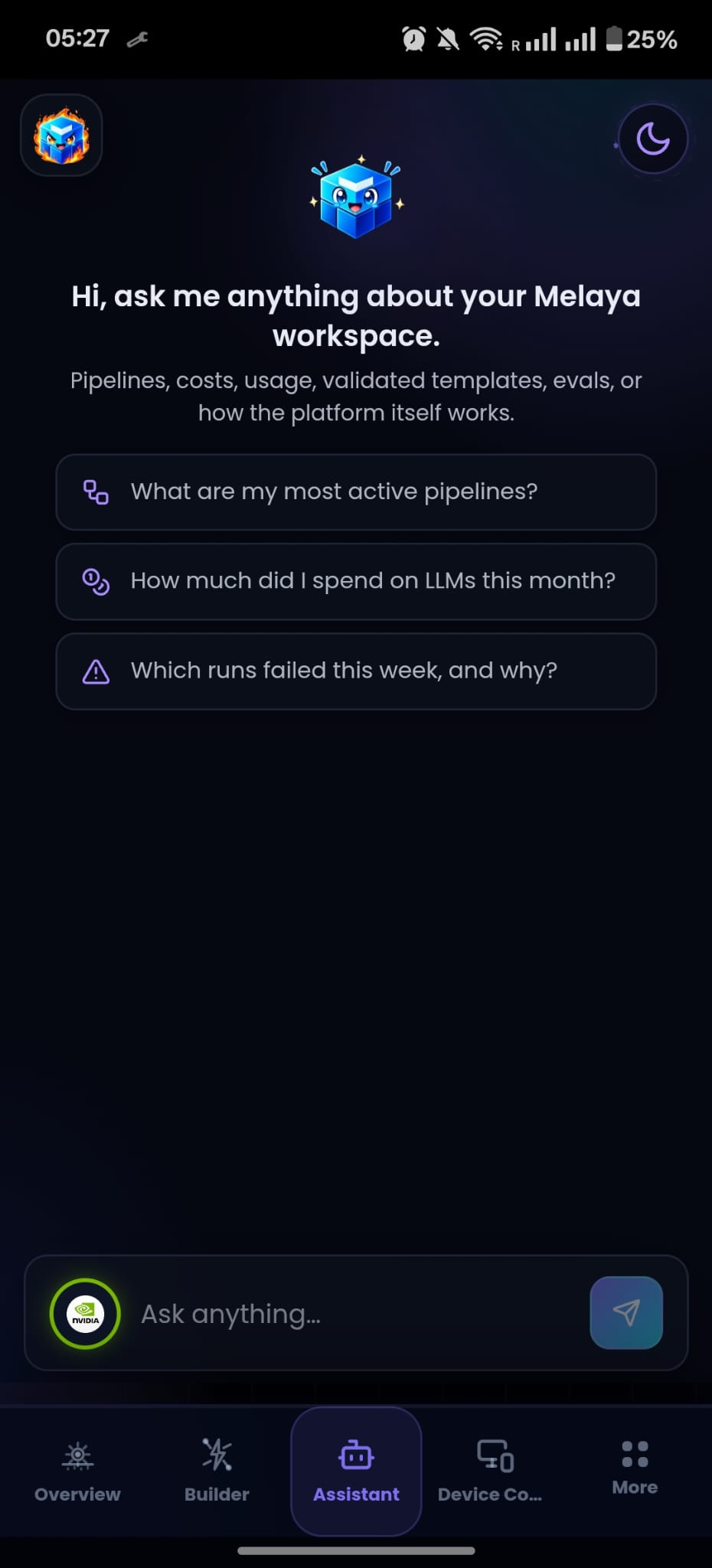
The shift is small on the surface and large underneath. You stop ferrying instructions from a chat into a series of manual steps. You state the outcome, and the assistant carries the intent into the tools, checking real results before deciding what to do next.
When a task works once, the assistant can offer to save it. That is the bridge to the second pillar.
Build the agent once in the visual Agent Builder
An ad hoc request is a conversation. A recurring one deserves an agent. The Agent Builder is where a task you have done ten times by hand becomes a pipeline that runs without you.
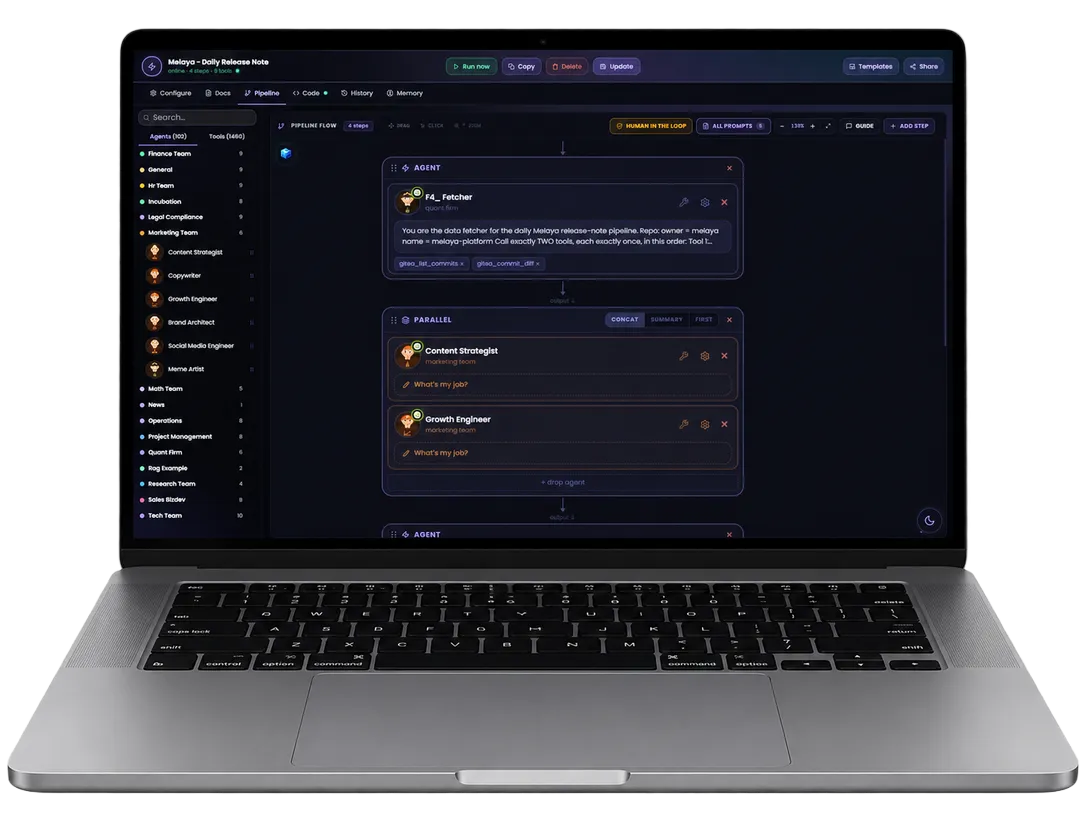
It is a visual canvas: agents, tools, triggers, and approval gates, connected on screen. Every agent picks from the full catalog of 1,548 tools and 111 ready-made subagents, so "check my mentions, cluster them by intent, draft replies, and queue them for my review" is not a metaphor. It is four nodes.
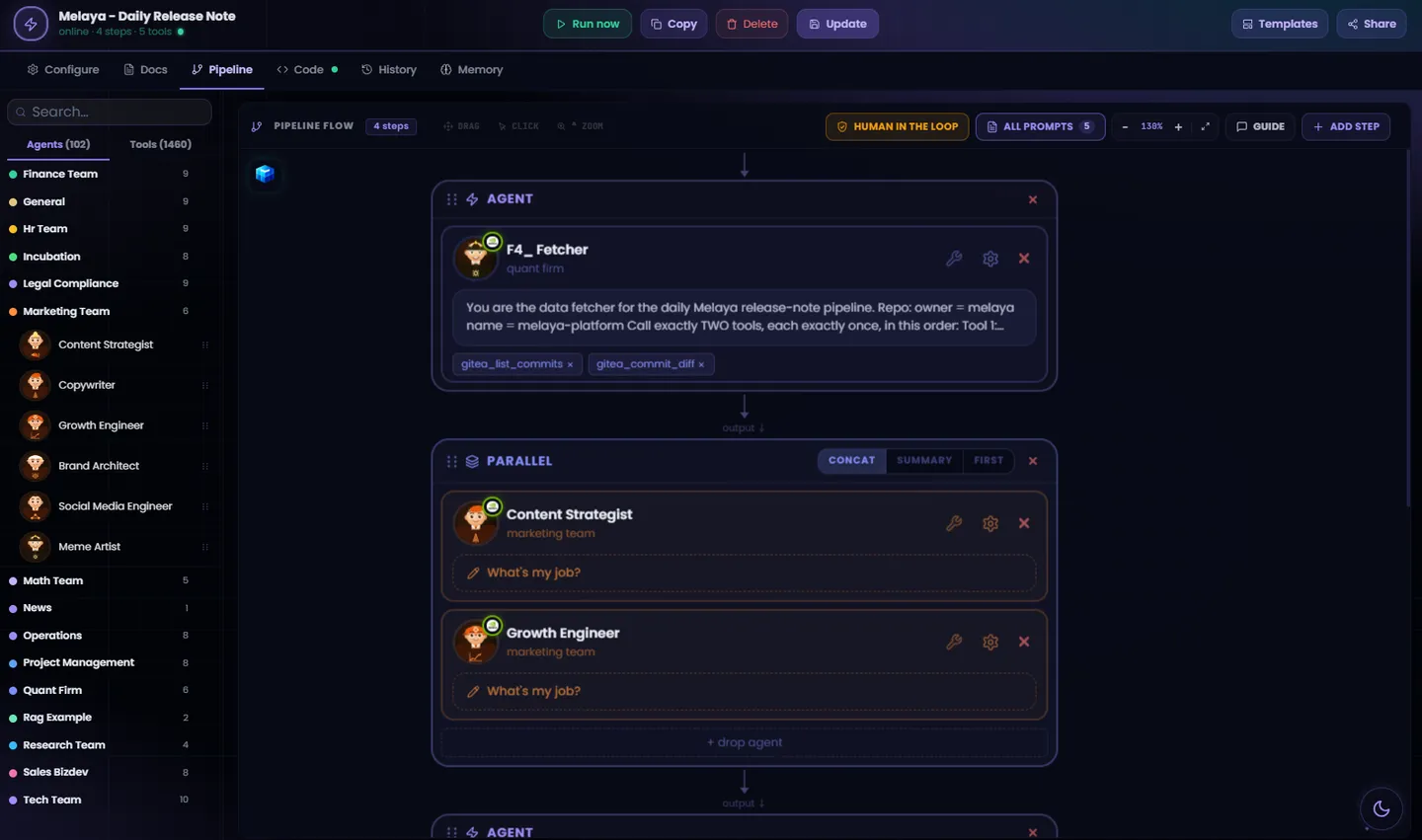
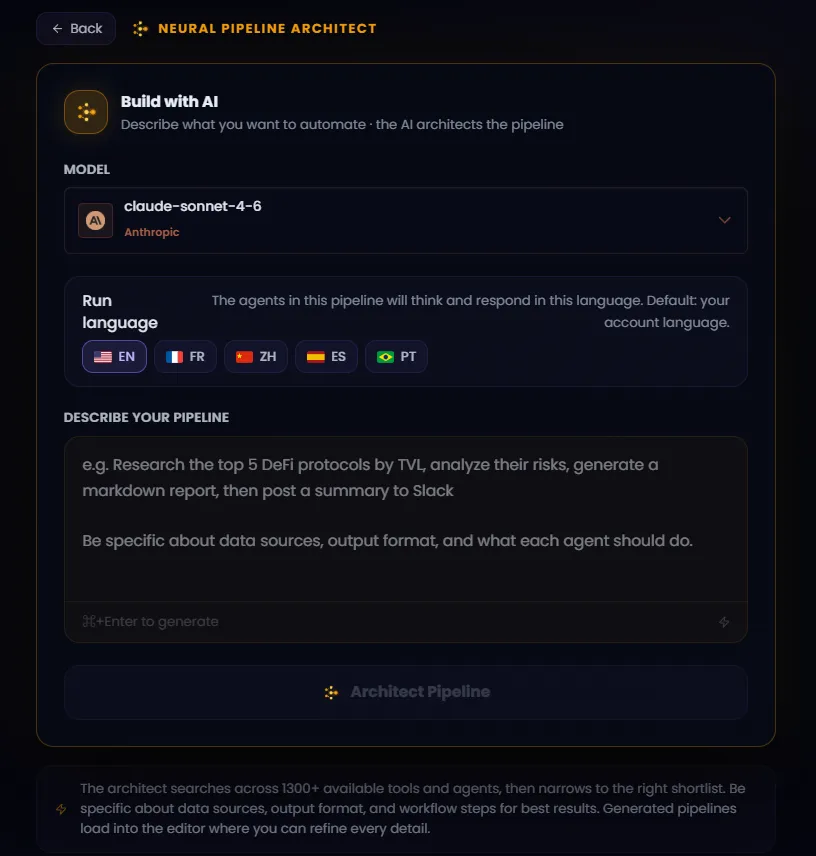
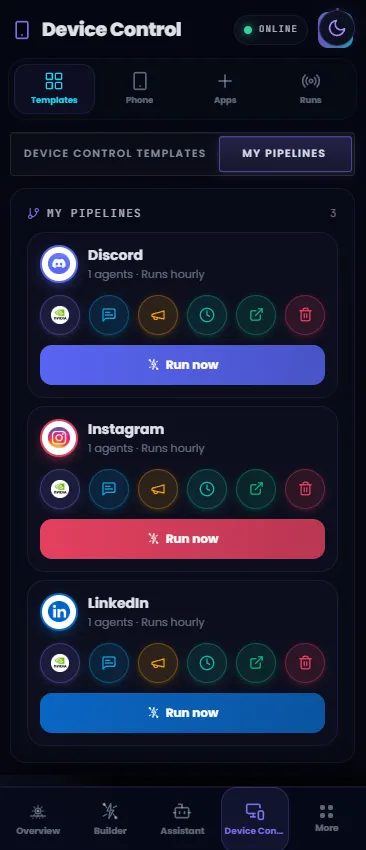
You do not have to start from a blank canvas. Adopt one of the ready-made templates, or describe the workflow in a sentence and AI-assisted creation drafts the pipeline for you: the agents, the tool grants, the schedule, and the human checkpoints. You review the structure the same way you will later review its output.
Two details matter more than the canvas itself.
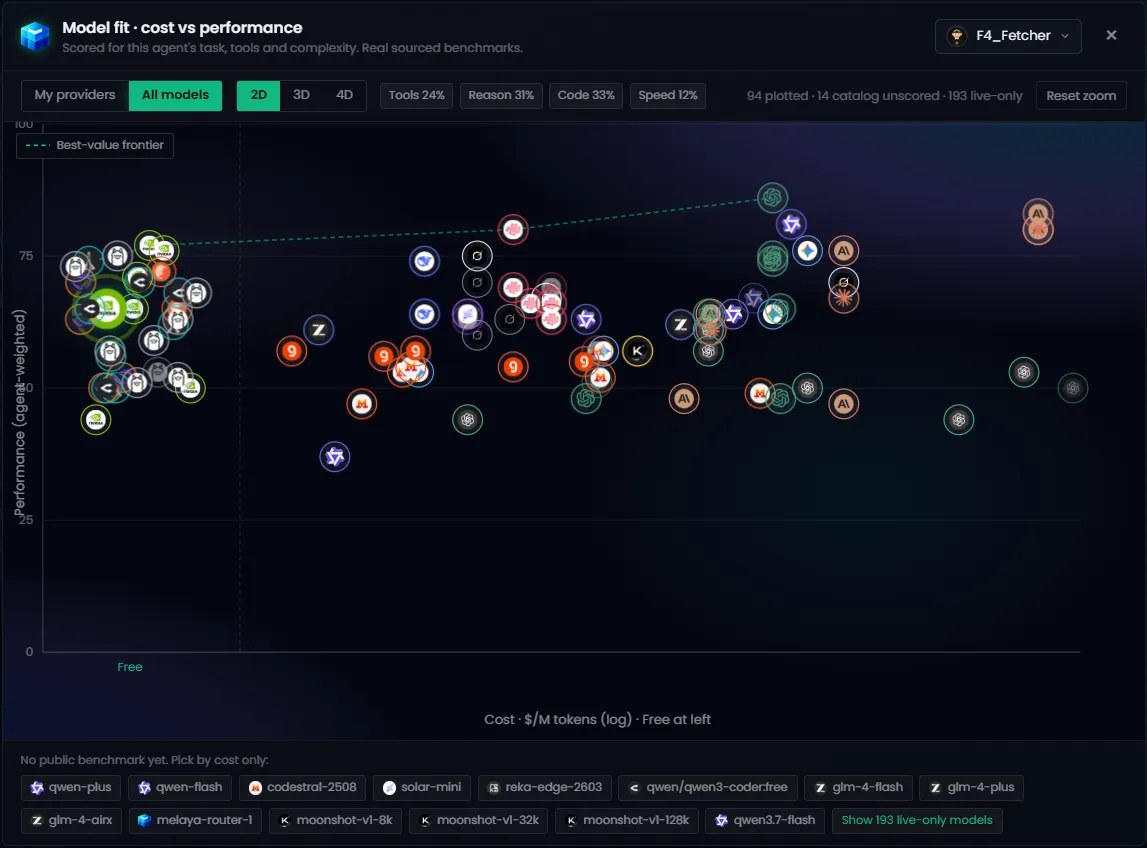
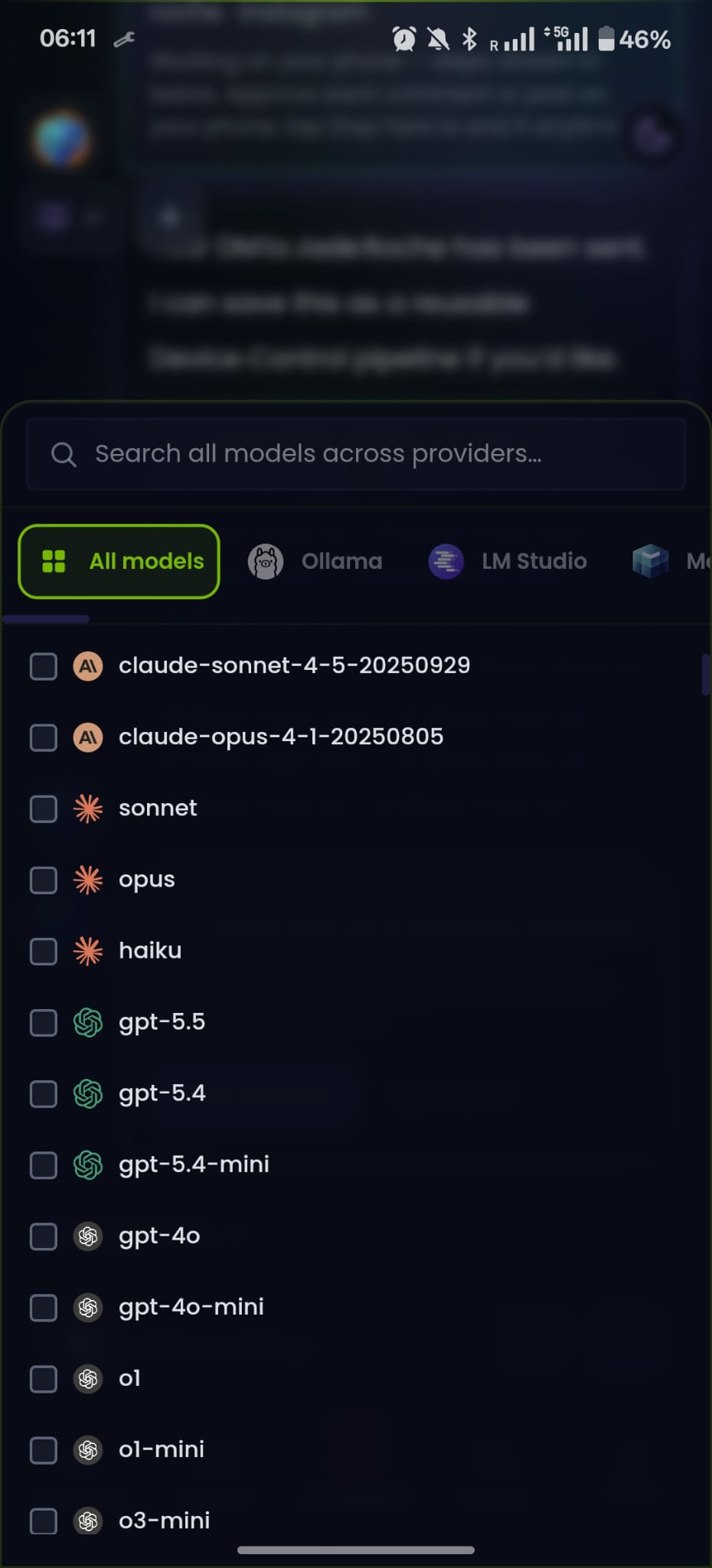
Model choice is per step, across 23 providers, cloud and local. A cheap fast model triages. A strong model writes. A local model handles anything you would rather keep on your own machine. You are never locked to one vendor's judgment or one vendor's bill.
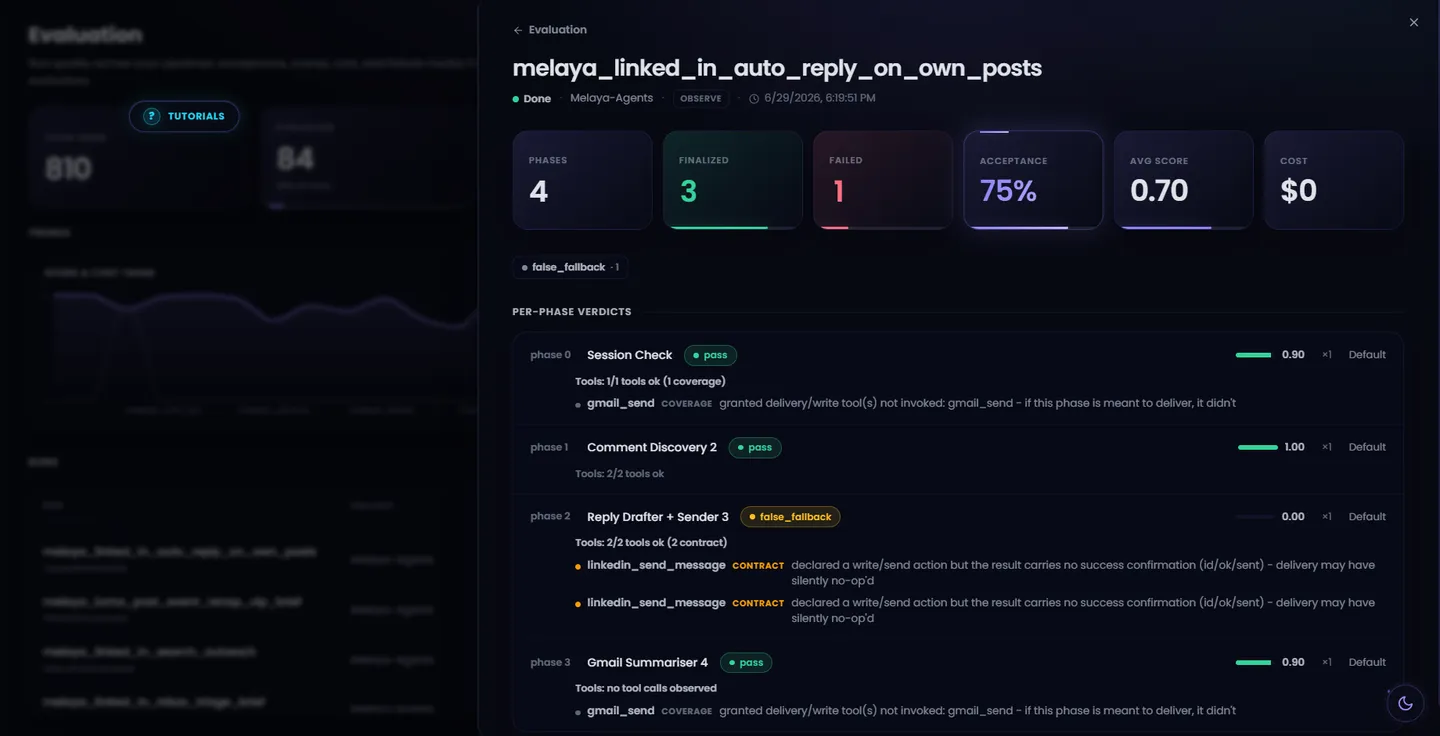
Melaya does not grade an agent by asking a bigger model whether the output looks right. It checks what actually happened: did the tool run, did the write return a receipt, does the claimed action have a matching span in the trace. An agent that says it posted without a post to show for it gets caught by the runtime, not by vibes.

The same pipeline can run in the cloud or on your own machine through a small local runner, so sensitive work and local model calls never leave your hardware. The gates travel with it either way.
The assistant, your pipelines, and the phone all run on the same agent runtime. A phone tap is an ordinary tool call, wrapped in the same schema validation, the same approval gates, and the same audit trail as an email or an API call. Nothing runs outside the rules.

The flagship: Android Device Control closes the last mile
Here is the honest limit of almost every agent platform: the work that matters most to a founder, a community manager, or a creator lives inside mobile apps, and capable agents have always stopped at the edge of the phone. They could reason about the reply. The thumb still had to deliver it.
Device Control closes that last mile on Android. A Melaya agent operates the visible interface of a paired phone: open an allowed app, read the screen, tap, type, swipe, wait for the screen to change, and continue from what is actually there, not from what it remembers. A fixed macro assumes the interface has not moved. A Melaya agent assumes it might have, re-reads the screen between steps, and stops the moment reality stops matching expectation.
This is not hidden background automation, and it is not unlimited access. Every run follows the same visible loop:
- You state the outcomeIn the assistant or inside a Device Control pipeline
- The agent selects a phone toolOpen, observe, tap, type, swipe, or wait
- Melaya routes a bounded commandBound to your user and your paired device, nobody else's
- Android executes it visiblyThe on-device app allowlist is checked before anything happens
- Publishing pauses for youAn editable approval card on the device before anything leaves the phone
Apps begin blocked. You choose which installed apps an agent may open, and the allowlist is enforced by the Android executor itself, on the phone, where the actions happen. An agent cannot talk its way past that check, and it cannot rewrite its own permissions through a command. Pairing binds the phone to one signed-in user with a revocable token. A stop control lives on both the web and the device, and a watchdog returns the phone to you if a run goes silent.
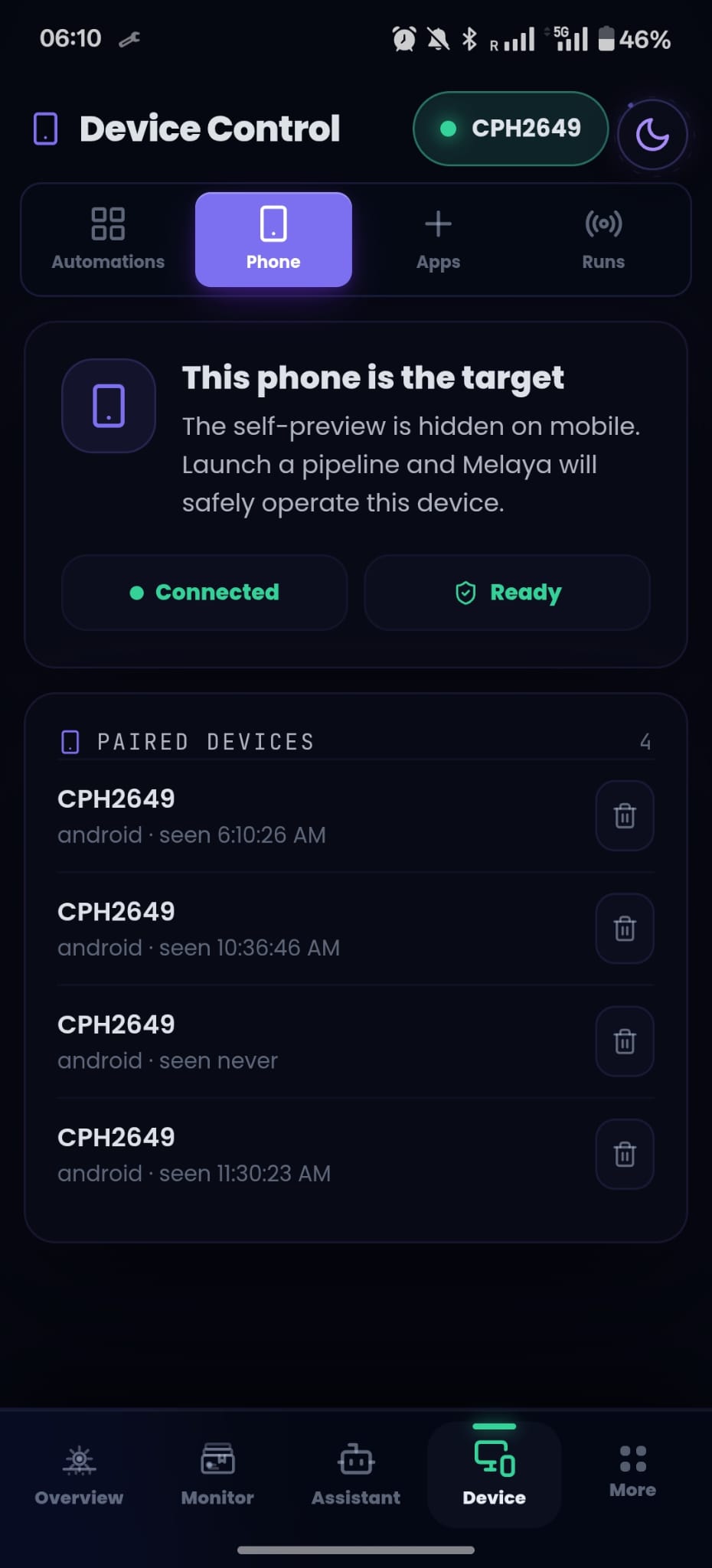
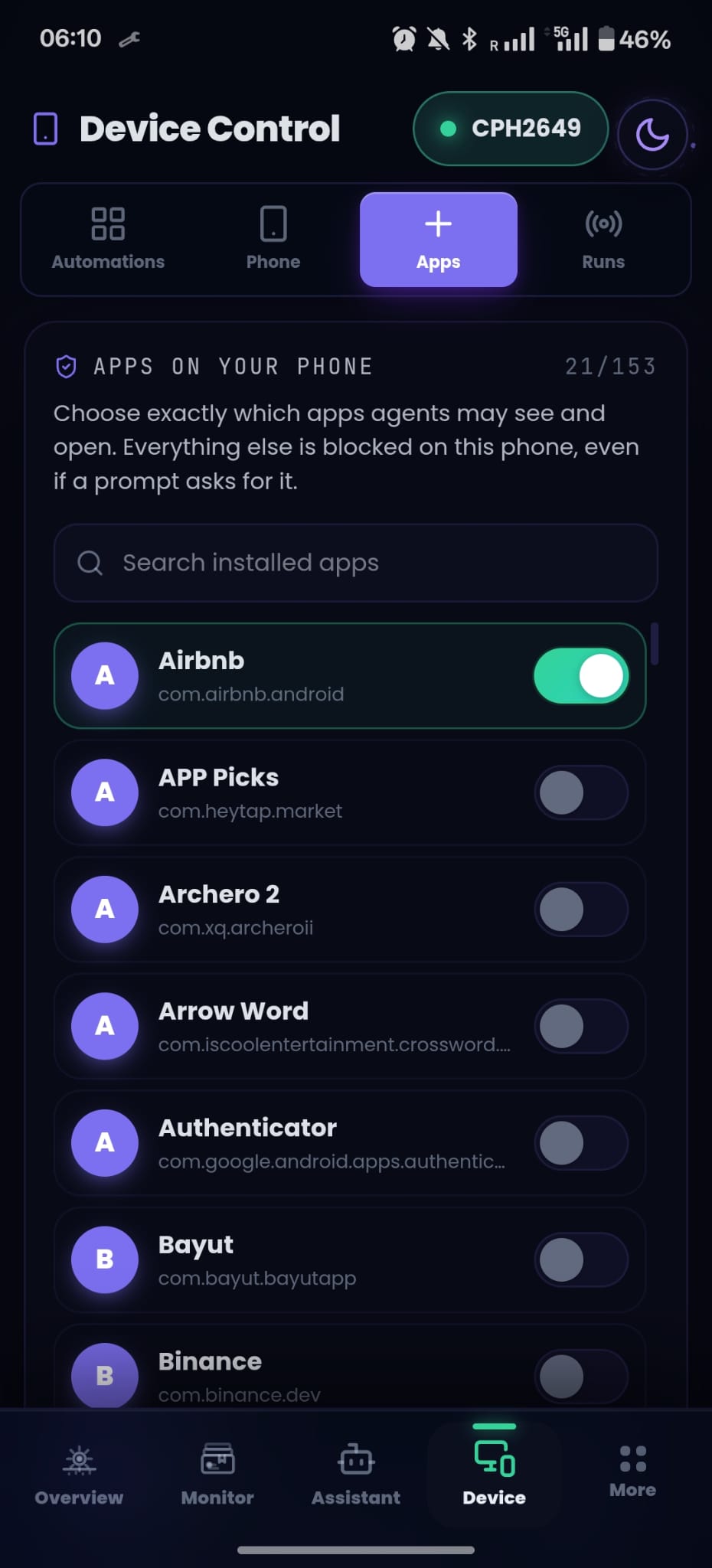
The moment that matters most gets the strongest treatment. When a gesture would publish created content, the executor intercepts it on the device and shows you the draft in an approval card. Edit it, approve it, or reject it. The gate lives at the exact point where the tap would occur, so it does not depend on the model remembering an instruction from earlier in the prompt.

An agent that can act is only worth trusting if it knows when to stop and ask. Melaya makes that the default, not a setting.
Grow on autopilot, honestly
"Autopilot" has earned its bad reputation: spam farms, fake engagement, accounts that sound like nobody. That is not what this is, and the architecture is the reason, not a promise in a blog post.
Melaya prepares the moment. You own the consequence. The agent does the gathering, the drafting, the navigating, and the waiting. The person does the approving. And good Device Control agents stay selective by design: they move at a human pace, stop on ambiguity, and Melaya is not permission to automate interactions a service forbids. You stay responsible for the rules of the apps you authorize.
Here is what that looks like for the people we built this for.
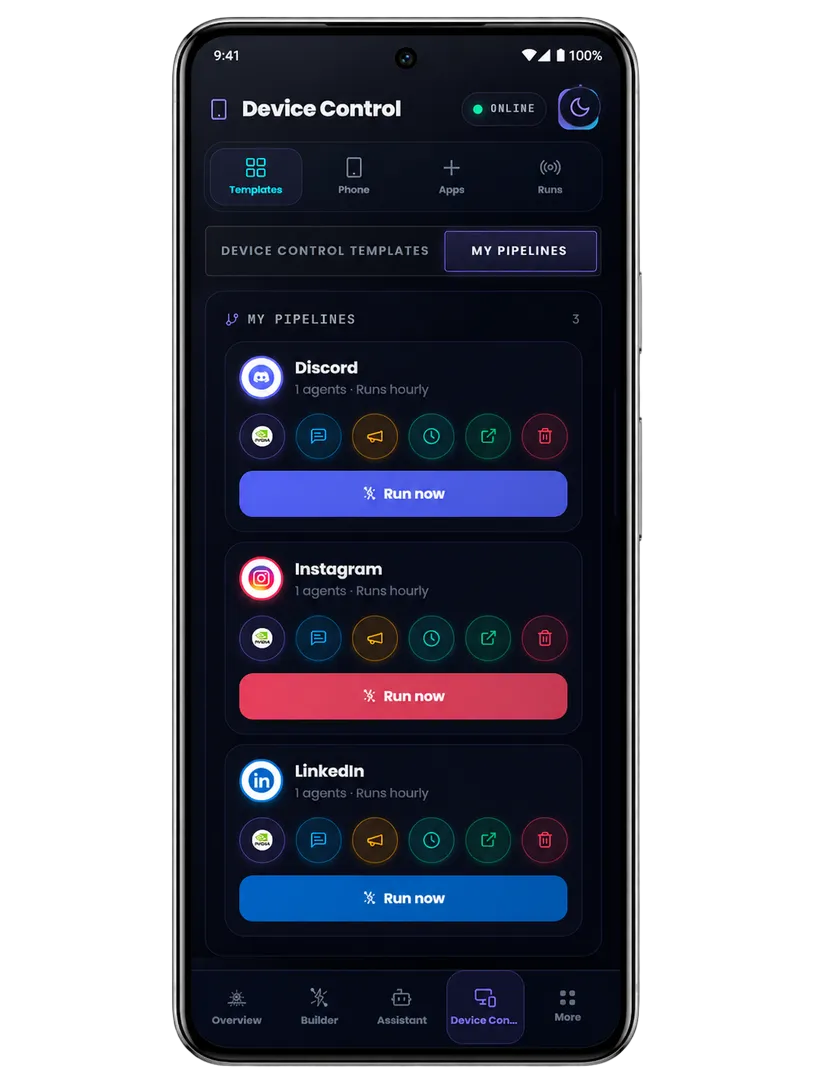
Solo founders and indie hackers. Your morning pipeline runs before you wake: it sweeps your launch thread, your support inbox, and your community server, clusters everything by intent, drafts replies in your voice, and queues the outbound ones behind approval. You open your phone to fifteen prepared decisions instead of fifty raw notifications. Ten minutes of reviewing replaces two hours of tab triage.
Community managers. The agent watches the channels you assign, flags what needs a human immediately, answers the questions your FAQ already covers, and drafts the sensitive responses for your sign-off. Nothing publishes without you, but nothing goes cold waiting for you either. The 2 a.m. question gets a 9 a.m. answer that was ready at 2:05.
Creators and influencers. Engagement is the job, and it does not scale by hand. An agent surfaces the comments worth replying to, drafts responses that sound like you because it has read how you write, and walks them through the approval gate on your phone. The audience gets you, faster. Not a bot wearing your name.
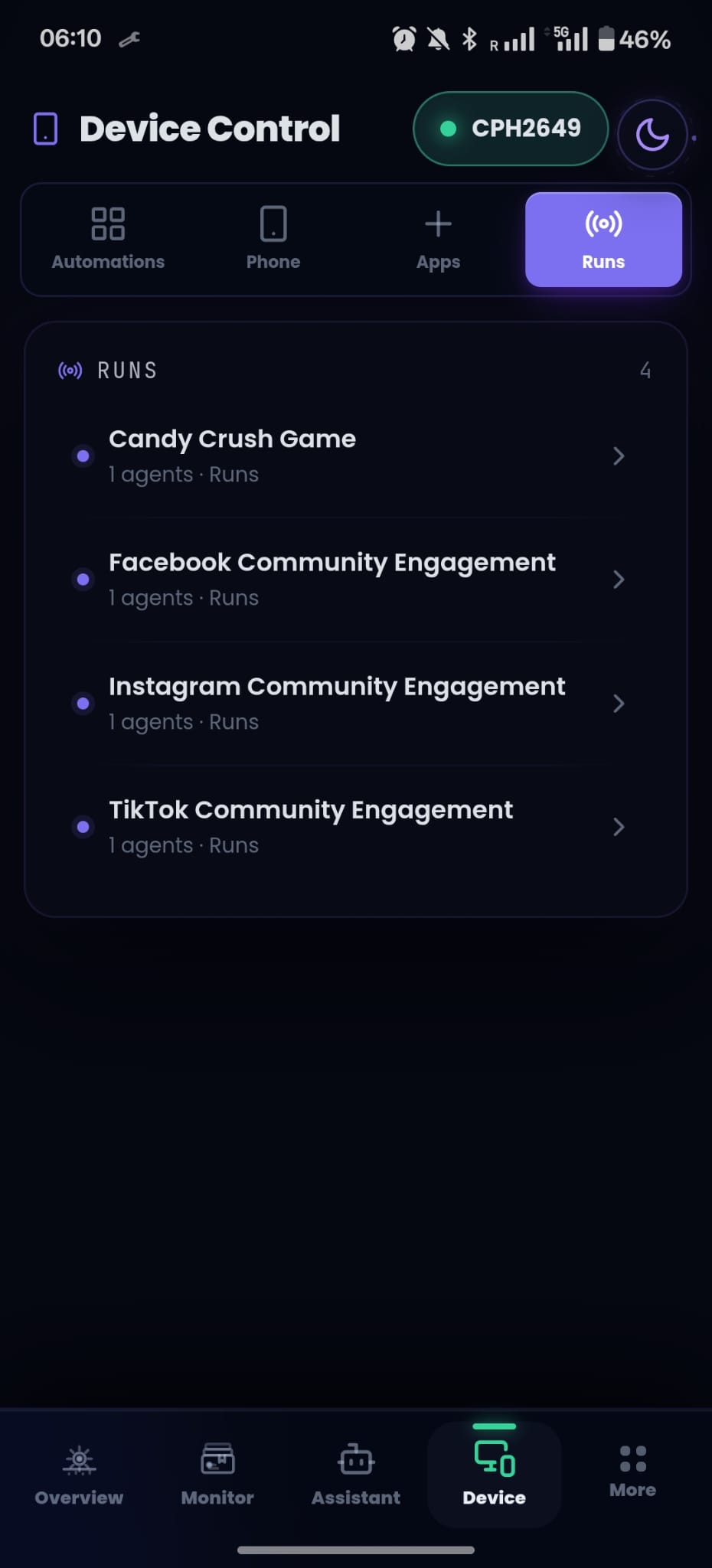
You watch all of it from one place. Every run is a timeline of what the agent did, what it produced, and where it stopped for you.
You keep the final say: human-in-the-loop by design
A platform that gives agents real reach owes you real controls. These are not settings you have to remember to enable. They are how the runtime works.
- Human approval gates on consequential actions, with the exact arguments shown and editable before anything fires
- Publishing intercepted on the device itself, with an editable approval card before content leaves the phone
- A per-device app allowlist, deny by default, enforced by the Android executor rather than the web UI
- A pairing flow that binds the phone to one signed-in user, with a revocable device token
- A stop control on both the web and the phone, and a watchdog that returns the phone to you if a run goes silent
- A full audit trail: every tool call, result, and approval recorded as spans you can replay
Automation can prepare the moment. The person should still own the consequence. Every consequential action in Melaya is designed around that line, from the approval card on your phone to the audit trail behind it.
We wrote at length about the machinery behind this, the schema validation, the deterministic forensic checks, the judge that is never allowed to certify a write, in our anti-hallucination deep dive. The short version: when a Melaya agent says it did something, the runtime has the receipt.
A recommended first run in the open beta
You do not need a plan. Here is the fastest way to feel it work.
- Open Melaya on desktop and create your free account.
- Launch the desktop runner. It connects your own setup: if you already use Claude Code or Codex, your agents run through them, with your models, on your machine.
- Pair your Android phone from Device Control, and allow the apps you want an agent to touch.
- Open the assistant and ask for something real, in plain language.

Watch it work. Every publishing action pauses on your phone for your approval. When a run does what you wanted, save it as an automation: it becomes a reusable agent you can run again on demand, or schedule on a paid tier.
Start tonight
Everything above is live today, free, and open to everyone. No waitlist, no invite.
Create your free account with no waitlist. The Sandbox tier is free: build pipelines, run agents with local or CLI-based models, and explore the full catalog. The documentation walks through the whole setup in the Device agents section, and the template library gives you a working pipeline to start from.
Device Control and the builder are free from the first day, on every tier. When your agents start pulling real weight, paid plans begin at $20 a month with Outpost, which unlocks cloud AI providers with your own keys. Scheduled pipelines and managed cloud execution arrive at Forge. The full comparison lives on the pricing page.
Your audience still will not sleep when you do. But the replies can be drafted, the mentions triaged, the moment prepared, and the one thing left for the morning is the only thing that should be yours: the decision.
Stop supervising. Start reviewing.
Create your account, free and open today, and put your name on the decisions, not the busywork.
