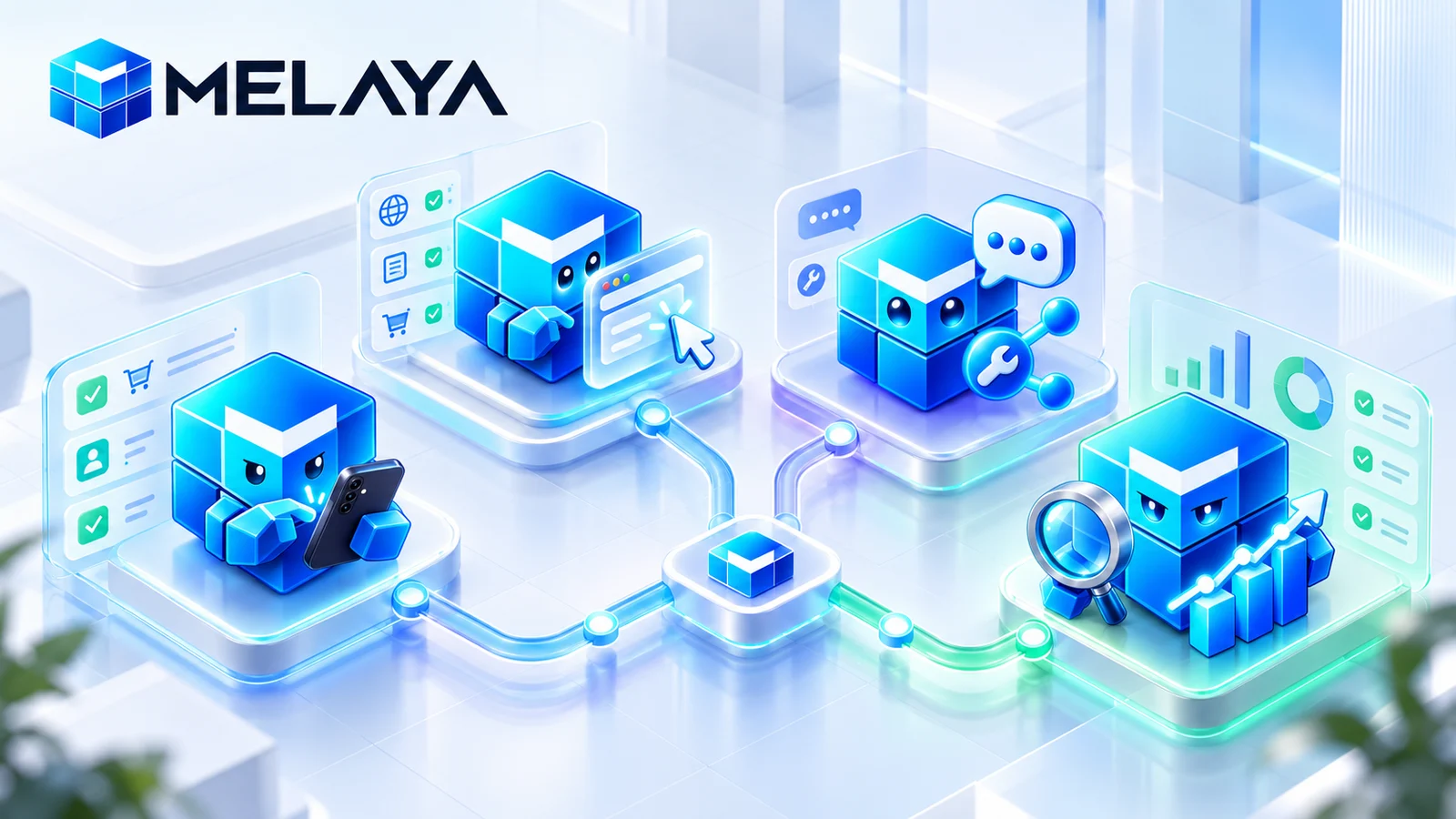
You may already have a powerful AI. The missing part is usually not another brain. It is a safe pair of hands for the browser, the phone, connected tools, and the work that follows the answer.
Melaya now lets you subscribe to the product you actually need: Mobile Agents, Browser Agents, Melaya Assistant, or Melaya Marketing. Each is available on its own, every combination works, and the monthly price adjusts automatically when you choose more than one.
This changes the starting point. You no longer need a full agent-building plan just to let Claude, Codex, ChatGPT, Gemini, Qwen, a local model, or another supported AI operate an approved browser tab, work through allowed Android apps, use a connected workspace, or run marketing workflows.
The model is still yours. Melaya provides the governed execution layer around it.
Standalone AI agent pricing: pay for the Melaya products you use
Most AI pricing assumes you want the whole platform. That is often wrong.
A founder might only want an AI to work in a browser. A field team might need Android automation without a visual workflow builder. A marketer might want audits, backlinks, advertising data, and an execution assistant without building multi-agent systems. An enterprise might already have an approved model gateway and only need a controlled way for that model to act.
The new standalone product model is built for those cases.
| Product | Monthly price | What it adds |
|---|---|---|
| Mobile Agents | $9.99 | Operate allowed apps on a paired Android phone, including phone_fast |
| Browser Agents | $9.99 | Read and act in approved browser tabs through the Melaya extension, including browser_fast |
| Melaya Assistant | $9.99 | Research and execute in one conversational workspace with selected connected tools |
| Melaya Marketing | $14.99 | Run SEO, backlink, advertising, analytics, DNS, quest, and marketing assistant workflows |
Choose one product and pay its list price. Choose two, three, or four and Melaya applies a monthly bundle reduction automatically.
- Choose one or more productsMobile, Browser, Assistant, Marketing, or any combination
- See the exact monthly totalThe bundle reduction appears before checkout
- Connect the AI you already useCloud, local, or CLI based, depending on the product and workflow
- Grant only the needed accessA paired phone, an approved tab, or selected connectors
- Work at Bastion limits on that surfaceOther product entitlements are not widened by the pass
The discount depends on how many products you select, not which products you choose. Two products receive $2.99 off their combined list price each month. Three receive $5.98 off. All four receive $9.97 off.
That makes Mobile Agents plus Browser Agents $16.99 per month, three $9.99 products $23.99 per month, and all four products $34.99 per month. A bundle that includes Marketing costs more because Marketing has a $14.99 list price. The configurator always shows the original total, reduction, and final price before payment.
Your free Sandbox workspace remains available at Sandbox limits. A purchased product raises only that product surface to Bastion limits. It does not silently turn the whole account into Bastion or grant another standalone product.
Bring your own AI: Melaya gives the model controlled hands
An AI model can write a good answer and still leave you with all the work.
Ask a model to find prospects and it may explain a search strategy. You still open the browser, filter the results, copy the names, and update the spreadsheet. Ask it to reply to messages and it may draft excellent text. You still find each conversation, paste the reply, and decide whether to send it.
Melaya closes that gap. It connects the model you choose to specific execution surfaces:
- A browser tab you approved through the Melaya extension.
- An Android phone you paired with an app allowlist enforced on the device.
- Selected connectors and business context inside Melaya Assistant.
- Marketing evidence and workflows inside Melaya Marketing.
The useful mental model is simple: your AI is the brain, Melaya is the controlled pair of hands.
- Understands the request and plans the work
- Writes, reasons, summarizes, and chooses the next step
- Can be cloud hosted, local, open weight, or CLI based
- Keeps the model relationship and provider terms you chose
- Exposes approved browser, phone, connector, and workflow tools
- Binds actions to the signed-in user and selected surface
- Checks limits, permissions, approvals, and execution results
- Returns fresh evidence so the model can continue from what happened
You still need an AI model for the work that requires language and reasoning. You can connect a supported provider, run a local model through Ollama or LM Studio, or use a supported CLI model such as Claude Code or Codex through the local runner. Provider fees, connected-service charges, advertising spend, and other third-party costs remain separate.
This separation is useful because it prevents the tool layer from being trapped inside one model vendor. Change the brain when cost, privacy, policy, or model quality changes. Keep the browser permissions, phone controls, connectors, traces, and operating rules around the work.
Mobile AI agents: give your existing AI an approved Android phone
Mobile Agents are for work that exists only inside an app, or is simply easier to complete there.
Examples include finding a conversation, navigating a social app, checking a mobile-only screen, collecting visible items from a feed, drafting a reply, or operating an internal Android application that has no useful API.
The phone does not become an invisible remote desktop. You pair a device to your account, enable the required Android service yourself, and choose which installed apps Melaya may operate. Apps start blocked. The Android executor enforces the allowlist for interaction and screen capture.
- Android device pairing and visible execution in the apps you allow
- Phone tools through Device Control, Melaya Assistant when entitled, pipelines, and the Melaya MCP server
- Bastion usage limits on the purchased mobile surface without widening browser access
- On-device controls, stoppable runs, and approval handling for detected consequential actions
The pass also covers mobile access through MCP. If your preferred AI client calls melaya_phone_screen, melaya_phone_fast, or another Melaya phone tool, the server checks the mobile entitlement at that boundary. Buying Mobile Agents does not grant Browser Agents through MCP.
Browser AI agents: let an AI work inside tabs you approve
Browser Agents turn an approved browser tab into a tool your AI can read and operate.
That matters whenever the work lives behind a login, changes as you interact with it, or lacks a complete API. Researching a list, filling a form, navigating a dashboard, collecting structured information, and carrying a task across several pages all become possible without handing the model a general-purpose remote computer.
The extension attaches the browser context. Melaya binds the run to that context, applies the selected autonomy rules, and sends each action through the same execution and approval path as the regular browser tools.
- The Melaya browser extension and Browser Control workspace
- Browser tools through supported assistants, product launchers, and the Melaya MCP server
- Bastion usage limits on the purchased browser surface without widening phone access
- Visible tab attachment, bounded actions, execution results, and human approval where configured
Buying Browser Agents also unlocks the extension from the server side. The entitlement is checked again when a browser tool runs, including over MCP. A browser pass cannot be used as a path into phone tools.
AI assistant with tools: one conversation that can finish the task
Melaya Assistant is for people who want to start with a conversation rather than a workflow diagram.
Ask a question, attach useful context, choose the connectors the conversation may use, and let the Assistant research or act from the same workspace. Tool calls and their results stay visible. When a detected action needs approval under the selected policy, the decision returns to the user.
The standalone Assistant pass raises the Assistant surface to Bastion limits. It does not bundle Mobile Agents or Browser Agents. If an Assistant conversation needs phone or browser tools, those product entitlements are checked separately. This is what makes the product selection meaningful instead of a cosmetic pricing label.
AI marketing automation: audits, backlinks, ads, analytics and action
Melaya Marketing is for the work between seeing a marketing problem and doing something about it.
The workspace brings together SEO audits, search data, advertising performance, analytics, DNS signals, backlink opportunities, prioritized quests, social workflows, and a marketing Assistant. It is designed to turn evidence into a next action while keeping the source visible.
The $14.99 monthly pass raises the Marketing surface to Bastion limits. Browser or phone execution remains a separate product because those are separate permission boundaries. If a marketing workflow benefits from operating a browser tab or Android app, the interface can show the relevant product addition before that surface is used.
Browser Fast Mode: several verified browser actions in one tool call
Giving an AI a browser creates a second problem: speed.
The slow approach asks the large model to read the page, choose one click, call one tool, wait, read the page again, and repeat. That makes sense when each result changes the plan. It wastes time and tokens when the next few steps are obvious.
browser_fast lets the large model read once and describe several next steps in plain language. Melaya then grounds each step against the current page, executes it through the normal browser path, checks the result, and stops at the first surprise.
- The large model plansIt reads the task and names the next useful steps
- Deterministic matching goes firstExact labels, fields, rows, references, and visible structure
- Laya handles narrow uncertaintyOnly when a loose description needs grounding or a row needs classification
- Every action uses the normal pathThe same tab binding, autonomy, approvals, limits, and stop controls
- The run verifies or hands backNo blind retry when the page does something unexpected
This is not a macro that assumes the interface stayed still. Each step is matched against the page that exists at that moment. If a target is ambiguous, confidence is low, the action would exceed the allowed policy, the session changes, or the page does not react as expected, the run returns control with its status and current screen.
Melaya reran the browser case in a live Brave tab on October 17, 2026, using extension 0.1.75:
| Browser task | One tool call per step | Browser Fast Mode |
|---|---|---|
| Luma event open, verify, close, and verify the list | 6 calls, 108 seconds | 1 call, 4 verified actions, 6.1 seconds |
An earlier draft blended the Reddit browser and Android benchmark notes. The retained, validated Reddit app result is clear: phone_fast collected 20 posts with subreddit, age, votes, and comments in 16.2 seconds. Keeping the surfaces separate matters because a webpage's infinite-scroll loading time and a native app's accessibility tree are different workloads.
The October 16 browser-extension update targets the repeated action overhead itself. In Melaya's deterministic regression harness, calibrated with latencies observed on a heavy Microsoft Partner Center page, the same six-action sequence fell from 21.698 seconds to 5.123 seconds of extension-side action time, a 4.2x improvement. A Tab action fell from 3.750 seconds to 0.475 seconds, while a representative click fell from 3.990 seconds to 0.996 seconds. This is a controlled latency-model result, so it is reported separately from the live Luma timing.
These are engineering measurements from specific live tasks, not a promise that every website or Android app will achieve the same time. Page weight, network conditions, extension permissions, screen structure, and the task itself still matter.
Phone Fast Mode: several checked Android actions in one tool call
phone_fast applies the same idea to Android.
The large model reads the screen and names the next actions. Melaya matches each instruction to what the phone shows now, taps or types through the existing device-control path, checks the effect, and stops when reality no longer matches the plan.
On October 6, a TikTok flow that needed five model calls and 107 seconds with one action per call completed as one phone_fast call with four actions in 13.2 seconds. A Reddit collection returned 20 posts with subreddit, age, votes, and comments in 16.2 seconds.
The same limits apply here. Canvas-heavy apps may provide no usable accessibility tree. Promotions, permission dialogs, or other interruptions can still require the large model to re-plan. Some feed-loop and approval combinations remain under broader device validation. Fast Mode hands back instead of inventing a successful result.
The expensive model should decide what the job means. It should not spend a full reasoning turn on every obvious click.
Open-weight AI agents: why enterprises need model choice and local execution
An enterprise should not have to rebuild its operating layer every time it changes models.
Model quality, price, latency, residency requirements, procurement rules, and internal policies move at different speeds. One team may approve a hosted frontier model for complex reasoning. Another may require a local open-weight model for sensitive inputs. A third may route routine work through a smaller model and reserve expensive inference for the few decisions that need it.
Melaya separates those choices from the tools. The same governed browser, phone, connector, Assistant, and workflow surfaces can sit behind different supported models. That gives an enterprise several practical options:
- Keep sensitive work closer to the organization. Local or self-hosted models can reduce how much operational context is sent to an outside model provider, subject to the rest of the chosen stack.
- Control cost by matching the model to the job. A frontier model can plan and write. A smaller model or deterministic rule can handle a narrow repeated decision.
- Reduce provider lock-in. The organization can change models without retraining users on a completely different execution system.
- Keep governance at the action boundary. A model change does not remove tab attachment, phone pairing, app allowlists, tool scopes, approval rules, traces, or account limits.
Laya demonstrates the pattern inside Fast Mode. It is a small open-weight System One model that runs on Melaya infrastructure and answers narrow classification questions. It does not replace the large model. It keeps the large model focused on planning while deterministic code and a small gated model handle repeated grounding work.
For enterprises, that mixed architecture is often more useful than asking one huge model to do everything. It is easier to inspect, easier to meter, and easier to change one layer without replacing the rest.
Melaya MCP server setup: bring phone and browser tools into your AI
You do not have to move your work into another chat interface. A compatible MCP client can connect to Melaya and use the tools covered by the scopes and product access you approved.
Paste this instruction into an AI client that can configure remote HTTP MCP servers:
Connect the Melaya MCP server at https://api.melaya.org/mcp: add it as a remote HTTP MCP server named "melaya" and finish the sign-in when asked. Then install the Melaya skill from https://github.com/melaya-labs/melaya-mcp/tree/main/skills/melaya and use it whenever I ask you to work with Melaya.
After sign-in, attach the browser tab or pair the Android phone you want to use. A product pass is checked on the server when the corresponding tool runs. Mobile access does not become browser access, browser access does not become phone access, and an Assistant pass does not bypass either boundary.
Full AI agent platform pricing: when Agent Builder is the better choice
Standalone products are the shortest route to one execution surface. A full-platform plan is for a different job: designing and operating agentic systems.
Choose the full platform when you need to build visual agents, coordinate several agents, run general pipelines, connect schedules and event triggers, collaborate as a team, manage reusable context, or give one system access to every Melaya product under a platform tier.
- Choose Mobile, Browser, Assistant, Marketing, or any combination
- Bastion limits apply to each purchased product surface
- The Sandbox workspace remains available at Sandbox limits
- Best when you need the hands without the full orchestration layer
- Agent Builder and higher-capacity multi-agent pipelines
- Schedules, event triggers, projects, teams, and reusable systems
- Product access included according to the selected platform tier
- Best when the workflow itself is the product you are building
The choice is not between a small Melaya and a large Melaya. It is between buying a specific execution surface and buying the platform used to design, coordinate, and operate complete agentic systems.
