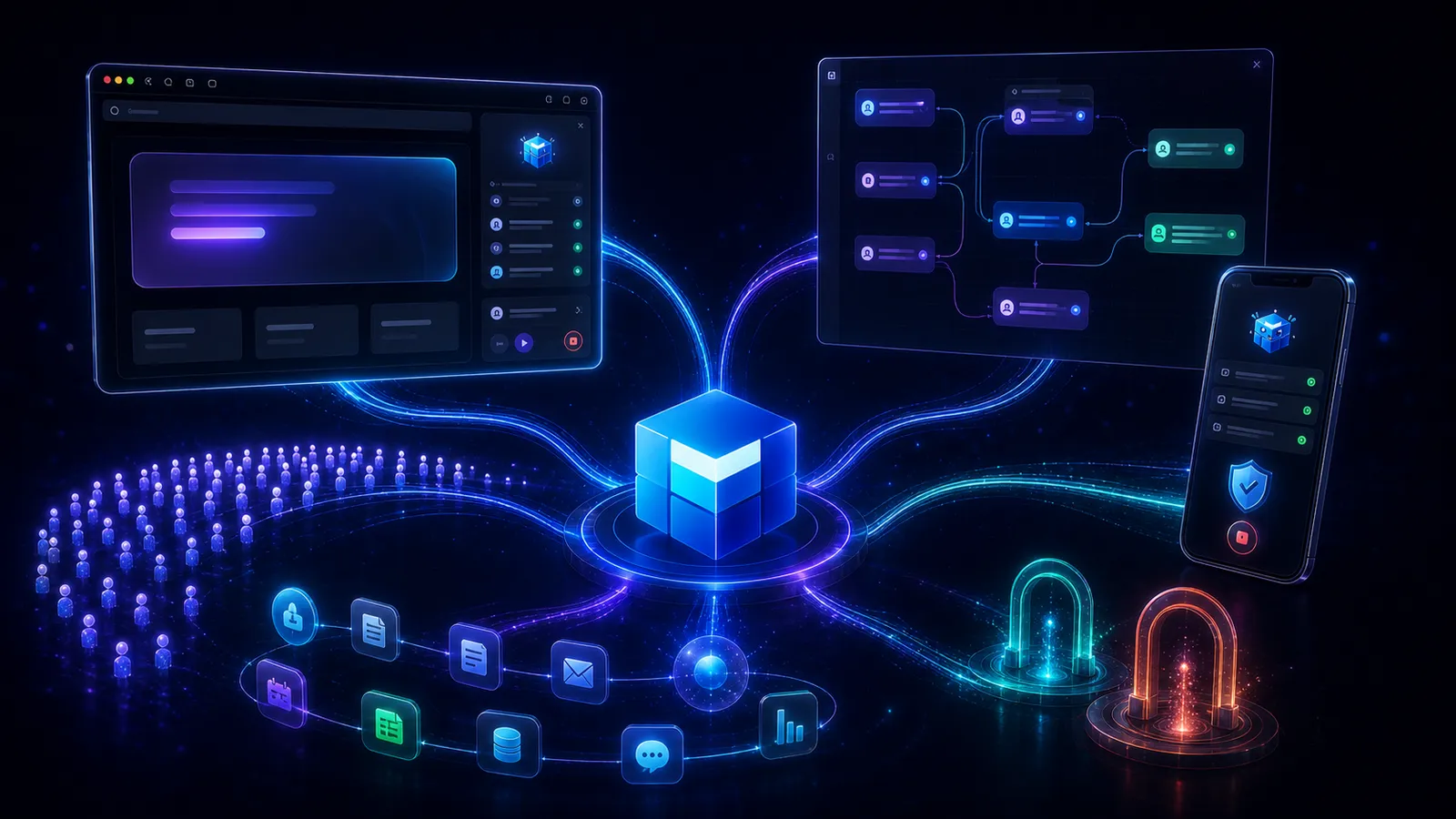
August was the month Melaya moved beyond the chat box. Agents entered the browser, stayed useful across longer tasks, gained thousands of new business actions, and reached the first 100 people willing to trust them with real work.
July put Melaya into open beta. August answered the harder question: what happens when people stop testing an agent and ask it to finish something inside the software they already use?
The answer changed the shape of the product.
We launched Browser Control and store-installed browser extensions. We made the Assistant more durable across files, context, long tool runs, and interruptions. We expanded the catalog from 1,697 tools at the end of July to 6,633 at the end of August. We strengthened Device Control for work on a real Android phone. We also crossed 100 users and announced two partnerships that give Melaya a clearer route into customer systems and the emerging AI-native network economy.
This is the August 2026 recap: what became available, why it matters, and what the first 100 users taught us about building agents people will hand real work to.
- 100 usersThe first community trusted Melaya across browser, phone, and connected apps
- Browser agentsDedicated Browser Control plus extensions for Chrome, Edge, and Firefox
- 6,633 toolsA much broader business action surface, loaded only when a task needs it
- Two new paths to marketBeejTech for delivery and integration, Marsel for AI-native participation
August at a glance
| Area | What changed | Why it matters |
|---|---|---|
| Browser Control | Agents can operate a watched Chrome, Edge, or Brave browser through the Melaya Runner | Browser work can become a controlled, replayable agent task instead of a fragile script |
| Browser extensions | Melaya is available beside an existing tab in Chrome, Edge, and Firefox | The agent can work with the page and signed-in session the user already has open |
| Assistant | Files, standing context, longer tool loops, better compaction, durable mid-run history, and reusable mobile runs | A conversation can carry real work without forgetting the brief or losing everything on interruption |
| Models | Bring-your-own cloud providers are available on every tier, alongside local and CLI routes | Builders can choose the intelligence per job without locking the workflow to one provider |
| Connectors and tools | 6,633 tools, including large enterprise suites and eight clearly separated Google products | Agents can do more of the job while users keep account and product boundaries understandable |
| Device Control | Better waking, observation, tap safety, app playbooks, voice, and approval behavior | Phone agents recover from more real-world states and remain observable on the device |
| Operations | Projects as real workspaces with a project switcher, clearer logs, and audit export | Teams can organize, find, review, and account for what their agents did |
| Compliance and growth | Cookie consent, data-subject requests, enterprise intake, lifecycle emails, and an ambassador program | Melaya can be adopted by businesses and spread by its community, not only demonstrated |
| Partnerships | BeejTech delivery partnership and the live Marsel integration partnership | Melaya gained both a route into enterprise delivery and a route into AI-native networks |
What is available now
The core August releases are usable today:
- Browser Control can run through a connected Melaya Runner in a dedicated Chrome, Edge, or Brave browser.
- The Melaya browser extension works beside an existing page in Chrome, Microsoft Edge, and Firefox.
- The Assistant can combine selected connectors, attached files, standing context, cloud or local models, and inline phone control in one conversation.
- Every tier can connect bring-your-own cloud model credentials. Sandbox execution still runs on the user's own Melaya Runner, while managed cloud execution begins on paid plans.
- The tool catalog closed August at 6,633 typed actions across business software, data platforms, cloud infrastructure, advertising, communications, finance, developer tools, and more.
- The native Marsel connector is live with 720 first-class tools.
Some of the most important August work is less visible: better state recovery, narrower permissions, history that survives a stopped run, lazy tool loading, and production checks that tell users what is missing before a task starts. Those details are what turn a striking agent demo into something a person can use twice.
1. Browser Control made the web an agent surface
Many useful workflows still end in a browser. The API might not exist. The relevant action might live behind an admin table. The task might depend on a signed-in session, a staging site, several research tabs, or a vendor portal that was designed for people rather than automation.
In August, Melaya added two ways to work there.
Dedicated Browser Control launches a browser through the local Melaya Runner. The user selects the engine, profile, tab strategy, and allowed origins, then watches the run through a live mirror. This is the stronger fit for an isolated browser profile, repeatable testing, or a workflow that should later become a saved pipeline.
The browser extension puts the Melaya cockpit beside a page that is already open. It keeps the current login and visual context, and it is the fastest path for research, QA, data entry, support work, or an operation that starts from a real tab.
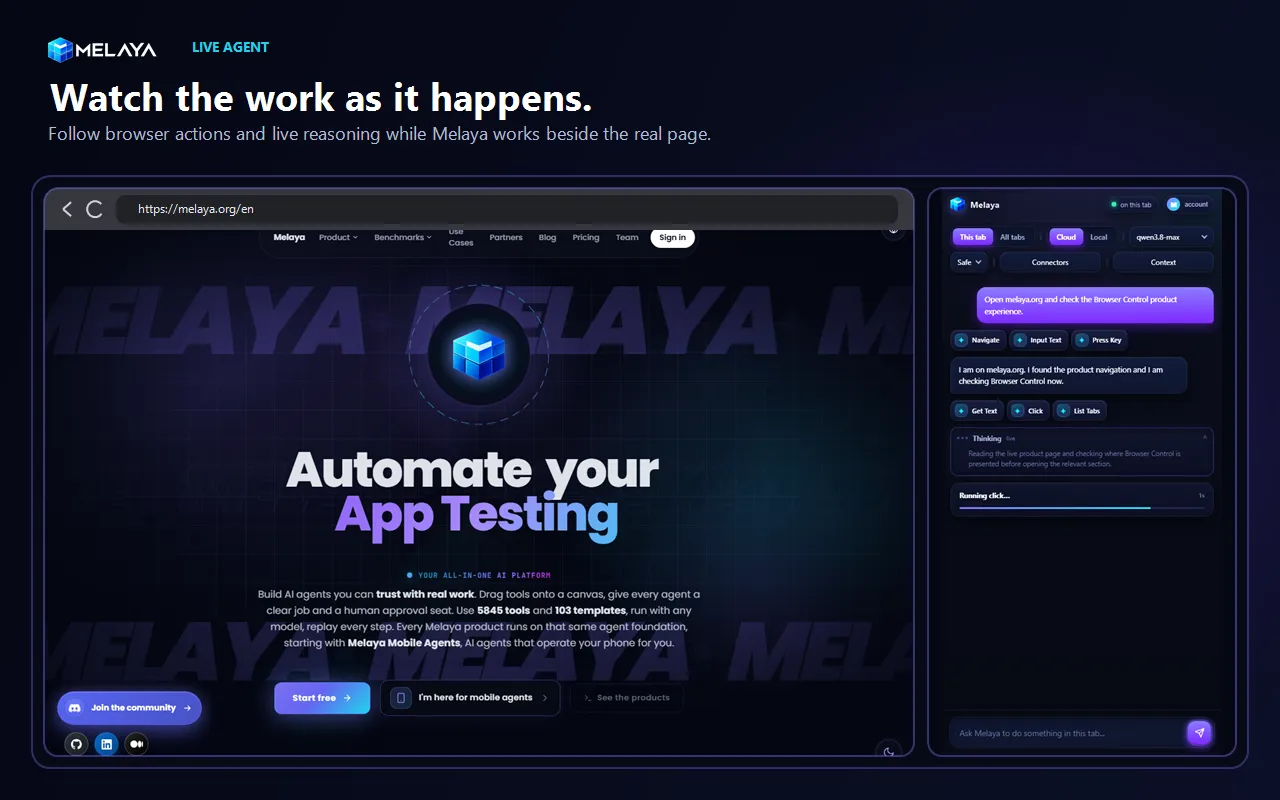
Open the tab you already use, choose This tab or explicitly allow work across tabs, select a cloud or local model, and describe the result. Melaya can read, click, type, scroll, navigate, inspect, and report without making the browser disappear behind an automation server.
Work that now fits naturally
The feature is not valuable because an AI can click a button. It is valuable because it can observe the next state, reason about what changed, and continue toward an outcome.
- QA testing: reproduce a broken flow, inspect console and network evidence, rank performance issues, and stop before a real order or payment.
- Research: compare products, policies, suppliers, or competitors across approved tabs and keep the source attached to each fact.
- Authorized extraction: collect repeated rows from permitted pages, normalize the fields, and flag duplicates or changes.
- Operations: check records across vendor portals, prepare updates, and pause before a consequential save.
- Support: combine the live admin page with the selected ticketing or CRM connector and draft the next step from both sources.
- Data entry: fill repeated forms from information the user provided, while keeping the final submission under human control.
For QA work on Chrome and Edge, the extension can bring redacted console events, network requests, and performance findings into the same agent loop. This is deliberately more useful than dumping DevTools into a chat. The goal is a finding such as "the click fired, but the checkout request returned 500 and this stack identifies the handler," backed by what the browser actually observed.
Firefox exposes a smaller browser diagnostics surface than Chromium. Melaya labels those limits instead of presenting a partial performance report as complete.
The browser does not replace your business context
A page rarely contains the whole job. A renewal review may need CRM history. A support case may need a ticket. A QA run may need the acceptance criteria. The extension lets the user select connected applications and standing context for the task instead of asking the model to guess from one screen.
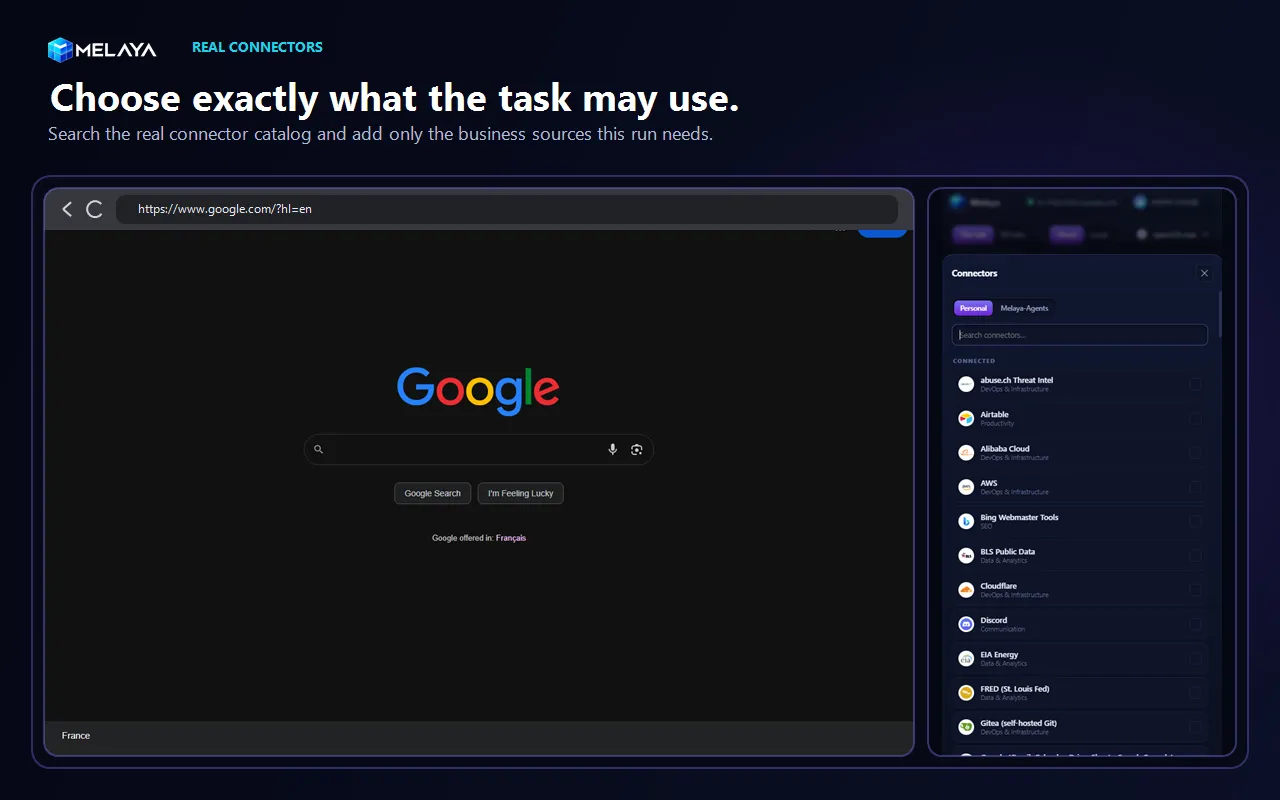
The page supplies the live interface. Connectors supply account-specific business actions. Standing context carries rules, definitions, or a supporting document. The model reasons across the selected inputs, while every credential remains behind its own connector boundary.
Control remains outside the model
Browser access is powerful enough that the permission model must be easy to understand while the task is happening.
- The user selects the tab scope. The model cannot grant itself a wider one.
- A finite, packaged browser action set executes the work. The extension does not download executable code or run arbitrary model-generated JavaScript.
- Consequential actions can pause for approval according to the selected autonomy mode.
- Password and one-time-code entry are deliberately excluded from the agent flow.
- Stop, takeover, and disconnect controls remain available while the agent works.
- Browser grants are short-lived and bound to the selected target rather than treated as permanent ambient authority.
The full product explanation, store links, use cases, and comparison with Claude in Chrome and OpenClaw are in Melaya Browser Extension: AI Inside Every Tab. The dedicated runner-first workflow is covered in AI That Uses Your Browser.
2. The Assistant became a place for longer work
The Assistant started July as a grounded way to ask about pipelines, usage, costs, and connected Melaya data. In August, it became much more capable of carrying an actual task.
Users can attach files to a message and set standing context for a conversation. That context can contain the role, tone, acceptance criteria, definitions, or facts the agent should preserve. A context gauge shows how full the model window is, and compaction keeps the active brief and recent tool work together when a long conversation needs space.
Tool loops no longer assume that useful work fits into a handful of model rounds. Longer browser and phone tasks can continue under explicit call, token, and wall-clock ceilings. The Stop control is checked during the run, not only after the model returns.
Most importantly, an interruption no longer makes the work invisible. Tool calls, phone actions, and partial assistant text are buffered and written back to history during a run. If the user stops the task or the server restarts, the conversation can show what happened before the interruption instead of reopening as an empty turn.
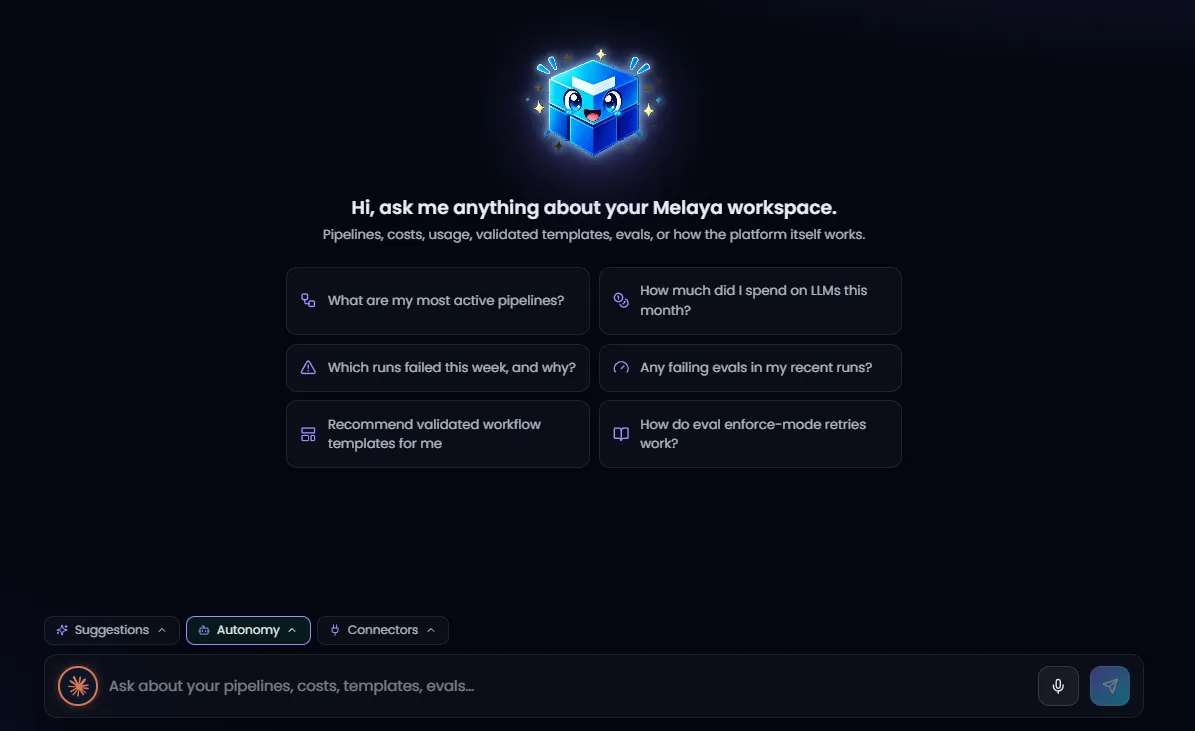
August strengthened the parts around the model: history naming and ordering, context visibility, file input, pre-run readiness checks, streamed progress, interruption recovery, and a clearer path from a successful mobile task to a reusable Device Control pipeline.
The Assistant also gained better chart rendering for data questions, clearer runner and provider recovery prompts, and pre-send checks that explain when a selected model, connector, browser target, or local runner is not ready. A user should not have to spend a paid model call discovering that a prerequisite was missing.
For successful phone tasks, the conversation can offer to save the behavior as a reusable Device Control pipeline. That is an important product direction: a one-off request can prove the workflow, then become an automation with its own project, model, connectors, context, history, and approval policy.
3. Model freedom became available on every tier
The first 100 users repeated one request in different words: do not make the workflow depend on one AI provider.
Melaya closed August with 23 supported AI providers across three practical routes:
- Bring-your-own cloud models for teams that want speed, strong hosted models, or an existing provider relationship.
- Local models through Ollama or LM Studio for work that should run on the user's own hardware and avoid a hosted per-message meter.
- Supported CLI routes such as Claude Code and Codex through the Melaya Runner when a user wants to work through an existing provider subscription and its own terms.
In August we removed the provider gate from the free Sandbox tier. A Sandbox user can connect a cloud API key they already own and use the complete connector and tool catalog. The honest boundary is execution: managed cloud execution still starts on a paid plan, so Sandbox pipelines run through the user's connected Melaya Runner.
The provider call may bill the user's own account, while the workflow still needs a machine on which to run. Melaya now keeps those choices separate: model access is open across tiers, and managed Melaya compute remains a paid execution option.
The same separation appears inside Browser Control. A quick task can use a connected cloud model without requiring a local inference app. A repeated or sensitive task can use supported local inference. The browser workflow, connector selection, context, and approval policy do not have to be rebuilt when the model changes.
4. The action catalog grew from 1,697 to 6,633 tools
Tool count is not a product by itself. A catalog matters only when the agent can find the right action, the user can understand which account it belongs to, and the runtime loads it without turning every model request into a wall of schemas.
August expanded both breadth and structure.
| New or expanded area | What it added |
|---|---|
| AWS | Hundreds of actions across core infrastructure and operations services |
| Microsoft Azure and Google Cloud | A broad cloud-management surface for multi-cloud work |
| Alibaba Cloud | Hundreds of infrastructure actions across the Alibaba ecosystem |
| Oracle ERP and SAP | Enterprise finance, operations, procurement, and resource workflows |
| Salesforce, ServiceNow, Databricks, and Snowflake | New CRM, IT service management, and data-warehouse categories, with every write kept under human approval |
| Airtable and Zoho Mail | Deep productivity and communications operations |
| Advertising | Google Ads plus new work across Reddit, Meta, and TikTok advertising surfaces |
| Google Workspace | Clearly separated Gmail, Calendar, Drive, Sheets, Docs, Search Console, YouTube, and Google Ads connectors |
| Marsel | 720 first-class tools across social, community, messaging, marketplace, SaaS, and webhook workflows |
The runtime was rebuilt around lazy, manifest-backed tool discovery. An agent can search the broad catalog, then load the focused toolkit required by the task instead of presenting all 6,633 schemas to every model call. That keeps breadth usable and makes it possible to keep adding complete integrations instead of reducing every service to a token handful of generic methods.
Google now looks like the products users actually connect
Google OAuth originally appeared as one large connector. That made authorization and demonstrations harder to understand. In August we split it into eight product cards: Gmail, Calendar, Drive, Sheets, Docs, Search Console, YouTube, and Google Ads.
Each product now exposes only its relevant tools. Users can connect different Google accounts to different products, connect several accounts to the same product, choose a default per product, see which account is live, and disconnect one product account without making an unrelated Google service appear disconnected.
YouTube keeps a separate authorization path because Google does not allow all YouTube and Workspace scopes to be requested together. Login remains identity-only. Connecting a Melaya account with Google does not silently grant Gmail, Calendar, Drive, or advertising access.
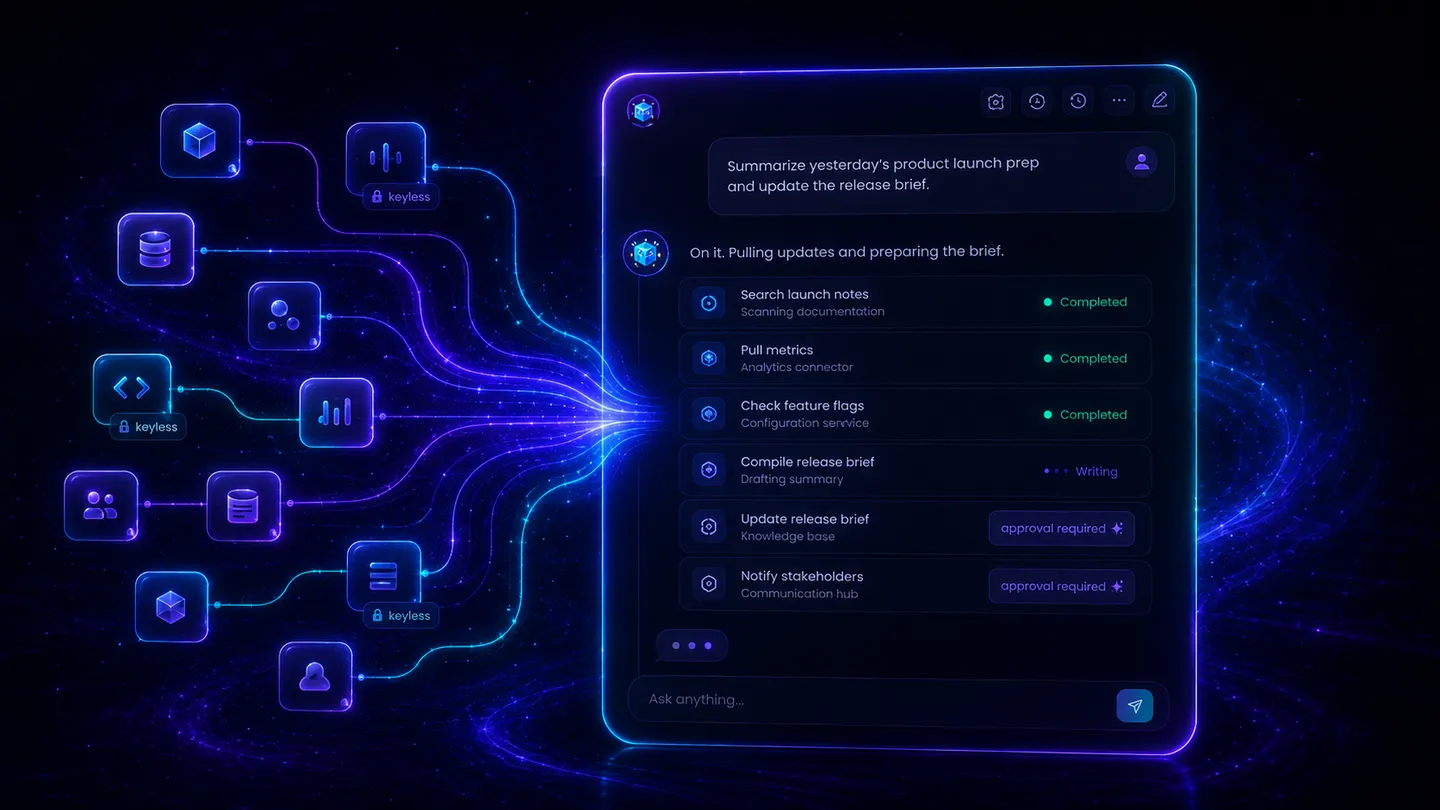
The user decides which connected applications join a chat or pipeline. The runtime maps those selections to focused tool groups and checks the stored credential at execution time. A large catalog widens what can be built without widening what every run can touch.
5. Device Control became harder to knock off course
Browser Control did not replace the phone. Many workflows still live in Android apps, and mobile interfaces create a different set of reliability problems: a sleeping screen, an overlay covering the target, an app that changed its labels, or a dangerous control sitting beside the intended tap.
August strengthened the full loop from wake to observe to act:
- Firebase push can wake the agent path when a paired phone is sleeping.
- The screen tree marks covered elements so the agent is less likely to act on a target hidden behind an overlay.
- Dangerous-tap guards add another check around sensitive interface regions.
- App playbooks improved for real social and publishing flows, including X and TikTok.
- Device presence, status, and reconnect behavior became more reliable.
- The chosen human-in-the-loop mode now carries from the builder into Device Control behavior.
- Native Android text-to-speech makes the Assistant more useful as a mobile workspace, not only a remote control surface.
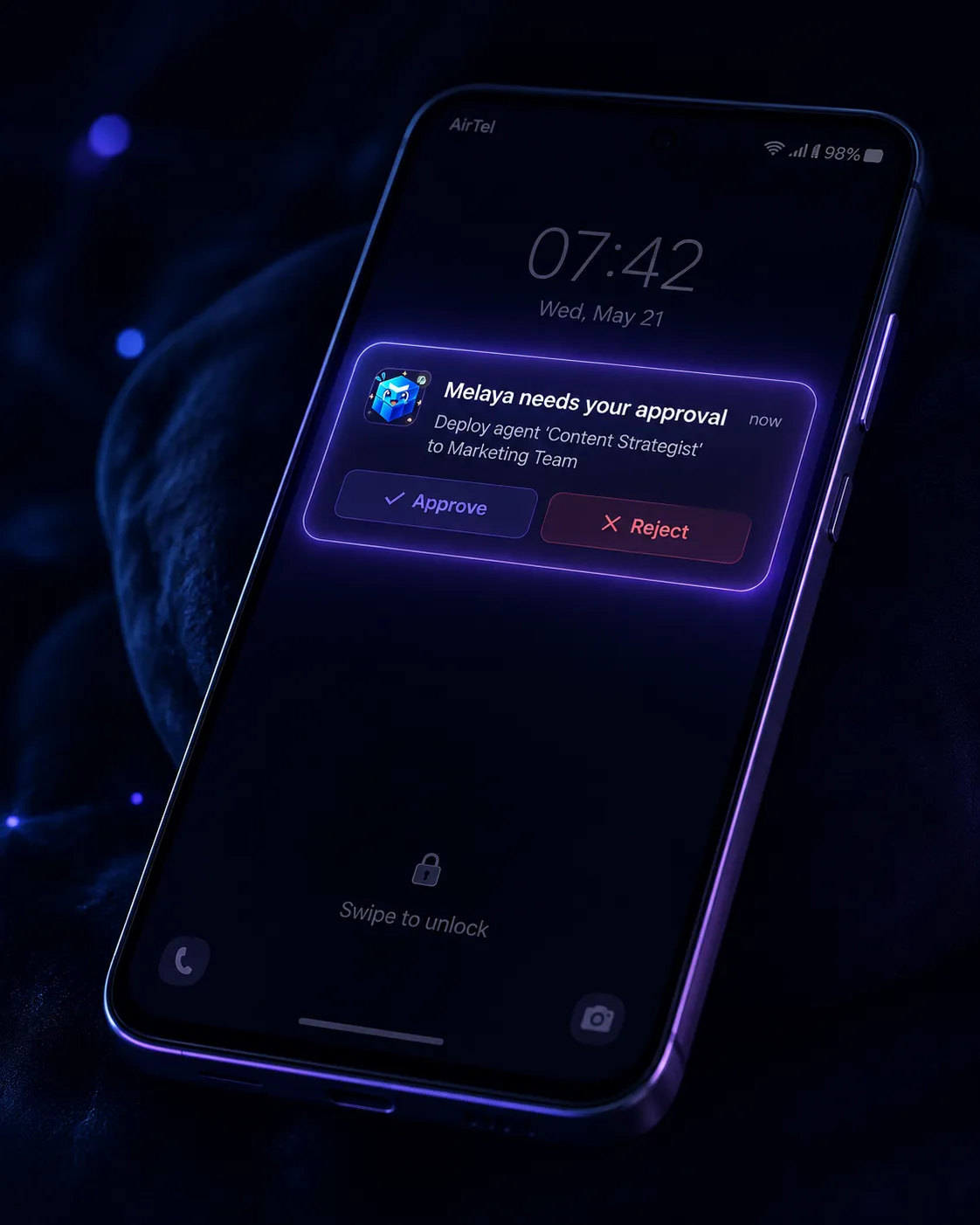
Wake signaling, better presence, covered-element detection, safer tapping, app-specific playbooks, and on-device approvals make the agent more resilient while keeping the person holding the phone in control.
The safety rule remains unchanged: the agent receives an app allowlist, sees the current state, and pauses for consequential actions according to the selected approval mode. The phone is not a hidden remote executor. The screen, run, and approval remain visible.
6. Run History became an operational surface
As agents do more work, the question changes from "can it run?" to "what ran, for which project, what did it cost, and what happened?"
August also made the project a real workspace rather than a label. Each project scopes its own pipelines, runs, and history, and a searchable project switcher in the header moves between them without losing the current view. Run History was rebuilt around that structure instead of treating every execution as one undifferentiated stream. Teams can switch projects, filter runs, review tool-call logs, export audit data where their plan allows it, and move from a run into its monitoring details with clearer context.
The same attribution work now stamps Browser Control, the browser extension, the Assistant, and future Device Control conversations as distinct product surfaces. That improves the Overview breakdown instead of leaving valid usage under an "unknown" bucket.
Assistant and Browser Control histories also remain separated in the interface even though they use the same durable message infrastructure. The browser panel can reopen its last conversation without filling the main Assistant history with every page-level task.
A governed agent needs more than a final answer. Projects, run state, tool calls, partial progress, approvals, costs, and the product surface that initiated the work all need to remain attributable after the tab or phone session closes.
7. Two partnerships gave Melaya two different routes forward
August was also the first month in which the company story became larger than the product roadmap.
BeejTech: a route from platform to enterprise delivery
BeejTech became Melaya's first delivery and integration partner. The split is deliberate: BeejTech leads discovery, integration, and the long-term client relationship. Melaya provides the governed agent platform, architecture support, model flexibility, tools, approvals, evaluation, and runtime underneath.
That matters because enterprise AI rarely fails at generating a plausible answer. It fails between the demo and the production workflow, where systems, permissions, owners, data boundaries, and support become real. BeejTech brings the delivery disciplines around that gap.
The partnership creates a practical route from business requirement to a supported automation. Teams can start with one measurable workflow, fit it to the surrounding systems, choose the deployment and approval policy, and expand only when the result is proven.
Read the full Melaya and BeejTech partnership announcement.
Marsel: a route from private agent to network participant
Marsel became Melaya's first AI-native ecosystem partner and the first partnership to launch with a complete native connector. Marsel is building a social network where people, builders, and agents can publish, discover, communicate, and participate through agent-to-agent and agent-to-human conversations.
Melaya gives those agents a governed way to do the work behind the participation. The live integration covers 715 documented Marsel consumer operations plus five advanced helpers, exposed as 720 focused tools across profiles, posts, feeds, communities, messaging, discovery, marketplace, SaaS, and signed webhooks.
A Melaya agent can now research, prepare credible work, and use its connected Marsel identity to publish or converse under the approval policy its builder selected. The same connector also supports communities, messaging, marketplace, SaaS, and webhook-driven workflows.
Read the full Marsel and Melaya partnership announcement.
These partnerships solve different parts of the same problem. BeejTech helps put agents into real organizations. Marsel gives agents and their builders a network in which useful work can become participation, conversation, and discovery.
If you want to work with Melaya, the partners page is the place to reach out. It is open to people interested in the ambassador program, to technology partners who want to integrate with the platform, and to integrators and implementation teams who want to deliver Melaya agents to their own clients.
8. Crossing 100 users changed what the milestone meant
One hundred users is not a scale story. It is a trust story.
Every one of those accounts belongs to a person deciding whether to let an early product act inside a browser, phone, model account, or connected business application. For a founder-led company, that trust is not abstract. It arrives as the bug report that catches a real break, the message that says a permission is confusing, or the request that exposes where a pricing rule makes no sense.
Three themes appeared repeatedly in August feedback:
- People want to see what the agent is doing and approve the steps that matter.
- People want cloud or local model choice instead of rebuilding around one provider.
- People want a real person to answer when the workflow does not behave as expected.
Those themes shaped the month. Browser Control kept the page and actions visible. Provider access opened on Sandbox. The onboarding flow gained direct Discord support. Error states became more specific. Interrupted runs preserved their progress. None of those changes is as easy to market as an agent completing a perfect task. They are the reasons someone is willing to give the agent a second task.
The first 100 users did not ask for a more magical black box. They asked for more useful autonomy, clearer boundaries, more model choice, and a human answer when the edge case became real.
9. Compliance, trust, and the first growth foundations
August also built the parts a company needs once real people and real businesses start to depend on it.
- Privacy and consent. A cookie-consent banner now governs analytics, with a persistent preferences control. Identifiers and network beacons are only set when a visitor opts in, users can request that their data be anonymized, and retention limits plus a dedicated privacy database role sit behind that promise.
- Enterprise intake. A sales, pilot, and partner request flow lets a team with a concrete workflow reach out directly. Lead details are encrypted at rest and triaged internally, so an enterprise conversation can begin without a cold email.
- Lifecycle communication. A configurable email system sends onboarding and activation messages that are tier-aware, personalized per recipient, and available across all eight supported languages.
- An ambassador program. People who refer Melaya can now earn recurring revenue, and referred users receive a discount on their first months. It is a first, honest growth channel that rewards the community actually spreading the product.
None of this is a demo feature. It is the difference between an interesting agent and a product a business and its community can commit to.
10. The invisible work made the visible product faster
August also contained a large amount of work that should be noticed mostly by its absence.
- Marketing pages were tuned for smoother scrolling without removing the animated design.
- Large public images were converted to WebP where appropriate, and deployment now refreshes the right Cloudflare caches so new assets do not sit behind stale responses.
- Browser and Assistant streaming became more resilient across reconnects and long runs.
- Local Runner version checks and recovery guidance became clearer.
- OAuth and profile flows were tightened after the application moved to
app.melaya.org. - Legal acceptance evidence is recorded server-side with the locale and current policy version.
- Prerender checks were hardened so localized product pages fail the build instead of silently shipping incomplete metadata.
The product is broader than it was one month ago, but the quality target is the opposite of sprawl. Each surface should tell the user what is connected, what is missing, what the agent is doing, and how to stop it.
Where August leaves Melaya
At the end of July, Melaya was an open-beta agent builder with an Assistant and Android Device Control.
At the end of August, it is also a browser-agent platform that can work in a dedicated runner browser or beside an existing tab, use connected business applications as part of that task, route across cloud or local intelligence, carry longer work through interruption, and leave a clearer operational record afterward.
The catalog grew by 4,936 tools in one month. The first 100 users made the trust requirements concrete. BeejTech created a path from platform capability to accountable enterprise delivery. Marsel created a path from private agent workflow to AI-native participation.
The next job is not to make the product look bigger. It is to make these capabilities feel simpler together: quicker onboarding, clearer recovery, stronger browser and device reliability, deeper partner workflows, and more evidence that an agent completed the right work under the right boundary.
If you want to try the August releases, create a Melaya account, install the browser extension, or begin with the Agent Builder. If you hit an edge case, join the Melaya community. At this stage, your report still reaches the people building the fix.
For what came next, read the September 2026 recap: the Marketing workspace, deeper browser and MCP workflows, and the System One decision models.
