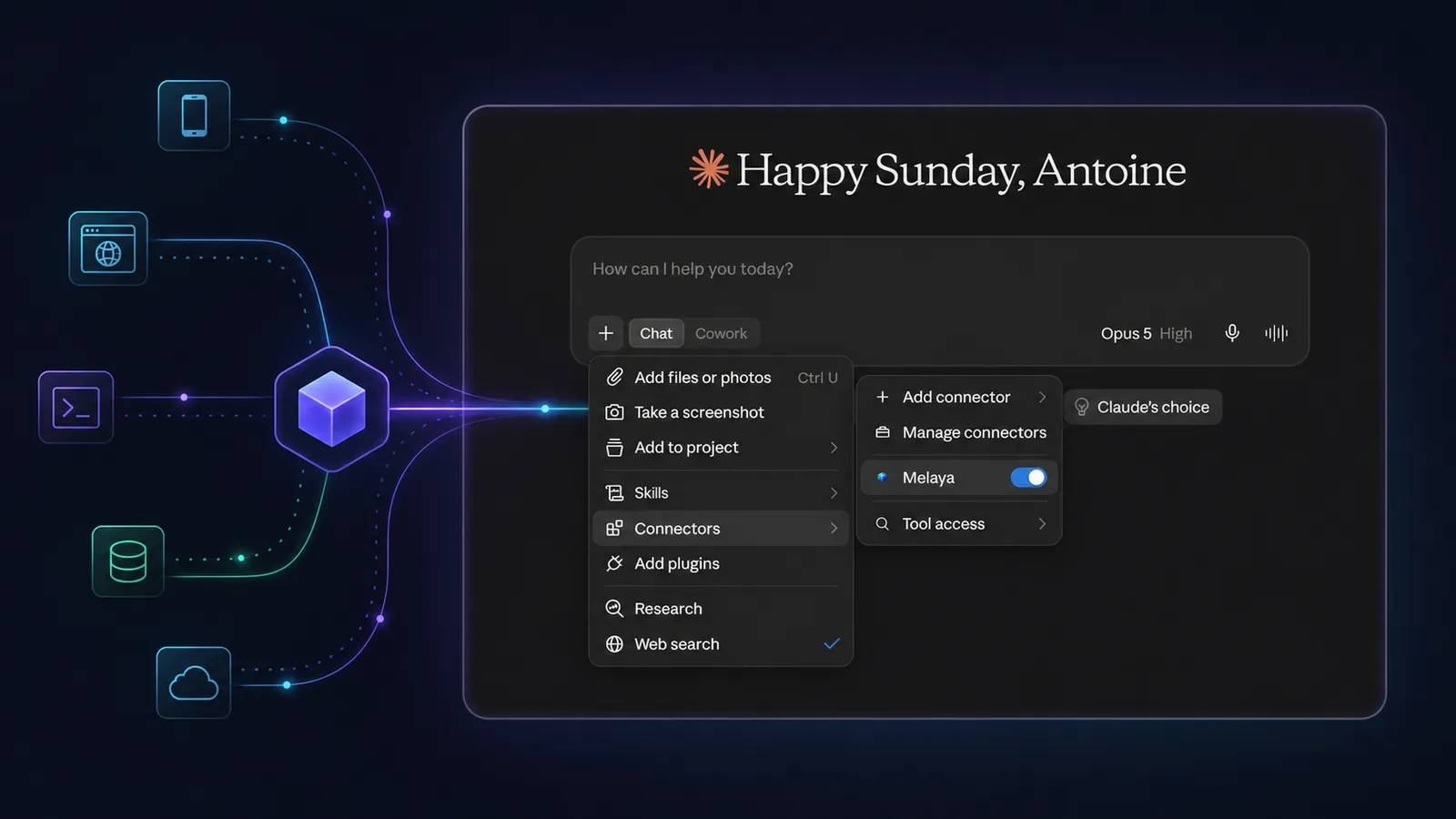
Your AI can explain the next step. Melaya MCP lets it take that step, inside the tools and devices you explicitly allow.
Most AI assistants are already smart enough to understand a task. The frustrating part is everything that happens after the answer.
You copy information out of one window. You paste it into another. You take a screenshot because the assistant cannot see what you see. You click through a portal because it can describe the button but cannot press it. You reopen the conversation when a long-running workflow fails and try to reconstruct what happened.
In that setup, the AI is the brain and you are still the integration layer.
The Melaya MCP Server changes that relationship. Connect one remote endpoint to the AI client you already use, approve the capabilities that make sense, and the assistant can work through Melaya instead of handing every action back to you.
What you can actually get done
Here is the entire idea in one sentence: your AI already knows what to do, and now it can go and do it.
Not in a demo. On the real phone in your pocket, the real browser tab in front of you, and real workflows that keep running long after you close the window.
You connect one address. You tick the things you are comfortable with. Then you just ask, in normal words.
- On your Android phone: "Go through my unread messages and tell me who actually needs an answer." It reads the screen the way a person does, so it works inside apps that never shipped an API.
- In your browser: "This checkout page feels slow. Find the failed requests and console errors, then give me the three likeliest causes." It reads the real network and console, not your description of them.
- As something that repeats: "Now do that every weekday at 8:00 and send me the summary." The one-off request becomes a scheduled agent pipeline with its own run history.
- Across accounts you already connected: "What did we spend on cloud last month?" Read-only, on the services you linked, with no write tunnel opened.
- After something breaks: "Why did last night's run fail?" It reads the actual trace, tool output and evaluation instead of guessing from the final sentence.
Each of those is one assistant, one connection, and a different Melaya surface underneath: Device Control for the phone, Browser Control and the browser extension for the tab, the Agents Builder for the pipeline, and connected services for the reads.
You no longer need to open Melaya to use Melaya
This is the part that surprises people, so it is worth saying plainly.
Melaya has a full visual product. A canvas for building agents, a browser cockpit, a device console, run traces you can scrub through. You can ignore all of it.
If you think in Claude, stay in Claude. If your day happens in Cursor, VS Code, Codex or a terminal, stay there. Melaya stops being a place you visit and becomes the hands attached to the assistant you already have open. The interface is still there for the moments you want it, to watch a device live or tune a pipeline by hand, but it is now a choice rather than a toll gate you pass through to get work done.
You stop being the copy-paste layer between a good answer and the system where the work actually has to happen.
What is an MCP server in plain English?
MCP stands for Model Context Protocol. It is an open standard that gives an AI application a consistent way to discover and use outside tools.
Think of it as a universal tool socket for AI.
Without MCP, every assistant needs a custom integration for every product. The Claude integration, the Codex integration, the ChatGPT integration and the next AI interface all become separate projects. Each one has its own setup, permissions, bugs and maintenance.
With MCP, Melaya publishes one remote server. A compatible AI client connects to that server, discovers the tools the user permitted, and calls them through the same protocol. The assistant can change without forcing the Melaya connection to be rebuilt from zero.
The official Model Context Protocol authorization specification defines protected-resource discovery and OAuth-based authorization for remote servers. Melaya implements that model with OAuth 2.1, PKCE, audience-bound tokens and separately consented scopes.
The technical sentence matters to security teams. The human sentence is simpler:
You connect Melaya once, choose what the AI may use, and keep your password to yourself.
Stop being the mouse for your AI
The value is not another chat window. It is removing the manual handoff between a useful answer and completed work.
- Explains which screen you should open
- Asks you to paste data from another system
- Stops when a task moves to your phone or browser
- Loses the operational trail after the conversation
- Reads the screen or workspace data you authorized
- Uses a finite, named tool for the next action
- Hands longer work to a governed Melaya pipeline
- Reads the run, trace, evaluation and failure evidence afterward
This is why the product page says, "Stop being the mouse for your AI." The bottleneck is rarely the model's ability to write another paragraph. It is the last mile between the paragraph and the real system where work must happen.
Melaya inside the AI client you already use
You do not have to move every workflow into the Melaya interface.
If Claude is where you think, keep using Claude. If your team works in Claude Code, Codex, Cursor, VS Code, Le Chat, Gemini CLI or another compatible MCP client, connect Melaya there. The endpoint remains:
https://api.melaya.org/mcp
Anthropic describes remote MCP connectors as a way for Claude to use internet-hosted tools and data across Claude surfaces. Its custom connector guide also makes the important safety point: users should connect only to servers they trust and review requested permissions carefully.
That is exactly why Melaya makes the permission boundary visible instead of hiding it behind one broad "allow" button.
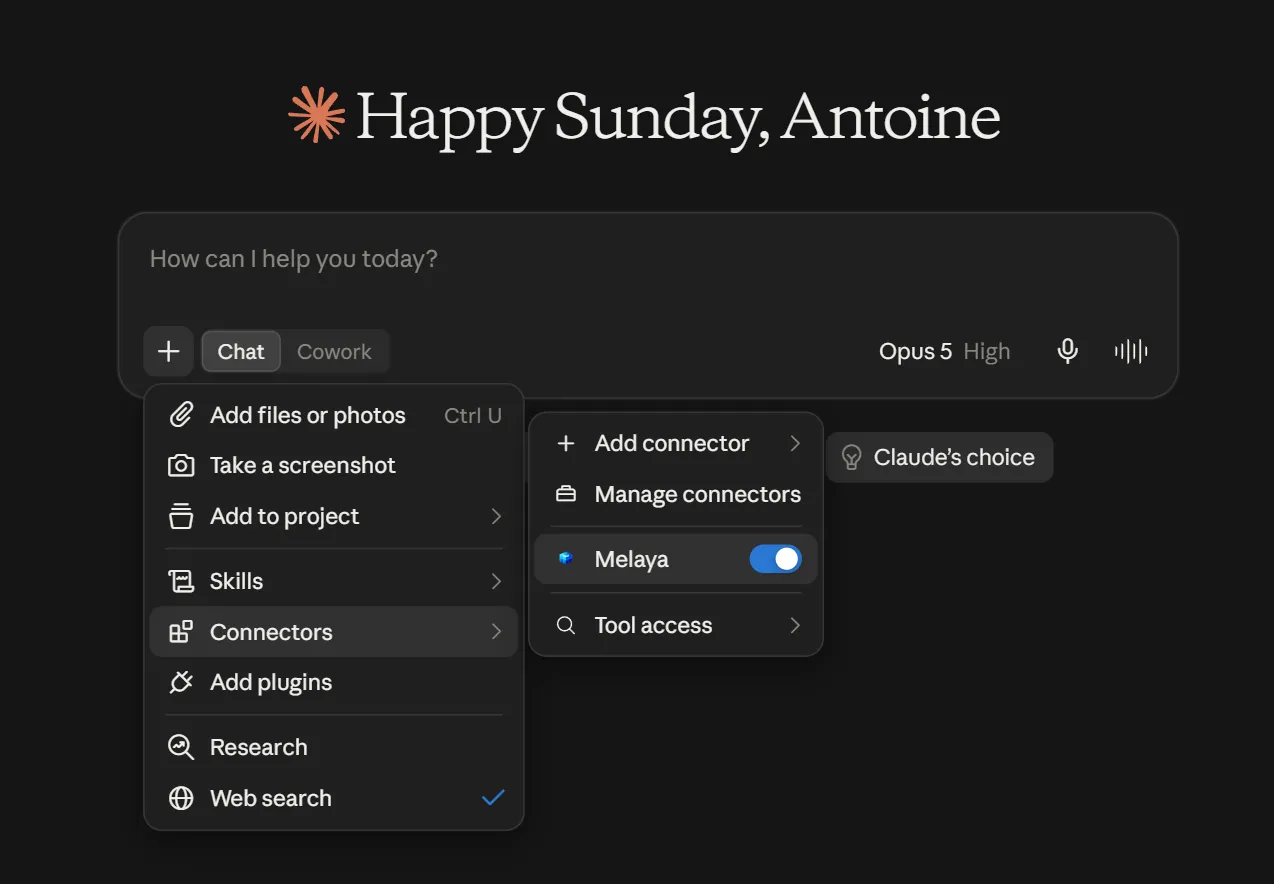
Enable Melaya for the conversation and ask normally. Claude discovers only the Melaya tools covered by the scopes you granted. The same remote endpoint can be connected from other compatible MCP clients, so the operational layer is not rebuilt around one assistant interface.
The assistant remains the place where the conversation happens. Melaya becomes the controlled action and observability layer behind it.
Your model already has a brain. Melaya gives it hands.
Not everyone talks to a hosted assistant. A large share of builders route models through OpenRouter or LiteLLM, or run open-weight models such as Qwen, DeepSeek, Llama, GLM or Mistral themselves in Ollama, LM Studio, vLLM or llama.cpp, sometimes behind a private OpenAI-compatible endpoint that never leaves the company network.
Those setups are good at one thing: deciding which model answers and what it costs. They stop there. A router can send your prompt to the best model for the price, but it cannot open a browser tab for that model, tap through an Android app or click a button in a desktop application. A local runtime keeps your data on your machine, but the model it serves has no hands either.
That is the line between model intelligence and execution:
| Layer | Who supplies it |
|---|---|
| The model, its reasoning and its inference bill | You: your router key, your local runtime, your private endpoint or your assistant subscription |
| Tools, devices and connected business apps | Melaya: browser, Android, computer, connectors and pipelines |
| Permissions, approvals and the record of what ran | Melaya: OAuth scopes, allow-lists, approval cards, run traces |
Melaya does not replace or resell your model on this path. It does not care which model is on the other end of the MCP connection, as long as that model can call tools.
Path 1: connect the client that already holds your model
Most open-model users already work in an MCP client that accepts a router key or a local model: Cline, Goose, Zed or Qwen Code, for example. Keep the model configured exactly as it is, then add https://api.melaya.org/mcp as a remote MCP server in that same client. After the Melaya consent screen, the routed or local model gets the same Melaya tools Claude or ChatGPT would, filtered to the scopes you granted.
A few practical notes:
- Local stays local. With Ollama, LM Studio, vLLM or llama.cpp, the model and your prompts stay on your hardware. Only the tool calls the model decides to make reach Melaya.
- The model has to handle tool calls. Recent Qwen, DeepSeek, Kimi, GLM, Llama and Mistral releases do. Very small local models usually do not, and you notice fast because the model describes a tool instead of calling it.
- Private endpoints work the same way. If the client can talk to your OpenAI-compatible server, it can use Melaya.
Path 2: build the job as a Melaya agent
A live MCP session is ideal for work you watch. Jobs that repeat, run at night or need sign-off belong in Melaya Agents. There you pick the model per agent: a key for OpenRouter, LiteLLM or a hosted provider, the endpoint of an OpenAI-compatible server, or Ollama and LM Studio through the Melaya app on your own computer. Melaya then adds the parts a model never had on its own: scoped tools, memory across runs, schedules and triggers, approvals before writes, and a replayable trace of every step.
The two paths connect. Ask your MCP client to turn a working request into a Melaya pipeline and it previews, saves, tests and schedules it over MCP. The pipeline then opens in the Agent Builder whenever you want to swap a model or a tool by hand.
The documentation has the client-by-client setup for routers, local runtimes and private endpoints.
What can an AI actually do through the Melaya MCP Server?
The public surface contains 130 tools. That is deliberately smaller than Melaya's full internal tool and API catalog. A model does not become more reliable because it receives thousands of vaguely relevant actions at once.
The MCP tools are grouped by outcome and filtered by scope before the client sees them.
Operate an Android phone you paired
The AI can inspect the accessibility tree, take a screenshot, open an allow-listed application, tap, type, swipe, scroll and stop. It can ask Melaya which application is currently open and follow app-specific operating guidance.
The phone remains yours. Pairing is explicit, the app allow-list is enforced on the device, and the universal stop control remains available.
Example:
Go through my unread Instagram messages on the paired phone. Summarize who needs an answer. Do not reply or publish anything.
Inspect and operate an attached browser
The AI can read an attached page, extract visible text, navigate, click, type, scroll, work across permitted tabs and stop the browser session.
For debugging, it can also read captured console messages, network activity and a ranked performance diagnosis. That turns "the page feels slow" into a task with evidence instead of a guessing exercise.
Example:
Inspect the attached checkout page. Find failed network requests and console errors, then tell me the three most likely causes. Do not submit the form.
Build and run agent workflows
The AI can list pipelines, inspect their editable configuration, search the tool and subagent catalogs, validate a proposed configuration without saving it, create a pipeline, schedule it, run it and cancel a run.
Long work no longer has to remain trapped inside one chat turn. A useful one-off request can become a named, scheduled Melaya workflow with run history and evaluation.
Example:
Create a weekday pipeline that checks yesterday's failed runs, groups them by failure type and produces an operator summary at 8:00. Preview the configuration before saving it.
Diagnose what happened after a run
The MCP server exposes operational reads for run outcomes, traces, tool activity, evaluation results, costs and agent memory. Instead of asking a model to infer why automation failed from the final sentence, you can ask it to inspect the evidence.
Example:
Diagnose the last failed customer-support pipeline. Show the phase that failed, the relevant tool result and whether the same failure appeared in recent runs.
Read from connected services without opening a write tunnel
The connector domain can list and test connected services, discover their available read tools and call reviewed read-only operations. Connector writes are structurally excluded from this MCP surface.
That separation is intentional. "Read the account data I connected" and "send or change something in that account" are not the same permission.

One connection does not mean unlimited authority
An MCP server can be powerful without becoming an everything token.
Melaya divides authority into ten domains:
- Workspace reads
- Account and plan reads
- Local runner setup and status
- Android phone control
- Browser control
- Computer control
- Pipeline authoring and execution
- Project switching and management
- Connected-service reads
- Team membership and invitations
The consent screen lets the user grant these separately. The server then filters tools/list to those scopes. A client connected for workspace reads does not receive browser or phone tools and cannot call a hidden action by guessing its name.
The scope is also only the outer ceiling. Existing account status, subscription entitlements, project membership, device pairing, browser grants, app allow-lists, origin restrictions and approval policies still apply underneath it.
- Connect the endpointAdd https://api.melaya.org/mcp in the AI client you prefer
- Sign in to MelayaOAuth authenticates your account without sharing your password
- Choose the scopesGrant only the product domains this client needs
- Attach the real surfacePair your Android device, attach a browser tab, or select the workspace involved
- Ask normallyThe client sees and calls only the finite Melaya tools inside the approved boundary
The safety boundaries are part of the product
The easiest way to market an agent tool is to list everything it can reach. The more important list is what it cannot reach.
- Trading tools and platform-administrator powers are absent and source-level tests keep them absent.
- Credential values, API keys, passwords, MFA controls and full personal-data exports are never exposed.
- The AI can list pending human approvals but cannot approve its own consequential action.
- Connected-service access is read-only through MCP and write tools are blocked independently of the model's instructions.
- A phone or browser allow-list can be narrowed during a run but cannot be widened by the agent.
- Disconnecting revokes future refreshes. A current self-contained access token can remain valid until its maximum one-hour expiry.
This does not make prompt injection imaginary. A web page, email or phone screen can contain hostile text designed to influence a model. Melaya contains that risk with explicit surface attachment, allow-lists, origin restrictions, finite tool definitions, approval policies and a stop control. Users should still review sensitive operations and give each client the smallest useful scope set.
Why not build a separate integration for every AI client?
You can. You will also own the same integration repeatedly.
| Approach | What you gain | What you keep paying for |
|---|---|---|
| Copy and paste | No setup | Manual work on every task, missing context and no reliable action trail |
| Direct custom integration per AI provider | Deep provider-specific experience | Separate authentication, permissions, schemas, maintenance and review for every client |
| Generic API tool with broad access | Fast initial implementation | A large, ambiguous attack surface that is difficult for users and models to reason about |
| Melaya MCP Server | One remote endpoint, scoped discovery and purpose-built actions across Melaya products | One Melaya authorization relationship and the product prerequisites for the capabilities you choose |
MCP does not remove every dependency. The client still applies its own model, plan, approval behavior and product limits. Browser Control still requires the Melaya extension. Local or autonomous execution still requires the Melaya Runner. Device Control remains Android-only and needs a paired device.
What MCP removes is the need to rebuild the Melaya action layer around every AI interface.
Your workflows do not have to start over because your preferred AI interface changed. The MCP client can change while Melaya remains the governed execution layer for the browser, Android device, pipelines, observability and connected-service reads.
How to connect the Melaya MCP Server
For a graphical AI client, open its connector settings, add a remote MCP server and paste:
https://api.melaya.org/mcp
For Claude Code:
claude mcp add --transport http melaya https://api.melaya.org/mcp
For Codex CLI:
codex mcp add melaya --url https://api.melaya.org/mcp
The Melaya MCP Server product page contains current instructions for Claude, Claude Code, ChatGPT, Codex, Cursor, VS Code, Le Chat, Gemini CLI, Qwen Code, Devin Desktop, Zed, Cline, Goose, Lovable and generic remote MCP clients.
After adding the endpoint, the client opens the Melaya authorization flow. Sign in, review the requested scopes, untick anything the client does not need, then approve. The assistant can immediately discover the permitted tools.
Your interface is now a choice, not a boundary
Some people want a visual canvas. Some prefer an assistant window. Some live in a terminal. None of those preferences should decide whether an AI can inspect the real evidence, operate an approved surface or hand work to a durable agent pipeline.
You do not want to use the Melaya UI for every task? Fine.
Connect https://api.melaya.org/mcp to the AI client where you already work. Give it the smallest useful set of permissions. Then stop copying, pasting and clicking on behalf of a model that is ready to do the job itself.
For the wider product update, read the October 2026 recap: tools for OpenRouter, Qwen and open-weight models.
Frequently asked questions
What is the Melaya MCP Server?
What URL do I use to connect Melaya over MCP?
https://api.melaya.org/mcp. The MCP product page provides current setup instructions for supported graphical and command-line clients.Which AI clients work with the Melaya MCP Server?
Does connecting MCP give the AI access to everything in Melaya?
Can the Melaya MCP Server control my phone?
Can an MCP client debug a website through Melaya?
Can the AI approve its own pending actions?
Does the Melaya MCP Server work with OpenRouter, Ollama or LM Studio?
https://api.melaya.org/mcp to that same client. The model you chose gets the Melaya tools covered by the scopes you granted, provided it can call tools.